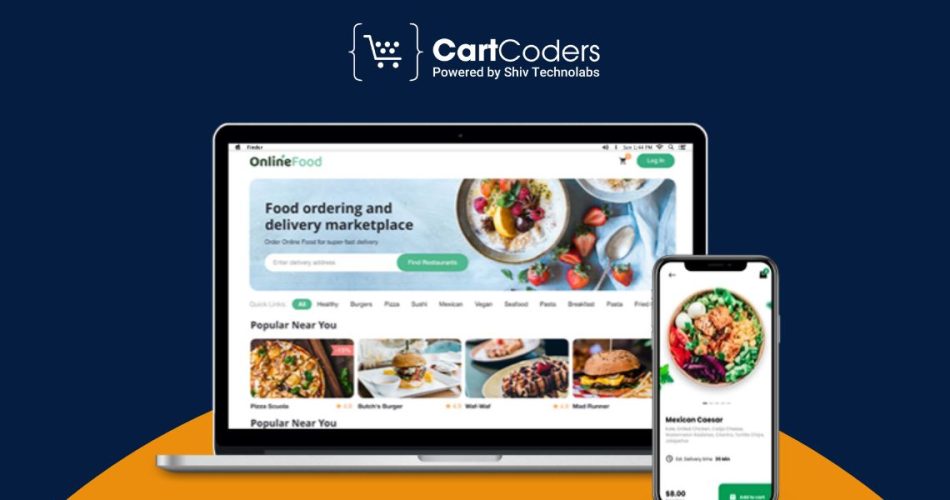

Food ordering and delivery platforms have changed how people buy groceries and daily items. A website like Instacart allows users to pick a store, add products, place orders, and get everything delivered within a short time. This model works well because people want quick access to fresh items without stepping out.
If you plan to build a food ordering website, your platform must support smooth browsing, quick cart actions, simple checkout, and accurate delivery tracking. It should also allow store owners to manage products and inventory without confusion.


In this guide, we will walk through the core structure, features, and steps needed to build a strong online food delivery system similar to Instacart.
How Instacart-Style Platforms Work?
A food delivery platform like Instacart connects four sides: users, stores, delivery partners, and admins. Each side follows a clear flow to keep the system running without confusion.
User Flow
- Users pick a store or select items based on location.
- They browse categories, check prices, and add products to the cart.
- They place an order and track it until delivery.
Store Flow
- Stores update product lists, prices, and stock units.
- They receive new orders and pack items for pickup.
- They confirm order readiness for the delivery partner.
Delivery Flow
- Delivery partners accept tasks based on distance.
- They pick the order from the store.
- They drop the order at the user’s address.
Admin Flow
- Admins manage stores, products, users, and delivery partners.
- They control pricing rules, fees, and permissions.
- They track sales, payments, and platform activity.
This process builds a clear structure where every party knows what to do and when to do it.
in this space. Evaluate them to understand all aspects of their platforms-from feature-set, pricing models, and retaining their customer base.
Key Features Your Website Must Support
A food ordering and delivery website works well only when every side has the right tools. Your platform must cover users, stores, admins, and delivery partners with clear features.
User-Side Features
- Easy account signup with phone, email, or social login
- Location-based store or zone selection
- Smart search with filters for price, category, diet, and offers
- Product details with images, units, and substitute options
- Saved addresses and order history
- Quick cart editing and promo code support
- Real-time order tracking and delivery status
- In-app support through chat, tickets, or calls
Store-Side Features
- Store profile with timings, service areas, and categories
- Product management with variants, tags, and pricing
- Live stock tracking and out-of-stock alerts
- Order list with status filters and notes
- Packing status updates for riders and admins
- Discount and promotion tools
- Basic reporting for orders, revenue, and top items
Admin-Side Features
- Control panel for users, stores, and delivery partners
- Zone and city management
- Commission rules and fee settings
- Coupon and promo code system
- Payout management for stores and riders
- Tax configuration for different regions
- Content management for banners, pages, and pop-ups
- Full order timeline view for support teams
Delivery-Side Features
- Rider profile and verification details
- Task list with pick-up and drop details
- Map view with store and customer location
- Route guidance through map apps
- Wallet, payout, and earning history
- Order status updates like picked, on the way, delivered
When these features work together, your platform can support daily operations without friction for any party.
Hyperlocal Grocery Delivery Website
Store mapping, zone rules, and cart logic built for local delivery.


Tech Stack for Food Ordering and Delivery Websites
You do not need a very fancy stack, but you do need a stable one. Your tech choices affect speed, security, and future scaling.
Frontend
- React, Vue, or Next.js for fast, modern interfaces
- Responsive design so users can order from mobile and desktop
- Support for reusable components like product cards, carts, and filters
Backend
- Node.js, Laravel, or Django for core business logic
- REST or GraphQL APIs to connect frontend, apps, and admin tools
- Role-based access for users, stores, riders, and admins
Database
- PostgreSQL or MySQL for structured data like products, orders, and users
- Redis for caching frequent queries and active sessions
- Proper indexing for faster product and order searches
Maps, Location, and Routing
- Google Maps Platform or Mapbox for location and routes
- Distance and time calculation for delivery fees
- Store-radius logic to manage service areas
Payment Setup
- Payment gateway integration, like Stripe, PayPal, Razorpay, or local options
- Card, wallet, and cash-on-delivery support
- Refund, partial refund, and order hold logic
Other Key Tools
- SMS and email services for OTPs and alerts
- Push notification services for status updates
- Analytics tools for tracking orders, funnels, and drop-offs
With this stack and clear roles, your food ordering website can grow from a single city project to a multi-city platform.
How to Build a Platform Like Instacart (Step-by-Step)
Building a food ordering platform is not just about coding a website. You need a clear plan, the right features, and strong execution. Here is a simple step-by-step path.
Step 1 — Pick Your Model: Single Store, Multi-Store, or Aggregator
Before writing a single line of code, you must lock your platform model. This choice decides how products appear, how orders flow, and how riders get assigned.
- Single Store: Best for brands with their own stock and delivery.
- Multi-Store: Many stores, one platform, shared delivery pool.
- Aggregator: Users pick a nearby store based on distance or zone.
A clear model helps you avoid structural changes later.
Step 2 — Build Strong Store and Zone Logic
Your platform must know which store can serve which address. This is the backbone of Instacart-style delivery.
Start by mapping cities into zones, pin codes, or radius circles. Then connect each store to one or more zones based on delivery limits.
- Show only eligible stores to users.
- Add cut-off rules for late-night orders.
- Add buffer time between packing and pickup.
This step decides how accurate your delivery promises feel.
Step 3 — Create a Grocery-Friendly Product Structure
Grocery items demand more details than a typical eCommerce product. Weight, variant, expiry, and pack type change very often.
Use a detailed yet simple structure:
- Pack size and unit (250g, 1L, 6-pack, etc.)
- Brand and category tags
- Variants like pouch, bottle, tray, loose weight
- Replacement-friendly and non-replacement items
- Batch-level stock for fresh items
A strong structure helps stores update products without confusion.
Step 4 — Set Up Cart Logic Built for Grocery Buying Patterns
Grocery carts behave differently because users add many small items and often edit them. A short delay can break their flow.
Add logic such as:
- Fast cart updates without page reload
- Store-wise minimum order value
- Delivery fees based on zone
- Replacement options shown inside the cart
- Slot selection for scheduled delivery
Your cart must sync perfectly with inventory and store timing.
Step 5 — Build a Store Panel That Matches Real-Life Staff Workflow
Store teams cannot handle complicated screens during rush hours. They need quick actions, instant updates, and clean layouts.
Give them:
- A category-wise pick list
- One-click “Out of Stock”
- A simple packing checklist
- Auto-printed labels and order slips
- Alerts for missing items or replacements
This step reduces packing mistakes and speeds up order readiness.
Step 6 — Design a Rider Assignment System That Works With Real Routes
Delivery partners form the final touchpoint. Their experience affects delivery time, accuracy, and customer satisfaction.
Your system should support:
- Auto-assignment based on distance and rider availability
- Manual override when needed
- Pick up and drop map views
- Multi-order batching for nearby drops
- Rider wallet for payouts and earnings
A reliable rider flow keeps delivery timing steady across zones.
Step 7 — Test the Full Workflow With Real Stores and Riders
Testing must reflect real conditions, not just internal checks. Place test orders at different times, involve store staff, and track rider pickup flow.
Cover scenarios such as:
- Peak hour orders
- Missing items and quick replacements
- Failed payments
- Scheduled delivery slots
- Partial cancellations
This gives you a true picture of system health.
Step 8 — Launch in Small Batches and Expand Gradually
A controlled launch protects your budget and user experience. Start with one zone and a few partner stores. Track the first few hundred orders closely.
- Fix issues within short release cycles
- Add stores only after delivery times stay stable
- Expand zone by zone
This approach builds a strong foundation for long-term growth.
Monetization Methods for Food Delivery Websites
A food ordering platform can earn revenue in multiple ways. The model you choose depends on the stores you onboard, the delivery structure, and your long-term plan. Here are the most common methods used by grocery and food delivery brands.
Commission From Each Order
This is the standard way to earn revenue. You earn a small percentage on every successful order.
- Different stores can have different commission rates.
- High-demand stores often accept higher fees because of better visibility.
- You can also set category-wise commission rules if needed.
Subscription Plans for Users
Platforms like Instacart use subscription plans to improve recurring revenue.
- Free delivery on orders above a certain limit
- Priority delivery slots
- Better customer support
- Early access to deals
Even low-priced plans can build strong repeat usage.
Delivery Fees
You can add flexible delivery fees based on distance, weight, or delivery speed.
- Standard delivery
- Express delivery
- Heavy-item delivery
A smart fee structure improves earnings without affecting order volume.
Service Fees and Packing Fees
Some regions allow service fees on each order. Packing fees work well for items that need special handling, such as:
- Frozen goods
- Fragile items
- Multi-bag orders
These fees help you cover operational costs.
Store Onboarding Fees
If you run a multi-store platform, you can charge a small onboarding fee to cover:
- Store setup
- Product import
- Integrations
- Basic support
Many stores agree to this because the platform gives them new customers.
Ad Spots and Featured Listings
Stores can pay for better visibility.
- Featured store placement
- Highlighted product listings
- Banner ads during high-traffic hours
This works well once your platform grows.
Cost to Build a Website Like Instacart
The cost of building a grocery ordering and delivery platform depends on the size of the project, the number of user roles, features, and delivery structure. A grocery platform needs four panels: User, Store, Rider, and Admin, so the total effort is higher than a normal eCommerce site.
Below is a clear breakdown.
Development Cost Breakdown
| Feature / Module | Approx. Hours | Cost Range (USD) |
| User Website + Shopping Flow | 120–180 hrs | $2,500–$4,500 |
| Store Panel (Products, Orders, Stock) | 90–140 hrs | $1,800–$3,200 |
| Rider App / Rider Panel | 80–120 hrs | $1,600–$2,800 |
| Admin Panel | 140–200 hrs | $2,800–$4,500 |
| Cart Logic + Delivery Logic | 100–150 hrs | $2,000–$3,500 |
| Payment Gateway + Slot System | 60–90 hrs | $1,200–$1,800 |
| Maps, Routing, and Geo Zones | 70–120 hrs | $1,400–$2,800 |
| Testing + QA + Deployment | 80–120 hrs | $1,600–$2,400 |
Estimated Total Project Cost
A mid-level grocery platform similar to Instacart usually falls in this range: $15,000 to $25,000
The range increases if you add:
- Native mobile apps (iOS + Android)
- Multi-location warehouse logic
- Advanced replacement flows
- Dynamic route optimisation
- Subscription system
- Multi-order batching
Each of these adds more development hours.
Why Brands Choose CartCoders for Food Ordering Platforms
Food delivery platforms demand fast browsing, a clean cart flow, and strong delivery logic. These systems are harder to build than normal eCommerce sites because every order moves through four sides — users, stores, riders, and admins. At CartCoders, we build platforms that match real ground-level tasks, not just screens that look good.
Our team has worked on grocery apps, instant delivery systems, and multi-store ordering platforms across different regions. We focus on clear store-zone mapping, rider flow accuracy, and sharp product structures that fit the grocery category. This helps brands launch faster and run daily operations without confusion.
CartCoders also supports custom modules for slot-based delivery, partner onboarding, replacements, and store-specific pricing. All of this is shaped around how shoppers buy food items, how stores pack orders, and how riders fulfil them.
Conclusion
Building a food product ordering and delivery website like Instacart demands more than a standard eCommerce setup. You need clear zone rules, accurate stock handling, reliable cart logic, and a delivery flow that responds fast. When these parts work together, users get quick deliveries, store teams work with fewer errors, and riders handle their tasks without delays.
Start small, refine your process, and expand city by city. A structured approach will help you control costs, keep delivery timing steady, and build trust with users. With the right development partner and clear planning, your platform can grow into a strong grocery delivery system that supports daily orders at scale. Contact CartCoders now!


