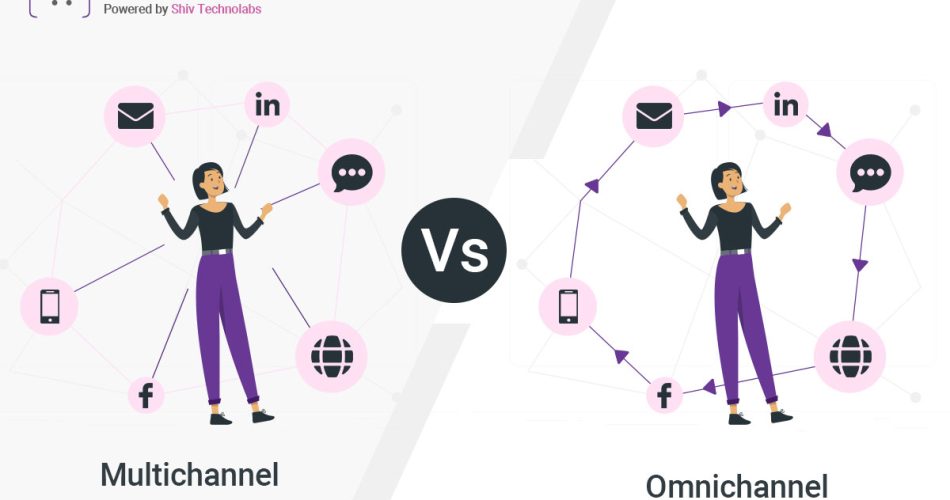

Customers use many touchpoints before they buy. They check a product on the website, compare it on social media, and ask questions through chat. Some even visit a store before placing an order on mobile. Because of this behavior, brands want a clear understanding of omnichannel vs multichannel and how these two models affect the buying journey.
Both models use multiple channels. The difference is how these channels work together and how much context they share. Before moving ahead, here is the short answer that people expect when searching for this comparison.
Quick Answer
Multichannel uses several channels, but each one functions independently.
Omnichannel links all channels so customers experience one joined flow.
Why This Comparison Matters
The modern buying pattern is scattered. A single shopper may switch devices and platforms several times. They expect stable information everywhere. If each channel stores its own data, the journey feels broken. A user may lose their cart, see different prices, or repeat the same query to support.
Brands also want sharper insights. They need to understand how customers move, what they prefer, and where they drop off. This is difficult when each channel works alone. A connected approach gives a fuller view. It also helps brands create better suggestions and faster responses.
Because of these shifts, many teams reassess their approach and ask which model fits their present and future needs.
What Is Multichannel?
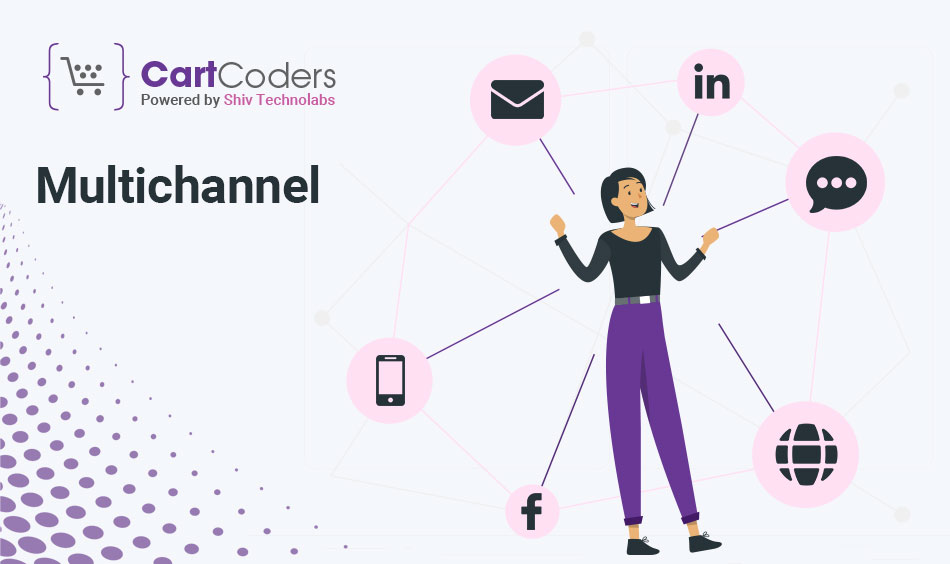
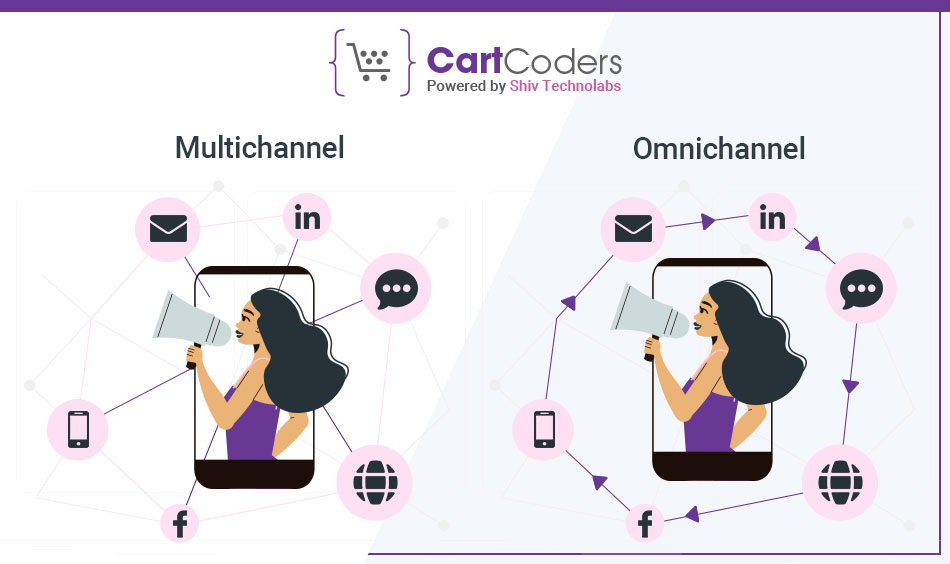
Multichannel is a simple structure. A brand uses more than one platform to sell or communicate. These platforms may include a website, app, social pages, email, and a physical store. Each channel does its job without depending on others. Customers can pick the channel that feels most convenient.
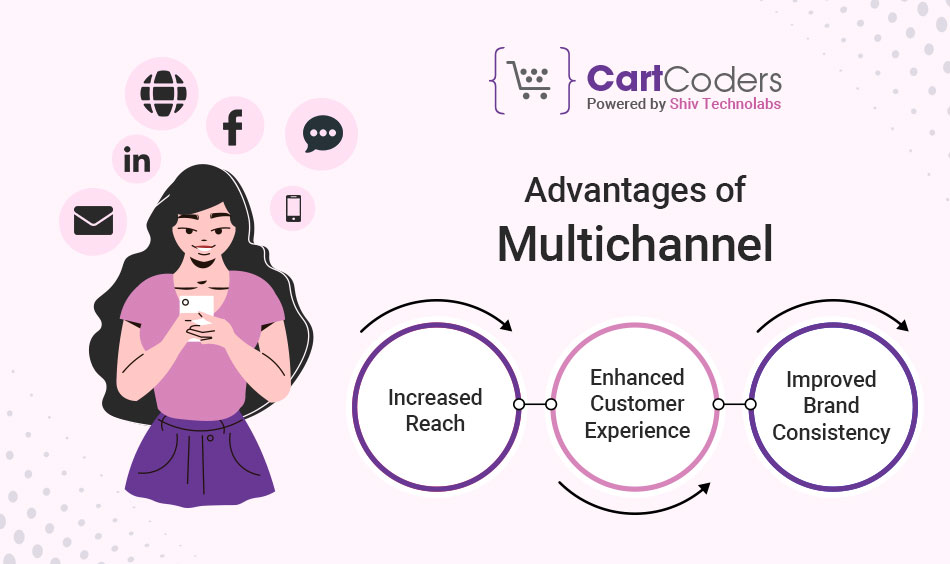
This model is easier to launch and manage. It suits early-stage brands or teams with limited systems. Every channel handles its own content, campaigns, and customer interactions. This helps brands grow their reach fast.
The drawback is separation. A customer who adds a product to a cart on mobile may not see it on desktop. A support agent may not view past chats if they were done on another platform. Stock updates may not reflect across all points. These gaps create friction during the journey.
What Is Omnichannel?
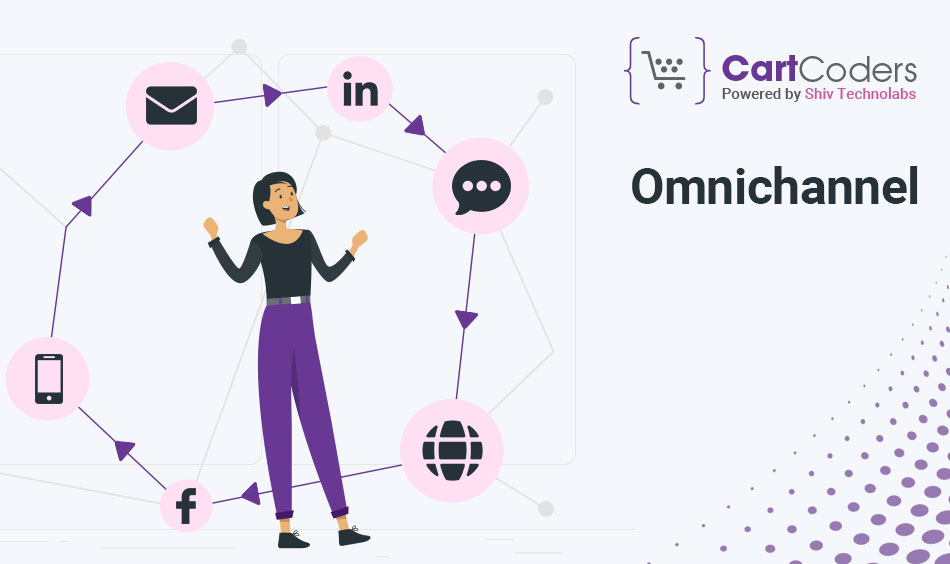
Omnichannel brings every channel together around a shared data base. Customers move between channels without losing their progress. If they save a product on the app, they can find it on the website. If they buy in a store, it appears in their online history. Support teams can see all past interactions.
This model needs connected tools. Systems like CRM, order tracking, customer profiles, and inventory control must exchange data in real time. When these systems stay aligned, every channel shows the same details.
Omnichannel gives customers a joined experience. It also helps brands make better decisions because the entire journey stays visible across platforms.
Side-by-Side Summary
Here is a simple view of how both models differ:
| Aspect | Multichannel | Omnichannel |
|---|---|---|
| How channels work | Separate | Connected |
| Data flow | Individual | Shared |
| Customer movement | Breaks between steps | Joined journey |
| Stock updates | Per channel | Unified |
| Messaging | Varies by platform | Aligned |
| Best for | Early-stage stores | Growing brands |
Where Multichannel Fits Well
Multichannel is practical for brands that want to appear on multiple platforms quickly. It works when teams prefer simple systems and light coordination. It also fits stores that do not run complex buying journeys or heavy personalization.
This approach gives broad reach with low setup effort. Many businesses start here and later review whether they need a more connected model as their operations grow.
Detailed Differences Between Omnichannel and Multichannel
Multichannel and omnichannel may look similar from a distance. Both use many touchpoints. Both aim to guide customers toward a purchase. But the way they handle data, journeys, and systems is different. These differences shape the overall experience and the brand’s internal workflow.
Below are the most important differences in a clear and simple structure.
1. Data Handling
Multichannel stores data in individual systems. Each channel keeps its own records.
Omnichannel brings all data into one place. All channels read and write to the same profile.
This change affects everything from personal suggestions to support conversations.
Data Handling Comparison
| Factor | Multichannel | Omnichannel |
|---|---|---|
| Data source | Stored per channel | Shared system |
| Customer profile | Fragmented | Unified |
| Visibility | Limited | Full |
| Cross-channel use | Hard | Direct |
2. Customer Journey Flow
A multichannel setup offers many entry points but lacks smooth movement between them.
An omnichannel setup keeps the journey connected. A customer can start on one channel and continue on another without losing progress.
Journey Flow Comparison
| Factor | Multichannel | Omnichannel |
|---|---|---|
| Switching channels | Breaks appear | No breaks |
| Saved items | Not shared | Shared |
| Past activity | Hard to trace | Easy to view |
| Follow-up steps | Not aligned | Automatically aligned |
3. Personalization Level
Multichannel offers basic recommendations because each channel sees only part of the data.
Omnichannel gives more relevant suggestions because it pulls behavior from every touchpoint.
A buyer who browses shoes on an app may see related items on the website or in-store screen.
Personalization Comparison
| Factor | Multichannel | Omnichannel |
|---|---|---|
| Suggestion depth | Basic | Cross-channel |
| Timing | Delayed | Real-time |
| Accuracy | Moderate | High |
| Use of past actions | Limited | Broad |
4. Inventory and Order Sync
Multichannel often uses separate stock systems. This creates mismatches between online and store availability.
Omnichannel uses a unified order and inventory setup. This gives buyers stable stock information everywhere.
Services like store pickup or local delivery become easier when stock stays connected.
Inventory + Order Sync Comparison
| Factor | Multichannel | Omnichannel |
|---|---|---|
| Stock data | Per channel | Central |
| Order tracking | Channel-based | Shared |
| Store pickup | Hard to manage | Simple |
| Delivery routing | Basic | Flexible |
5. Messaging and Communication
Multichannel uses different messages across platforms.
Omnichannel aligns messages, timing, and tone.
This gives customers a steady story at every touchpoint.
Messaging Comparison
| Factor | Multichannel | Omnichannel |
|---|---|---|
| Message style | Varies | Aligned |
| Campaign flow | Per channel | Connected |
| Offer timing | Different | Coordinated |
| Response context | Limited | Complete |
6. Tech Stack and Tools
Multichannel can run on basic tools. Each channel may use its own platform.
Omnichannel needs connected systems. These may include shared customer records, linked orders, and unified stock.
This setup demands planning, but it simplifies operations once integrated.
Tech Stack Comparison
| Factor | Multichannel | Omnichannel |
|---|---|---|
| Tools | Separate | Connected |
| Data sync | Manual | Automatic |
| Setup effort | Lower | Higher |
| Daily use | Simple | Coordinated |
7. Insights and Reporting
Multichannel gives partial insights. Each platform reports its own numbers.
Omnichannel gives a full view of how customers behave across channels.
Brands can see what leads to conversions, what slows buyers down, and what brings them back.
Insights Comparison
| Factor | Multichannel | Omnichannel |
|---|---|---|
| View | Channel-specific | Combined |
| Tracking | Basic | Detailed |
| Patterns | Hard to read | Clear |
| Decision support | Limited | Strong |
8. Internal Workflow
Multichannel teams work channel by channel.
Omnichannel teams use shared systems and coordinated roles.
When everyone sees the same information, decisions become faster.
Workflow Comparison
| Factor | Multichannel | Omnichannel |
|---|---|---|
| Team flow | Channel-based | Shared |
| Coordination | Moderate | High |
| Task visibility | Narrow | Wide |
| Brand consistency | Hard to maintain | Simple |
What These Differences Mean for Your Business
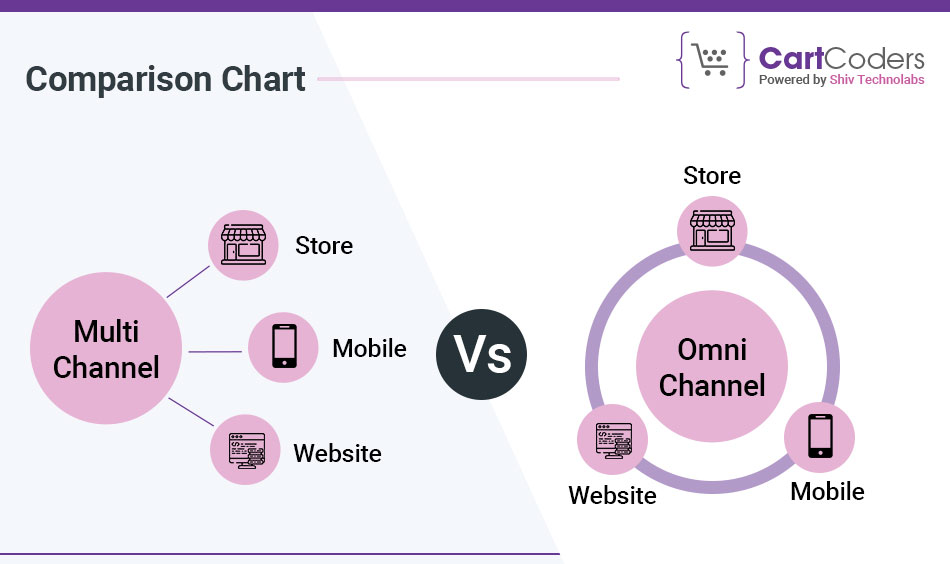
A multichannel setup spreads your presence across many platforms. It works when you want to reach people in various places without deep system integration.
An omnichannel setup focuses on consistency. It helps brands create smooth journeys, stable information, and connected data. It is a better fit for growing businesses that want stronger retention and clearer insights.
Real Examples and How to Choose the Right Model
Examples make the difference between omnichannel and multichannel easier to understand. Real brands use these models in different ways. The examples below show how each approach works in day-to-day journeys and what customers experience at each step.
Omnichannel Examples
Omnichannel brands connect their website, app, store, and support systems. They let customers switch channels without losing their actions. These examples show how that looks in real life.
Starbucks
Starbucks is a clear example of a brand that runs a connected journey.
A customer loads money into the app. They collect points after every order, whether they buy through the app or in a store. Their preferences and history stay visible everywhere.
This model allows:
- one profile across all channels
- updated reward points in real time
- payment and order details that stay aligned
A customer can place an order on the app and pick it up in a store without any confusion. The journey stays smooth from start to finish.
Sephora
Sephora connects its online and offline platforms through shared customer data.
A shopper browses products online, checks reviews, and saves items. When they walk into a store, staff can see the same profile, past purchases, and items saved for later.
This setup supports:
- personalized product guidance
- shared wishlists
- in-store recommendations based on online behavior
Every channel adds to the same customer view. Nothing feels disconnected.
Walmart and Target
These large retailers use connected systems for stock, orders, and pickup options.
A buyer checks an item online, sees real-time store availability, places an order, and picks it up from a nearby location. They can return the product in any store, even if they ordered it online.
This model depends on:
- unified order management
- live stock syncing
- shared customer history
It delivers predictable interactions across touchpoints.
Multichannel Example
Some brands operate through multiple channels but treat each channel as a separate unit.
A customer may browse a product on social media and later see a different price on the website. Cart items may not follow them from mobile to desktop. Support may ask them to repeat details because the conversation history sits in another system.
This model is not wrong. It works for brands that want broad reach without heavy system integration. But it lacks the joined flow customers expect from connected journeys.
How Customers Behave Under Each Model
Customers do not think about channels. They think about tasks. They want to browse, compare, ask questions, and complete the purchase without friction.
Customer Journey Comparison
| Stage | Multichannel | Omnichannel |
|---|---|---|
| Browsing | Separate per channel | Unified across platforms |
| Cart | Stored locally | Shared across all |
| Support | Repeated information | Full history visible |
| Return | Channel-based | Any channel |
| Loyalty | Scattered | One profile |
A connected model gives customers a stable sense of progress. They feel understood because every channel remembers their past steps.
Which Model Should You Choose?
Brands do not need to pick a model based on size alone. They should pick a model based on their journey flow, data needs, and operational style. The guide below helps you decide.
Choose Multichannel If…
- You want quick presence across several platforms
- You manage simple journeys
- You operate with separate teams
- You use basic tools
- You do not need cross-channel personalization
- You want a low-effort starting point
This is a practical option for early-stage stores or businesses that want speed over system depth.
Choose Omnichannel If…
- You want smooth movement between channels
- You want shared profiles and real-time context
- You operate online and offline
- You need accurate stock and order visibility
- You want consistent messages
- You aim for better retention
This approach fits brands that plan to scale and want stronger customer insight.
How to Move From Multichannel to Omnichannel
Some brands start with multichannel and shift to omnichannel later. This process works best when done in clear stages. The steps below outline a simple and realistic transition.
1. Map the Customer Journey
List how customers find products, compare them, ask questions, buy, and return.
This helps you identify gaps between channels.
2. Centralize Customer Data
Bring customer information into a single system.
A unified CRM or profile database is a strong base for all channels.
3. Connect Inventory and Orders
Link stock levels and order history.
This supports accurate pickup, delivery, and availability updates.
4. Align Messaging Across Channels
Use the same voice, pricing, and offers.
This gives customers stability and avoids confusion.
5. Add Cross-Channel Features
Shared carts, store pickup, shared support history, and loyalty integration create the joined experience customers expect.
Costs, Benefits, Challenges
Every model has its benefits and barriers. Brands often look at cost, effort, and long-term value before choosing multichannel or omnichannel. This section gives a clear view of what each model demands and how they impact daily operations.
Cost and Effort: Side-by-Side View
A smooth customer journey depends on systems, tools, and coordination. Both models need investment, but the depth of integration is different.
The table below gives a simple view of the cost and effort involved.
Cost & Effort Comparison
| Item | Multichannel | Omnichannel |
|---|---|---|
| Setup cost | Lower | Moderate to high |
| Tools | Separate systems | Connected CRM, order, stock |
| Data sync | Manual | Shared |
| Personalization | Basic | Cross-channel |
| Support load | Higher | Lower |
| Maintenance | Light | Medium |
| Integration needs | Minimal | Strong |
| Team size | Smaller | Wider roles |
Multichannel requires fewer tools. Each channel works independently.
Omnichannel needs linked systems. It demands more planning at the start but reduces confusion later.
Benefits and Limitations
Both approaches have strong points. Both also have natural limits. A brand should review these factors based on its journey flow, customer behavior, and team structure.
Benefits of Multichannel
- Fast setup
- Easy to manage
- Works with simple product flows
- Ideal for early online expansion
- Supports basic communication
Multichannel helps brands appear across many platforms without heavy system work. It gives reach with low entry barriers.
Limitations of Multichannel
- Breaks between channels
- Duplicate data
- Hard to keep messages aligned
- No shared cart or profile
- Limited personalization
A customer may lose progress when switching devices. Support teams may not see the full story.
Benefits of Omnichannel
- Smooth movement across channels
- Stable information everywhere
- Real-time stock and order sync
- One profile for all touchpoints
- Relevant suggestions based on full history
Omnichannel improves retention because customers feel recognized. They get predictable updates and steady communication.
Limitations of Omnichannel
- Higher setup effort
- More integration steps
- Teams must coordinate
- Requires shared policies
The benefits grow over time, but the initial setup needs planning and clear workflows.
How Businesses Experience Each Model
The experience is not only about the customer. Internal teams also work differently.
| Area | Multichannel | Omnichannel |
|---|---|---|
| Team flow | Separate | Connected |
| Daily tasks | Channel-based | Shared view |
| Data accuracy | Varies | Consistent |
| Stock updates | Slow | Real-time |
| Issue resolution | Repeated checks | Faster |
Teams in a multichannel setup switch systems often. They rely on separate dashboards.
Teams in an omnichannel setup see everything in one place, which reduces repeated work.
Why Many Brands Move Toward Omnichannel
As brands grow, they need a clearer view of the customer. They want stable stock visibility, faster support, and consistent messages. They also want to understand what buyers do before and after each purchase.
A connected setup supports all these goals. It helps brands build trust and reduces friction. This is why many businesses start with multichannel and shift to omnichannel later.
Frequently Asked Questions
Multichannel uses many channels that work separately. Omnichannel connects them.
Omnichannel works better for joined journeys, especially when customers switch channels.
They want stable stock visibility, connected profiles, and better retention.
A buyer checks a product online, saves it, and sees the same item in the app or store.
A brand sells through a website and social pages, but each channel stores its own data.
It needs more setup, but it reduces friction and improves accuracy.
Yes. A connected system keeps all data in one place.
Yes, if they run both online and offline operations or need shared customer data.
Yes. Joined journeys lead to repeat orders.
Multichannel updates stock per platform. Omnichannel updates stock everywhere.
Yes. It supports pickup, delivery routing, and returns across channels.
Yes. They can view past actions and give faster responses.
Final Summary
Multichannel gives your brand reach with simple tools and low setup effort.
Omnichannel gives your customers a joined journey with shared data and steady information.
Your choice depends on your needs, systems, and growth plan.
A connected setup becomes valuable as your business expands. It helps you manage stock, orders, support, and customer profiles with clarity and control.
If you plan to move toward a joined model, our team at CartCoders can help you connect your systems and support your growth with the right setup.


