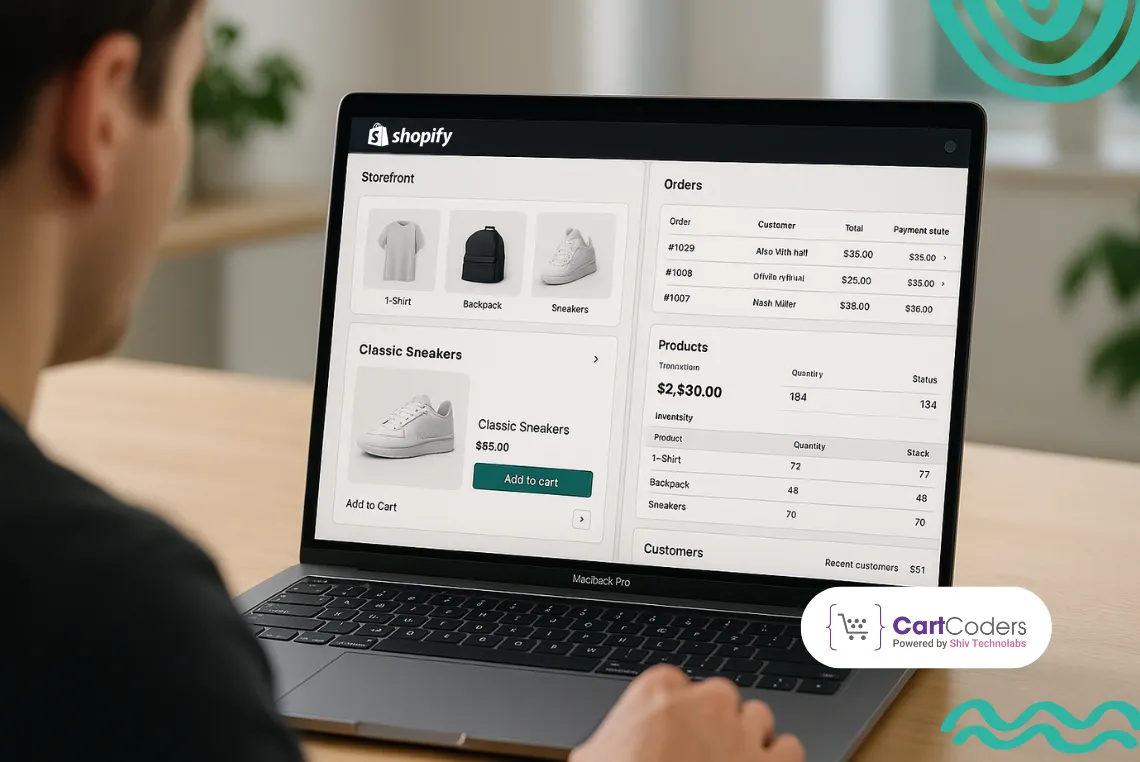
Printful has completely changed how Shopify store owners sell custom products without holding any inventory. From t-shirts and mugs to wall art and tote bags, it allows sellers to design, print, and ship products automatically — all within their Shopify dashboard. That simple yet powerful workflow is why so many entrepreneurs want to build something similar.
Developing a Shopify app like Printful means creating a print-on-demand bridge between merchants and fulfillment centers. When a customer places an order, the system auto-forwards it to the printing partner, processes production, and sends tracking details back to the store — no manual steps involved.
In this blog, we’ll cover how such an app works, what core features it needs, how much it costs to build, and the exact development steps to turn your Printful-style idea into a functional Shopify app ready for the App Store.
Power Your Shopify Store with Print Automation
Build a Printful-style app that syncs products, processes orders, and manages fulfillment automatically.
What is Printful and How It work with Shopify?
Printful is a print-on-demand and dropshipping platform that connects directly with Shopify stores. It lets merchants design and sell custom items without managing any physical stock. When a buyer places an order on a Shopify store, Printful handles the rest — from printing and packing to global shipping.
Printful syncs those designs with selected Shopify products.
When a customer orders a product, the order data automatically transfers to Printful.
The item is printed, packed, and shipped under the merchant’s brand name.
Tracking information is sent back to Shopify so customers can follow delivery updates.
This automated workflow helps sellers maintain focus on branding and marketing instead of production hassles. It also gives them full control over pricing, product selection, and customer experience while Printful quietly handles the backend operations.
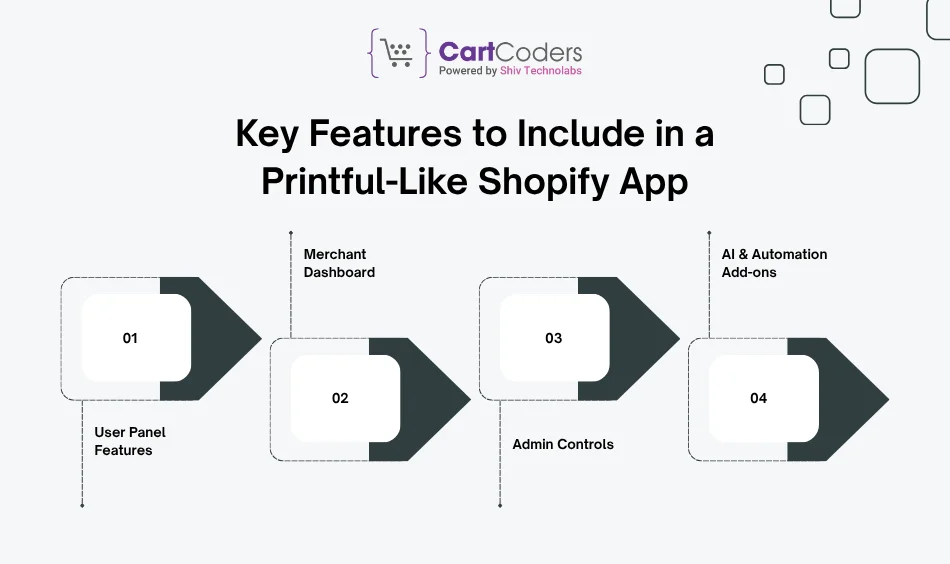
Key Features to Include in a Printful-Like Shopify App
Building a Printful-style Shopify app requires a strong mix of merchant tools, automation, and printing integration. Each feature should improve how sellers manage custom products and fulfill orders without friction. Below are the essential modules your app should include:
A. User Panel Features (for Store Owners)
Product Catalog Integration: Let merchants browse and add printable items like apparel, mugs, and posters directly from your catalog.
Mockup Generator: Allow users to upload designs and preview them on products using a drag-and-drop visual tool.
Order Tracking: Sync shipping and tracking updates automatically with Shopify orders.
Automatic Price Sync: Update product costs or shipping rates in real time from your backend.
Custom Branding Options: Offer branding settings for labels, packing slips, and store logos.
B. Merchant Dashboard
Order Management: Display all active and fulfilled orders with detailed status updates.
Profit Margin Setup: Merchants can define custom profit margins for each product.
Inventory & Fulfillment Sync: Keep stock levels, print status, and delivery timelines consistent across systems.
Auto Fulfillment Notifications: Send real-time alerts for print delays or shipping updates.
These features help your Shopify app function like Printful but with custom flexibility that merchants value — faster design workflows, reliable printing logic, and advanced automation.
Step-by-Step Process to Develop a Shopify App Like Printful
Building a Printful-style app works best when you follow clear phases. Here’s a practical roadmap with tasks, outputs, and review gates.
Phase 1: Discovery & Scope (1–2 weeks)
Business model: POD niche, vendor mix, fee model (subscription, per-order, or hybrid).
Feature list: Mockups, catalog sync, order routing, tracking, returns.
User journeys: Merchant onboarding → add products → first order → fulfillment → support.
Data flow: Shopify orders → your backend → print partner → carrier → Shopify tracking.
Outputs: PRD, API map, acceptance criteria, and initial backlog.
Gate: Stakeholder sign-off on scope, budget, and timeline.
Pick tools that handle image work, heavy order traffic, and third-party print APIs without breaking a sweat. Here’s a battle-tested stack that fits Shopify apps in this category.
Alerting: PagerDuty/Slack alerts on queue depth, webhook failure rate, and partner timeouts.
Resilience: Idempotency keys, retry with backoff, dead-letter queues.
Security & Compliance
Secrets:AWS KMS or GCP KMS; never hard-code.
PII Rules: Store only what you must; redact logs; add right-to-erasure job.
Hardening: Rate limits, IP allowlists for partner callbacks, strict CORS, CSP headers.
Backups: Point-in-time recovery for PostgreSQL; versioned S3 buckets.
CI/CD & Dev Workflow
Repo: Monorepo with Turborepo or Nx for shared types and packages.
CI: GitHub Actions with unit/integration suites and contract tests for partner APIs.
Release: Blue-green or canary on AWS ECS/Fargate, GKE, or Fly.io.
Infra as Code: Terraform; per-env stacks (dev/stage/prod) with strict parity.
Analytics & Reporting
Data Pipe: Event bus → ClickHouse/BigQuery for near-real-time dashboards.
Merchant Reports: Revenue, units, reprints, on-time print rate, late shipments, and SKU profit.
Exports: CSV and scheduled email reports.
Nice-to-Have Add-ons
AI helpers: Prompt-based design starter, auto-tagging, low-res image warnings.
Rule Studio: No-code rules for routing, cut-off times, and blackout dates.
Template Packs: Pre-built product templates for fast merchant onboarding.
How Much Does It Cost to Develop a Shopify App Like Printful?
Costs depend on scope, mockup complexity, partner APIs, and go-to-market plans. Use the tiers below to size your first build and budget the run costs that follow.
A. One-Time Build Cost (Ballpark)
Tier
What you get
Est. Cost
Est. Timeline
MVP
Catalog sync, basic mockups, order intake, single print partner, tracking pushback, basic billing
International rules: Taxes, duties, and regional couriers add work.
Analytics: Basic cards are quick; drill-downs and cohort charts add sprints.
Compliance posture: Strict data policies and audits add setup and reviews.
E. Team Rate Reality Check (for planning)
Role
Blended Hourly (typical)
Product/Tech Lead
$45–$85
Backend Engineer
$35–$70
Frontend Engineer
$30–$60
QA Engineer
$25–$45
UI/UX Designer
$30–$60
A 12–16 week standard build with the above mix usually lands in the $30k–$50k band.
F. Build vs. White-Label vs. Hybrid
Custom Build: Full control of features, data, and partner logic; higher upfront.
White-Label Base: Faster start if you accept fixed flows and limited editor control.
Hybrid: Start with a white-label core, replace mockup/routing with custom modules later.
G. Monetization Model Planning
Subscription tiers: Cap features by partner count, routing rules, or mockup limits.
Per-order fee: Charge a small fee per processed order.
Usage blocks: Charge for renders above a monthly quota.
Add-ons: AI cleanup, background removal, and premium templates.
Monetization Models You Can Use
Once your Printful-style Shopify app is ready, how you earn from it matters as much as how it runs. The right pricing model should balance merchant affordability and recurring revenue. Here are proven ways to structure monetization for print-on-demand apps:
1. Subscription-Based Model
Merchants pay a fixed monthly fee to access your app’s core features. You can offer multiple plans with tiered limits — such as order volume, product types, or the number of integrated print partners.
Example:
Basic Plan ($29/month): Limited catalog and one print partner
Pro Plan ($79/month): Unlimited catalog and full branding support
Enterprise Plan ($149+/month): API access, analytics, and SLA-backed fulfillment
2. Pay-Per-Order Model
Charge merchants a small fee per processed order. This model scales automatically with store growth and is easy to justify for new sellers.
Example: $0.50–$1.00 fee per fulfilled order, billed monthly through Shopify Billing API.
3. Freemium with Add-Ons
Offer a free plan with essential features and sell premium upgrades such as advanced mockup tools, AI design assistants, or multi-location routing. It attracts a wide base of new users who can later convert to paid tiers.
4. Revenue Sharing with Print Partners
Collaborate with printing vendors and earn a small commission per product manufactured or shipped. This model aligns your revenue with actual product fulfillment rather than merchant usage.
5. Hybrid Model
Combine subscriptions and per-order fees. For instance, charge $49/month for access plus $0.25 per print job. This approach balances steady income with growth-based scalability.
6. White-Label License for Agencies
Allow other developers or print agencies to rebrand and use your system for their clients. A one-time licensing fee or annual white-label plan can generate long-term recurring revenue.
When choosing a model, consider transaction volume, support costs, and partner payouts. The goal is to keep merchants profitable while your platform earns fairly from every order processed through the app.
How CartCoders Helps Build Printful-Like Shopify Apps?
Building a print-on-demand app for Shopify is a serious technical challenge — from order routing and mockup logic to Shopify’s strict app review process. That’s where our Shopify app development experts at CartCoders come in.
We design and develop custom Shopify apps that replicate Printful-like automation with tailored workflows for your business idea. Whether you’re creating an on-demand printing network, connecting to local manufacturers, or adding AI-based design tools, our team can turn your concept into a production-ready app.
Full API integration with printing providers, payment gateways, and shipping partners.
Scalable architecture to support high-volume order processing and vendor routing.
Compliance and QA across data privacy, rate limits, and Shopify’s security rules.
App Store submission support with testing, documentation, and listing guidance.
We also assist post-launch — maintaining APIs, upgrading tech stacks, and improving merchant dashboards as your user base grows.
If you’re planning to build your own Printful-style Shopify app or expand an existing print-on-demand business, our developers can help you move from idea to install-ready app efficiently.
Final Takeaway
A Printful-style Shopify app blends automation, creativity, and fulfillment intelligence — giving merchants the power to sell without ever touching inventory. The model works because it simplifies what sellers care about most: design freedom, faster delivery, and predictable profit margins.
For entrepreneurs, it’s a practical SaaS opportunity inside the Shopify ecosystem. Once your app covers key elements like product sync, mockup generation, and vendor routing, it can serve hundreds of stores with minimal manual effort. Add data analytics and AI-driven design tools, and you’ll have a platform that scales effortlessly with merchant demand.
If you’re ready to bring such an app to life, partner with a Shopify-focused development team that understands both the business logic and the technical backbone of print-on-demand operations.
CartCoders can help you plan, build, and launch your own Shopify app like Printful — customized to your vision, vendor network, and growth goals.
FAQs
1. What does a Printful-like Shopify app do?
A Printful-like Shopify app connects store owners with printing partners who handle production and delivery automatically. Once an order is placed, the app forwards it to a vendor for printing, packaging, and tracking updates—all within Shopify.
2. Can I build a custom print-on-demand app only for my brand?
Yes, you can create a private Shopify app exclusively for your business. It can handle your own product catalog, vendors, and workflows without being listed publicly in the Shopify App Store.
3. What are the essential features of a Printful-style app?
You’ll need product synchronization, a design editor, automated order routing, shipping and tracking integration, vendor management, and a dashboard for merchants to monitor revenue and fulfillment performance in real time.
4. How long does it take to develop a Printful-like Shopify app?
A basic version takes around 8–10 weeks, while a feature-rich solution with AI tools, analytics, and multi-vendor management can take 16–20 weeks, depending on your tech stack and vendor integration readiness.
5. What programming languages are used for Shopify app development?
Most Shopify apps are built using Node.js, React, and Next.js. These technologies support API-based communication, real-time order syncing, and user-friendly dashboards suitable for both merchants and administrators.
6. How much does it cost to develop a Shopify app like Printful?
The cost varies from $15,000 to $80,000+, depending on complexity, features, and design tools. An MVP covers basic workflows, while advanced versions include AI-based features, routing logic, and analytics modules.
7. Can I include AI features in my print-on-demand app?
Yes. You can add AI modules for design suggestions, low-resolution detection, and automated order routing. These features improve print accuracy and help merchants create professional products faster.
8. What monetization options can I use for my Shopify print app?
You can charge merchants via subscriptions, per-order fees, or freemium plans. Some app owners also earn from commissions with print vendors or license the platform to other printing networks.
9. How does CartCoders approach print-on-demand app development?
We start with requirement analysis, then create a scalable app structure using Shopify APIs. Our developers build custom modules for product sync, printing logic, and automation before final testing and Shopify App Store submission.
10. Can CartCoders integrate my Shopify app with third-party print partners?
Yes, we connect your app with external print APIs like Printify or any custom vendor network. We also manage routing logic, data security, and real-time order syncing for smooth fulfillment.
As the CTO at Shiv Technolabs & CartCoders, I am liable for instigating, planning, integrating, and implementing the organization's strategic orientation.
I gather the most significant tech news in addition to sharing the information I gained while serving as the CTO of Shiv Technolabs, a renowned web and mobile app development company. I am pleased to answer questions as a most valuable expert for Shiv Technolabs Private Limited and to share my experience. I offer a keen insider's perspective on technical advancements.
 eCommerce
Solution
eCommerce
Solution







 INDIA
INDIA


 USA
USA
 CANADA
 AUSTRALIA