Checkout speed determines whether revenue is retained or lost. The last stage in the purchasing process is the checkout page, but most brands spend a lot of money on product pages, advertisements, and landing pages without considering checkout performance.
Once a slow Shopify Plus checkout happens, its effects are immediate: increased abandonment rates, annoyed customers, and lost sales. Google research indicates 50% of users give up on a page that takes more than 3 seconds to load.
Shopify Plus stores with high traffic experience this pressure most during flash sales, product launches, and big promotions. A 1-2 second delay can decrease conversions by 7%–15%.
Customize Shopify Plus Checkout With Skilled Developers
CartCoders configures scripts, rules, and custom fields.
There are various factors that may influence the checkout performance, including Shopify checkout extensivity, Shopify Functions, Checkout UI extensions, third-party apps, and external integrations.
How the Shopify Plus Checkout Process Works
To fix a slow Shopify Plus checkout, it is first necessary to understand how Shopify’s checkout process works. Shopify provides checkout on its highly optimized infrastructure, enabling merchants to benefit from enterprise level reliability, global CDN delivery, and secure payment processing.
Nonetheless, installed applications, tracking scripts, checkout extensions, shipping calculations and payment integrations can also affect the checkout performance. The above components interact with each other during checkout and may cause delays when not optimized.
Information Step
The information step is the stage that gathers the customer details needed to place an order. This includes:
Email address
Shipping address
Contact information
Shopify authenticates this information immediately and prepares it to create orders. In this phase, scripts or extensions that validate user information or retrieve external data can affect load time.
Shipping Step
The shipping step identifies the shipping possibilities and estimates the prices. The following are usually involved in this stage:
Shipping rate calculations
Delivery estimate
Tax calculations
Regional shipping rules
Complex shipping logic, e.g., a dynamic shipping rate, location sensitive pricing, and multi-warehouse fulfillment, can add more time to the backend processing.
Payment Step
The last step is payment, which completes the transaction. This includes:
Authentication of the payment gateway.
Fraud detection checks
Processing of order confirmation.
Here, payment providers, fraud protection tools, and checkout extensions all interact. In case the number of payment gateways or third-party integrations is too high, the step of checkout confirmation can be delayed.
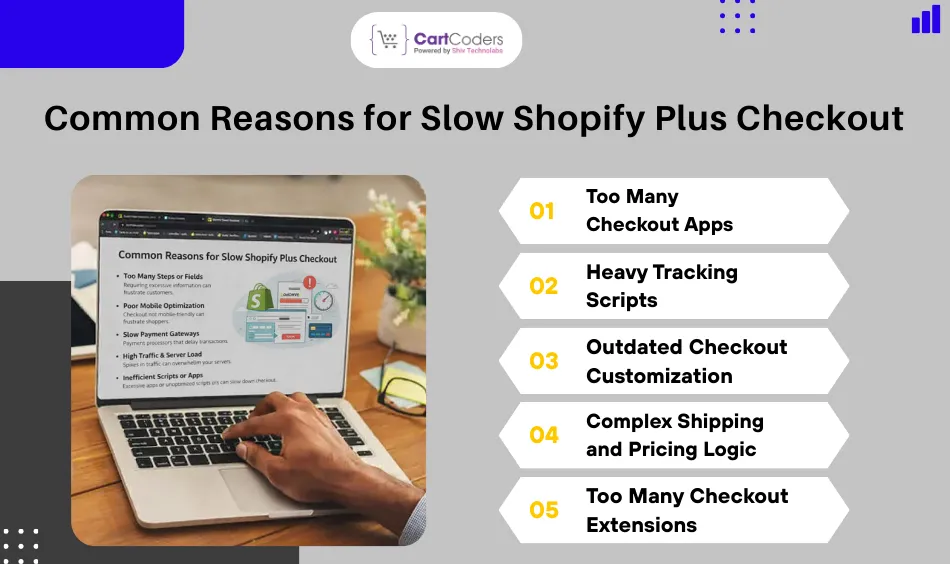
Common Reasons for Slow Shopify Plus Checkout
High-traffic Shopify Plus stores are prone to checkout delays due to the technical complexity that has accumulated over time. As the business scales, more apps, scripts, and integrations are added, increasing the risk of Shopify Plus store speed issues.
Too Many Checkout Apps
A lot of Shopify apps add scripts or checkout extensions to the checkout process. Common examples include:
Upsell tools
Fraud detection apps
Shipping apps
Analytics integrations
Heavy Tracking Scripts
The tracking scripts should be used for marketing insights, but they will adversely affect checkout speed. Common examples include:
Facebook Pixel
Google Analytics
Marketing automation code.
Outdated Checkout Customization
Elderly Shopify Plus stores had been using the old-fashioned checkout. liquid customization. This was later phased out of use by Shopify in favor of the modern checkout extensibility. Legacy code may:
Conflict with new checkout updates
Add unnecessary processing steps
Slow down checkout rendering
Complex Shipping and Pricing Logic
Advanced business logic can slow checkout calculations. Examples include:
Dynamic shipping rules
B2B tiered pricing
Volume discounts
Multiple tax calculations
Too Many Checkout Extensions
Checkout UI extensions allow powerful customization, but poorly optimized extensions can slow rendering. Potential issues include:
Excessive API requests
Heavy JavaScript processing
Mobile performance bottlenecks
Talk To Experts About Shopify Plus Checkout Customization
Discuss scripts, extensions, and checkout rules.
How to Identify Shopify Plus Checkout Performance Issues
Early detection of checkout issues by merchants helps resolve the situation before revenue is affected. A Shopify checkout speed audit provides insight into load time bottlenecks, app conflicts, and extension performance. When high-traffic stores regularly test checkout performance on Shopify, they can maintain checkout without collapsing, even during peak periods.
Monitor Checkout Load Time
Test the checkout speed with the help of such tools as:
Shopify Analytics
Google PageSpeed Insights
Lighthouse performance testing.
Track key metrics:
First Contentful Paint (FCP)
Total Blocking Time (TBT)
Checkout completion time
The metrics allow tracking performance issues before it affects conversions.
Analyze Checkout Drop-off
Checkout abandonment is an indicator of performance problems.
Review:
Payment step abandonment
Shipping step delays
Errors of the region specific checkout.
In eCommerce, a checkout abandonment rate of over 70% can be observed when the checkout process is too slow or unreliable.
10 Proven Ways to Fix Slow Shopify Plus Checkout
Checkout performance has to be fixed in a structured way. Merchants need to minimize the unnecessary scripts, optimize integrations, and install the current technologies in Shopify checkouts. The strategies are useful for resolving slow Shopify Plus checkout and achieving stable performance during high-traffic periods.
Reduce Checkout Apps
Conduct a full app audit. Keep only essential tools:
Payment integrations
Shipping services
Fraud detection tools
Substitute Scripts with Shopify Functions
Applications of Shopify Functions execute directly on Shopify’s infrastructure. Advantages include:
Faster execution
Reduced external calls
Improved reliability
Functions are used in place of bulky scripts, allowing for quicker checkout logic.
Upgrade to Checkout Extensibility
Checkout extensibility allows customization through Shopify’s modern architecture. Benefits include:
Faster updates
Better compatibility
Improved performance
The transition out of the old checkout systems minimizes performance problems.
Limit Tracking Scripts
Eliminate unnecessary marketing scripts like:
Duplicate analytics tags
Unused pixels
Old marketing integrations
Restricting the scripts to a large extent significantly increases checkout rendering speed.
Simplify Shipping Rules
Streamline shipping logic when necessary. Best practices:
Fewer conditional rules
Streamlined rate calculations
Reduced API calls
Minimized shipping computations minimize processing time at the back end.
Reduce Payment Gateway Conflicts
An excessive number of payment gateways extends the processing time.
Only key payment providers should be used in order to simplify payment distribution.
Checkout can be delayed by external API calls. Push the logic to server-side functionality.
Enhance Store Infrastructure
Stores with high traffic are to prepare the infrastructure of:
Flash sales
Product launches
Seasonal promotions
Perform load testing prior to big campaigns.
Conduct Regular Checkout Performance Audits
Schedule monthly audits. Review:
App conflicts
Checkout extensions
Response time metrics
Regular maintenance helps prevent performance deterioration in the long run.
Shopify Plus Checkout Architecture for Large Stores
Big stores are enabled by Shopify’s contemporary checkout design.
Shopify Functions: Functions allow performance-checkout logic to be scripted externally.
Checkout UI Extensions: Extensions can be customized securely without compromising their performance.
Checkout Blocks: Checkout blocks allow flexible UI elements without changing the core checkout code.
Shopify APIs: Shopify APIs are open to integration with ERP, CRM, and inventory management systems and secure data flow.
They enable scalable Checkout customization of Shopify Plus without compromising on performance.
When to Hire Shopify Plus Developers for Checkout Fixes
There are certain checkout problems that need professional assistance. Hiring seasoned developers will address the technical constraints when performance issues persist.
Checkout Slowdown During Flash Sales
Flash sales attract viral sales volumes. Common cases include:
Checkout Delays
Payment Failures
Increased Abandonment
Developers can enforce load testing and performance optimization.
Complex B2B Pricing Logic
B2B stores often use:
Tiered Pricing
Bulk Discounts
Custom Tax Rules
Shopify Functions enable developers to optimize such calculations.
ERP Integration Delays
ERP integrations can bring about latency. The developers can optimize the API calls and minimize the checkout delays.
Payment Gateway Conflicts
Two or more payment gateways can conflict. The gateway configuration can be optimized by an expert developer to have faster transactions.
Conclusion
The checkout rate directly impacts revenue, customer experience, and store performance. Any small latitude during checkout can significantly reduce conversions, particularly in busy stores. A lot of slow Shopify Plus checkout is attributed to too many apps, too many tracking scripts, complicated pricing logic, and old-fashioned customization solutions.
Our Shopify Plus specialists at CartCoders can assist large stores in troubleshooting checkout bottlenecks, streamlining integrations, and creating high-performance integrations to support heavy-traffic checkout systems.
Frequently Asked Questions
Why is my Shopify Plus checkout slow?
Checkout slowness is typically caused by cumbersome apps, unwieldy tracking scripts, outdated personalization, or complex pricing algorithms. A checkout performance audit can help determine and fix these problems.
Can Shopify apps slow down checkout?
Yes, there are apps that add scripts or API requests to the checkout process. An excessive number of apps running at the same time increases load times and can affect checkout performance.
Does Shopify Plus allow checkout customization?
Yes, Shopify Plus allows customization of the checkout through checkout extensibility, Checkout UI extensions, and Shopify Functions, providing a flexible checkout experience without compromising performance.
How can I test Shopify checkout performance?
Apply such tools as Lighthouse, Shopify Analytics, and PageSpeed Insights. The checkout completion time and the blocking scripts monitor are useful for identifying performance issues beforehand.
As the CTO at Shiv Technolabs & CartCoders, I am liable for instigating, planning, integrating, and implementing the organization's strategic orientation.
I gather the most significant tech news in addition to sharing the information I gained while serving as the CTO of Shiv Technolabs, a renowned web and mobile app development company. I am pleased to answer questions as a most valuable expert for Shiv Technolabs Private Limited and to share my experience. I offer a keen insider's perspective on technical advancements.
 eCommerce
Solution
eCommerce
Solution









 INDIA
INDIA


 USA
USA
 CANADA
 AUSTRALIA