Manual operations in an online store become tiresome as orders grow. With each new sale, it is a reaffirmation to send an inventory number to change, a customer message to reply to and a status change to follow up. It is a slow, manual grind and most store owners do not understand that it only hurts growth.
The concept of eCommerce automation is the application of machines that perform tasks in stores without human intervention, manual labour, or repetition.
As the volume of orders worldwide increases, robots have become necessary. The report states that the eCommerce market user base is projected to grow 50% by 2030.
This guide will dissect the meaning of automation, its application in a store and how it can be used to reduce manual labour, avoid errors and expand operations without complications.
What is eCommerce Automation?
eCommerce automation is the application of software, workflow and triggers that execute functions in real-time – no human intervention. Customers can also update orders, inventory, emails, or customer notes without having to do it manually; automation takes care of it.
The conventional eCommerce process involves manually copying orders, updating stock, repeatedly emailing and obtaining payment confirmation. These are activities that accumulate as the volume of orders increases and slow down operations.
It automates repetitive work with rules, enabling teams on growth, product and customers to allocate work rather than spreadsheets.
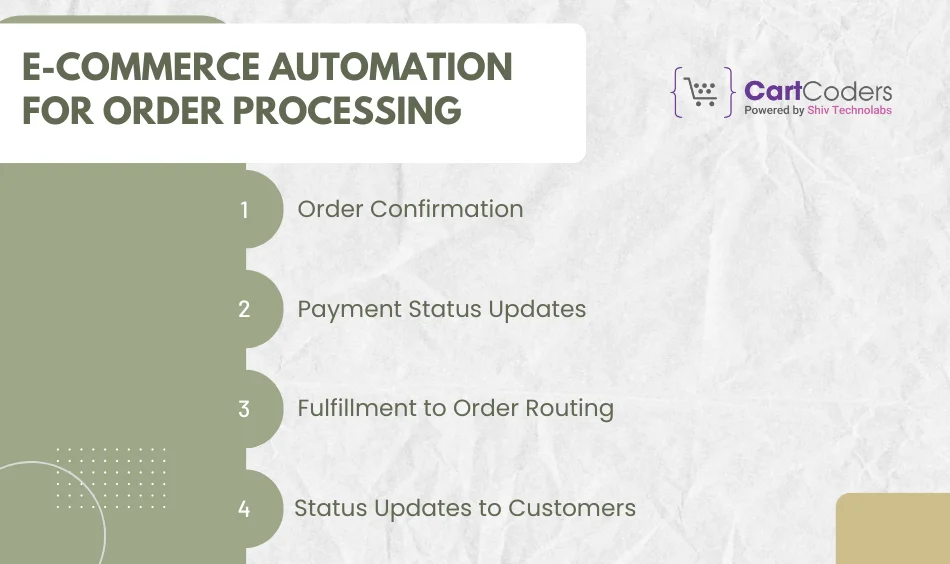
eCommerce Automation for Order Processing
The speed with which a store can run is determined by efficient order processing. Manual steps are a source of delays. That can be solved with clean, rule-driven automation and workflows.
Order Confirmation
Once payment is made by a customer, the system will automatically send an email confirmation of an order with the order information, delivery schedules and tracking information, no copy-pasting, no delays.
Payment Status Updates
Automation checks on payments, detects unsuccessful transactions and changes the status of orders in real time. This will avoid confusion and reduce the number of support tickets related to payment checks.
Fulfillment to Order Routing
Regardless of whether you use in-house fulfillment, multiple warehouses, or drop-ship partners, orders are automatically directed to the appropriate fulfillment source.
Status Updates to Customers
Customers are updated regularly: order packed, shipped, out for delivery, delivered.
Problems Solved by Order Processing Automation
Delayed order handling
Lost or sent incorrect orders.
Hand tracking, which is prone to errors.
Communication with consumers is slow.
How This Helps Store Teams
Reduced time order fulfillment flow.
Transparency on the status of every order.
Reduced manual nature of checking and copying.
Additional time to market, grow or on customer experience.
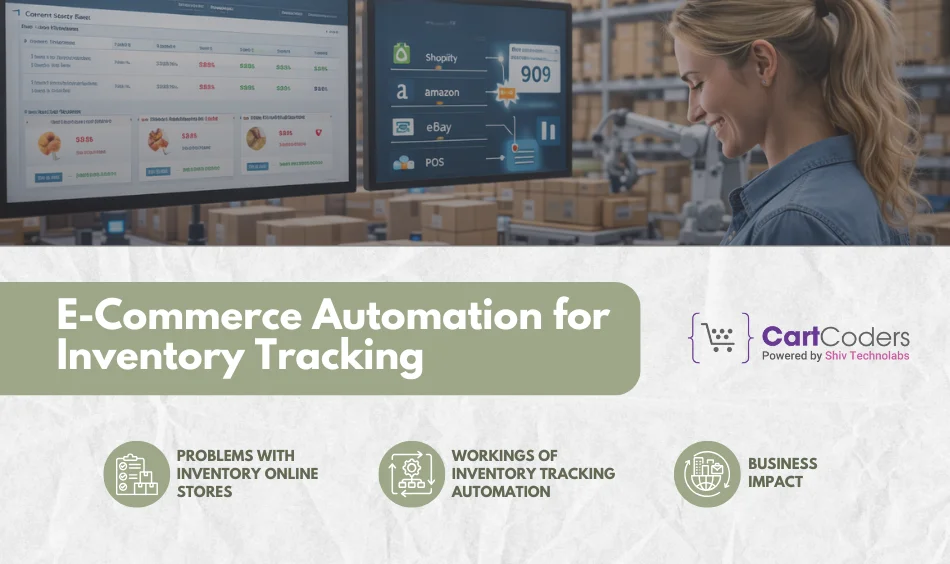
eCommerce Automation for Inventory Tracking
Customer trust is ruined more quickly in the face of inventory problems than otherwise. Those expensive errors do not occur with automation.
Problems with Inventory Online Stores
Poor inventory fit, overstocking, inaccurate sales counts and delayed stock replenishment cause order cancellations and dissatisfied customers. Selling across multiple channels leaves ample room for errors caused by manual edits. In the absence of automation, stores have been losing revenue because inventory information is not updated in a timely manner.
Workings of Inventory Tracking Automation
When an order is placed, the stock is automatically updated. Low-stock alerts trigger restock activities. Multi-channel sync synchronizes Shopify, Amazon, eBay, or POS systems. You can never fail to know all that is available without going to spreadsheets or dashboards and clicking on them with your fingers.
Business Impact
Inventory tracking will reduce canceled orders, overselling and assist in smarter forecasting since the process is automated. Proper stock visibility will ensure planning, re-ordering and merchandising will be much easier- this leads to consistent revenue and fewer customer grievances.
eCommerce Automation for Email Follow Ups
Follow-ups through emails ensure that the customers are notified, however, when they are manually done, they result in inconsistent messages and inappropriate timing. That is solved by automation.
Email followups which can be automated
Automation can be used to confirm orders, provide shipping and delivery updates, send abandoned cart messages and deliver after-sales messages. These emails are sent immediately, with pre-existing rules that ensure no clicks, no delays. Automation will be used to make sure that each buyer gets the appropriate email at the appropriate time enhancing conversions and satisfaction.
Failure of Manual Email Follow-Ups
Manual emails are usually late or not sent at all. When order volume goes up, teams lose, or fall behind, or just have no time. The outcome is inconsistent communication and increased support requests.
Customer Experience Benefits
Automation provides timely updates, more transparent communication and trust. The customers are informed without inquiring. This goes a long way toward improving post-purchase confidence and eliminating avoidable ‘Where is my order?’ questions. calls.
eCommerce Automation for Customer Communication
Customer experience relies on quick, reliable communication, which is one of automation’s strengths.
Frequent Customer Communication Activities
Much of the support time is spent answering questions about order status, shipping times, returns and payment confirmations. Such questions are repeated day by day and waste resources.
Automation Supports Customer Communication
Robotics is used to provide real-time responses to frequent inquiries, display order status in real time, and store communication logs. This eliminates the manual back and forth.
Result for Online Stores
A decrease in the support workload, faster response, fewer mistakes and a unified message form trust and leads to increased retention.
eCommerce Automation for Store Operations
Automation is not limited to orders and inventory only, but internal operations are also optimized.
Automatable Operations in the Stores
Order and inventory counts, reporting, calculating tax, verifying payments, internal messages, fraud detection and workflow alerts. Driving behind the scenes can be automated to keep everything flowing without human intervention.
Automation helps to keep Stores in order
Automation creates workflows, reduces operational confusion and ensures tasks occur at the appropriate time. This enhances consistency and prevents omissions during high sales.
How eCommerce Automation Works in a Real Online Store
Below are the top ways eCommerce Automation Works in a Real Online Store:
Customer Place an Order
Once payment is successful, the system generates the order, dispatches confirmation and initiates downstream workflows.
System Updates Inventory
Inventory is reduced immediately in all channels hence no overselling is realized.
Order Confirmation Email Sent
Order details and expectations are sent out to customer via an automated email.
Order Moves to Fulfillment
The order is sent to the appropriate warehouse or dropshipper through automation.
Automatic Reports to Customer
Juridical shipment of goods, tracking and notifications are automatic and do not involve any human participation.
When Should an Online Store Start Using eCommerce Automation?
Here are the top cases when it is an ideal time online store must start using ecommerce automation
Growing Order Volume: Once orders begin to grow, everything becomes sluggish due to manual steps.
Inventory Errors Begin Rising: Inaccurate inventory numbers are an indication of automation.
Increasing Customer Support Workload: Automation minimizes repetition queries and increases speed of response.
Manual Reporting is too time-consuming: One should never update data manually.
Common Myths About eCommerce Automation
Below are some of the most common myths about eCommerce Automation:
“Automation replaces people.”
False – it liberates individuals to eliminate routine work and focus on growth activities.
The large stores only use automation
The small stores are the most benefited, since they do not have manpower.
“Automation is hard to manage.”
Automation is easy, visual and rule-based, using modern tools.
Conclusion
Users of eCommerce automation eliminate friction in store daily operations. Courier orders are processed more quickly, inventory is updated properly, emails are sent immediately and customer interactions are more predictable. Automation reduces manual labor in all operations of processing orders and managing inventory, emails, updating customers, reports and internal processes. The outcome is a more scalable, smoother store that expands without adding new work or errors.
CartCoders is the right partner for brands that require stable automation. As one of the most successful eCommerce development teams, we develop automation systems that minimize manual work, improve accuracy, and enhance end-to-end operations.
Hire Shopify developer USA today at CartCoders for top-of-the-line ecommerce automation software solutions.
Frequently Asked Questions
What is the automation of eCommerce?
eCommerce automation involves software that automates store tasks, such as orders, emails, inventory, reports and communications. It eliminates redundant human labor, minimizes errors, accelerates operations and helps online stores perform effectively even during peak periods.
What is the benefit of automation eCommerce in online stores?
Automation enhances precision, speed and consistency. Orders are processed faster, inventory is updated, emails are dispatched immediately and customers are notified on time. Stores save on manual labour and avoid costly errors.
Would small stores be good at eCommerce automation?
Yes, small stores are most beneficial because they have fewer staff. With automation, they can compete with bigger retailers without adding more people to the payroll.
What are the store activities that should be automated?
Begin with order processing, inventory synchronizing, customer emails and reporting. These areas save the most time and errors are minimized.
Does automation of eCommerce minimize manual errors?
Absolutely. Automated processes eliminate errors caused by manual typing, wasted time, or supervision. It results in improved customer experience, constant communication and correct orders.
As the CTO at Shiv Technolabs & CartCoders, I am liable for instigating, planning, integrating, and implementing the organization's strategic orientation.
I gather the most significant tech news in addition to sharing the information I gained while serving as the CTO of Shiv Technolabs, a renowned web and mobile app development company. I am pleased to answer questions as a most valuable expert for Shiv Technolabs Private Limited and to share my experience. I offer a keen insider's perspective on technical advancements.
 eCommerce
Solution
eCommerce
Solution










 INDIA
INDIA


 USA
USA
 CANADA
 AUSTRALIA