

There are nearly 5 million stores on Shopify. A huge portion of them look identical because they all have the same theme, layout, and generic fonts. Shoppers notice. Google notices. Your conversion rate definitely stands out.
A Shopify custom theme is a business infrastructure decision. It controls how fast your pages load, how clearly your products are presented, how easily a buyer moves from browsing to checkout, and whether they come back.
A custom Shopify theme can shape how your store performs, and this article explains why it matters, what the setup process involves, how to choose the right approach for your business, and what to look for in a development partner, giving you a complete picture from planning to launch without filler or generic advice.


Why a Custom Shopify Theme Is a Revenue Decision, Not Just a Design One
Most merchants create the theme around aesthetics, colors, fonts, and hero images. That is the wrong frame. The theme is the foundation of your store’s performance, which drives sales.
Here is what the data shows:
- Baymard Institute research indicates that customizing checkout flow can increase conversions by up to 35%
- The average Shopify store converts at 1.4%, well-optimized, custom-built stores routinely hit 2.5 to 4%
- Customers judge a website in under 50 milliseconds, and a generic template gives no differentiation in that window
- Every 100ms of additional page load time costs approximately 1% in conversions
- Visual brand consistency across touch points can increase brand recognition by up to 80%
A custom theme addresses all of these. A generic theme from the theme store addresses none of them specifically. It is designed for everyone, which means it is optimized for no one.
Custom Theme vs. Free Theme vs. Premium Theme: What Is the Real Difference?
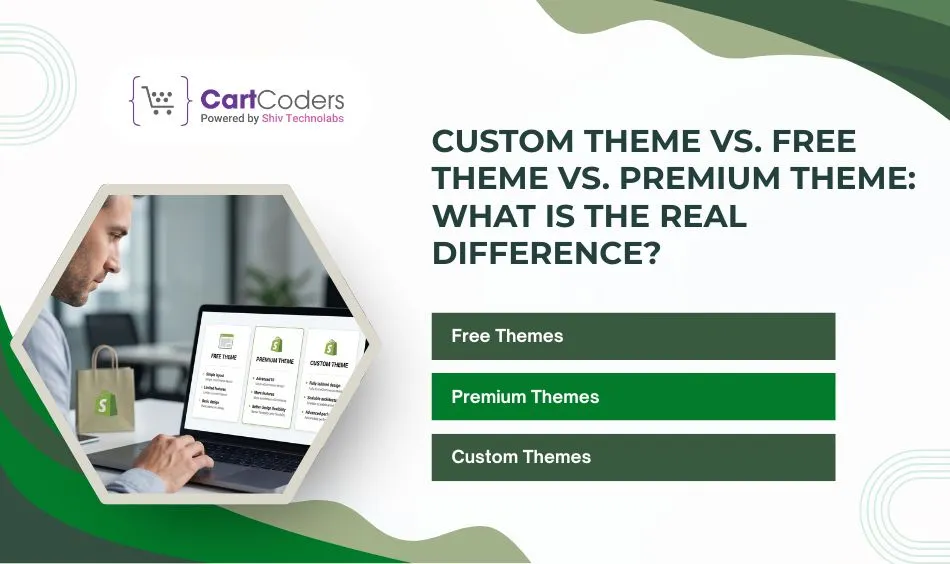
Before setting up anything, get clear on what your store needs at this stage. Shopify offers three common theme paths, and choosing the right one can save money, time, and future rework. Some stores only need a clean launch. Others need stronger branding, better conversion flow, or custom features. That is why understanding the difference matters before you invest.
Quick Comparison Table
| Factor | Free Theme | Premium Theme | Custom Theme |
| Initial Cost | Free | One-time paid | Higher project cost |
| Design Flexibility | Basic | Medium | Full |
| Brand Uniqueness | Low | Medium | High |
| Speed Control | Standard | Good | Strong |
| Built-in Features | Basic | More options | Tailored features |
| Best For | New stores | Growing stores | Scaling brands |
Free Themes
Shopify’s free themes, with Dawn as the flagship, are built on the Online Store 2.0 architecture. Dawn 15+ loads 15 to 25% faster than earlier versions and includes solid mobile responsiveness. For a brand-new store with a lean catalog, free themes are a legitimate starting point.
The limitation: Thousands of stores use the same layout. There is a ceiling on how much you can differentiate. Free themes also tend to increase long-term customization costs as your needs grow.
Premium Themes
Popular premium themes like Impulse, Prestige, Motion, and Impact offer richer layouts, more built-in sections, and stronger visual storytelling. They are well-suited for brands that want professional results faster than custom development allows.
Popular options in 2026:
- Impulse: versatile, strong promo sections, well-suited for fashion and lifestyle
- Prestige: luxury-oriented, image-heavy, editorial feel
- Motion: animation-focused, strong for visual-first brands
- Eurus: performance-focused, flexible layouts, growing fast
The limitation: Premium themes are still someone else’s design. You are working within their structure. For growing stores, this eventually creates friction.
Custom Themes
A custom theme is either built from scratch using Shopify’s Liquid templating language and JSON templates or built by deeply extending a solid base like Dawn or the new Horizon framework. Every layout decision, section, and interaction is intentional for your brand specifically.
This is the right choice when:
- Your store generates $100K+ annually, and conversion rate improvements pay for the build quickly
- You have specific functionality (custom filters, dynamic product configuration, tiered pricing) that pre-built themes cannot support
- Brand differentiation is central to your positioning
- You are on Shopify Plus and need checkout extensibility
The math is not complex. A 0.5% conversion improvement on $300K in annual traffic-driven revenue is $1,500/month in additional sales. A custom build that costs $15,000 pays for itself in roughly 10 months, then compounds indefinitely.
What is the Process of Shopify Custom Theme Setup?
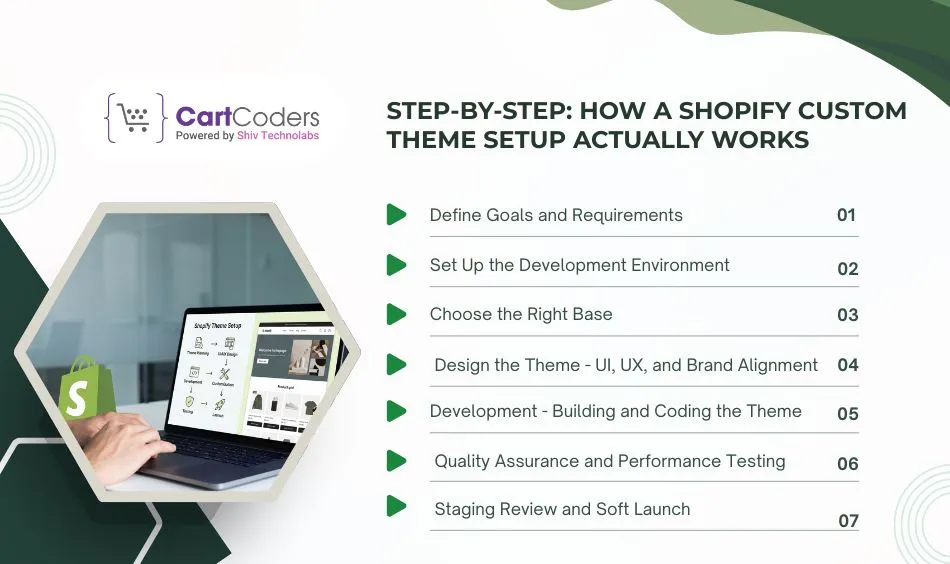
Here is the realistic process from brief to launch, covering what happens at each stage and what decisions matter.
Step 1: Define Goals and Requirements
The most expensive mistake in custom theme development is starting with aesthetics before strategy. Before any wireframes or color palettes:
- Identify which pages carry the most revenue weight (product detail pages, collection pages, homepage)
- Map the customer journey, check where users enter, where they drop off, and where purchase intent peaks
- List functionality that is non-negotiable vs. nice-to-have (custom filters, size guides, subscription options, B2B login)
- Audit competitor stores, not because you want to copy, but to understand category conventions and find gaps
- Define performance targets like page load time, Core Web Vitals scores
This planning stage prevents scope creep and scope gaps. It also gives your development partner a clear brief, which keeps timelines and costs predictable.
Step 2: Set Up the Development Environment
Professional Shopify theme development does not happen directly on the live store. A proper development setup includes:
- A Shopify development store (free via Shopify Partners) is used for safe testing without risk to the live store
- Set up Shopify CLI and connect it to your store to manage theme files faster during development.
- A GitHub repository linked to your Shopify theme, so every change is recorded, organized, and easy to roll back if needed
- A local development environment where code changes are previewed before deploying
If a Shopify development partner is not working in this kind of environment, that is a red flag. Direct edits to a live theme without version control create irreversible risk.
Step 3: Choose the Right Base (Dawn, Horizon, or Blank)
Most custom themes start from a base rather than blank, it is faster and safer:
- Dawn (free): Solid OS 2.0 foundation, well-documented, large community knowledge base, best starting point for most projects
- Horizon (free): Shopify’s newest framework, better performance, modular by design, recommended for new builds
- Blank/skeleton theme: Maximum flexibility, highest cost, only justified for headless or highly complex projects
Clone the base using Shopify CLI, rename it for your project, and connect it to the development store before any design changes begin.
Step 4: Design the Theme – UI, UX, and Brand Alignment
Design is where business strategy becomes visual. The process typically runs:
- Wireframing: low-fidelity layouts defining content hierarchy and user flow for each key template
- High-fidelity mockups: detailed designs in Figma or similar showing final visual treatment
- Design review and iteration: stakeholder feedback integrated before development begins
Step 5: Development – Building and Coding the Theme
With design approved, development converts mockups into working Liquid templates. Core templates that every custom theme requires:
- theme.liquid: the master layout file wrapping all pages
- index.json: homepage template with draggable sections
- product.json: product detail page template
- collection.json: collection/category page template
- cart.liquid: cart page
- page.json: static pages template
- 404.liquid: error page
Beyond templates, custom development typically includes:
Custom sections built as Liquid files in the sections directory
- Reusable components (product cards, announcement bars, trust badges) stored in snippets
- JavaScript for interactive elements, cart drawers, quick add, sticky navigation, and product image swatches
- CSS using Tailwind or modular custom stylesheets scoped to sections
- Metafield integration for extended product data (materials, dimensions, care guides)
One critical technical note is that in Horizon-based themes, you should scope all CSS to block IDs by using Liquid style tags instead of external files, because this helps prevent style conflicts between sections and reduces extra HTTP requests, both of which support stronger Core Web Vitals scores.
Step 6: Quality Assurance and Performance Testing
Testing is not optional. A thorough QA pass covers:
- Cross-browser testing: Chrome, Firefox, Safari, and Edge at a minimum
- Device testing: Multiple screen sizes, including mid-range Android on slower connections, not just flagship devices
- Core Web Vitals: Largest Contentful Paint (LCP) should be under 2.5s, Cumulative Layout Shift (CLS) under 0.1
- Checkout flow: Test the complete purchase path with each payment method you plan to support
- App compatibility: Confirm that installed apps (reviews, loyalty, email capture) function correctly within the theme
- SEO checks: Structured data, meta tags, canonical URLs, and page speed with Lighthouse
Performance targets to benchmark against include load times under 2 seconds on desktop and under 3 seconds on mobile, because stores that consistently meet these standards often see lower bounce rates, stronger engagement, and higher conversion rates than stores that load more slowly.
Step 7: Staging Review and Soft Launch
Before going live, run a complete staging review:
- Share a theme preview link with stakeholders for final approval
- Verify payment gateways, shipping settings, and tax configurations are correct
- Confirm all product images, descriptions, and inventory data are loaded and displaying correctly
- Check all external links, app embeds, and social integrations
A soft launch means your store goes live with little or no promotional traffic, giving you time to test it in a real environment and fix issues before larger audiences arrive. Run it for 2 to 5 days before increasing traffic.
Generic Themes Have a Conversion Ceiling
Break past it before you lose more sales with a Shopify theme built specifically for your customers.


Cost of Shopify Custom Theme Setup: Realistic Numbers
Pricing varies widely depending on scope, agency location, and project complexity. Here is a clear breakdown:
| Tier | Typical Cost (USD) | Best For |
| Free + light customization | $0–$500 | New stores, early-stage brands, tight budgets |
| Premium theme + customization | $500–$5,000 | Growing stores, established brands wanting fast results |
| Custom theme (agency built) | $5,000–$30,000 | Stores at $100K+ revenue, complex functionality needs |
| Shopify Plus / Headless custom | $30,000–$80,000+ | Enterprise brands, multi-region, ERP integrations |
Key context: A store doing $300K/year in revenue that improves its conversion rate from 1.5% to 2% generates an additional $100K annually. A $15,000 custom theme investment pays back in under 2 months at that scale, then runs indefinitely.
What to Look for When Hiring a Shopify Custom Theme Development Partner
Most theme projects that go wrong do so because of partner selection, not technical difficulty. Here is how to evaluate a development agency or freelancer properly:
Technical Expertise
- Demonstrated Liquid proficiency: Ask to see code samples or review theme files from past projects
- Experience with OS 2.0 and JSON templates: Not just older theme architectures
- Latest Shopify Theme Standards: Should understand Shopify’s latest theme architecture.
- Performance awareness: They should talk about Core Web Vitals, image optimization, and lazy loading without prompting
- SEO technical knowledge: Structured data, canonical tags, page speed optimization
Process and Communication
- They work in a development store and use Git for version control, with no live edits on the production theme
- They deliver design mockups before development begins, not only wireframes
- Clear scope of work document with defined deliverables and revision rounds
- They ask about your business goals, not just design preferences
- Post-launch support policy is clearly defined upfront
Portfolio and References
- Review at least 3-5 live stores they have built, open them on mobile, test the speed, and check the UX
- Ask specifically about projects in your product category or at your scale
- Check PageSpeed Insights scores on their portfolio stores. A partner who builds fast themes will have the scores to prove it
Red Flags to Avoid
- No version control or development store workflow
- Proposals that skip the design phase and go straight to development
- Vague scope of work with no defined deliverables
- No mention of mobile optimization or performance
- Portfolio stores with slow load times or broken mobile layouts
Common Mistakes in Shopify Custom Theme Setup
These are the decisions that most often cause projects to go over budget, underperform, or require expensive rebuilds:
- Skipping the planning phase: Starting development without defined goals, wireframes, and scope leads to constant change requests and scope creep. It leads to cost overruns.
- Over-investing too early: Spending $20K on a custom theme before you have product-market fit and consistent traffic is capital misallocated. Match investment to the current revenue stage.
- Installing too many apps: Each app loads JavaScript. A store running 15 apps with overlapping functionality will be slow regardless of how well the theme is coded. Audit and consolidate before launch.
- Choosing a theme based on screenshots: Theme screenshots are designed to look good. The real test is PageSpeed score, mobile UX, and how the theme handles your specific product catalog.
- No version control: Editing theme files directly without Git means mistakes are permanent. This is standard practice among non-professional developers and a recurring cause of lost work.
- Treating the launch as the finish line: A theme is not a one-time project. The highest-performing stores iterate based on data, tracking where users drop off, what they click, and what drives conversion, then making changes accordingly.
Ready to Build a Shopify Store That Performs?
A custom Shopify theme is the foundation every store needs, one that reflects the brand, loads fast, converts visitors, and gives your team control over content without constant developer dependency.
CartCoders specializes in Shopify theme development for brands that are serious about growth. From premium theme customization to fully bespoke Horizon builds, the team handles planning, design, development, QA, and post-launch support, so your store runs exactly the way your business needs it to.
Talk to the team about your store. Get a clear scope and a realistic timeline, no vague proposals, no cookie-cutter solutions.
Frequently Asked Questions
For a professionally built custom theme, expect 6–12 weeks from kick-off to launch. This covers discovery (1–2 weeks), design (2–3 weeks), development (3–5 weeks), and QA/launch (1–2 weeks). Simpler projects using a premium base with customization can be completed in 2–4 weeks. Headless or enterprise builds typically run 12–20 weeks.
Yes, if the theme is built on OS 2.0 with proper JSON templates and section/block architecture. Merchants can add, remove, and reorder content sections from the visual theme editor without touching code. Custom themes built on Horizon extend this further with modular blocks editable without development. Big structural changes or new custom sections still require a developer.
Customization refers to modifying an existing theme, changing fonts, colours, layout within the theme’s existing constraints, through the theme editor or minor code edits. Custom theme development means building a theme specifically for your store, either from scratch or by deeply extending a base. Customization is faster and cheaper. Custom development gives you full control over functionality, performance, and brand expression.
Significantly. A custom theme lets you implement clean semantic HTML, proper heading hierarchy, Product and BreadcrumbList structured data, canonical URLs, and optimized meta tags consistently across every page template. Faster load times from a lean, well-coded theme also directly improve Core Web Vitals scores, a confirmed Google ranking signal. Pre-built themes often include bloat that hurts these scores.
Dawn is a strong free theme built on OS 2.0 with solid performance. Dawn 15+ includes meaningful speed improvements. For stores launching with limited budgets or testing a market, it is a legitimate option. The ceiling hits when you need differentiated brand expression, advanced functionality, or conversion-optimized layouts that require deep customization beyond what Dawn’s structure supports.
Horizon is Shopify’s newest theme framework, released in 2025. It is faster than Dawn out of the box, uses a modular Web Component architecture, and integrates with Shopify Sidekick for AI-assisted block generation. For new custom theme builds in 2026, Horizon is the recommended starting base. Existing stores on Dawn do not need to migrate; Dawn remains fully supported.
Three disciplines prevent performance degradation over time. First, audit your app stack every 3 months and remove apps you are not actively using. Second, compress and convert all new product images to WebP before uploading. Third, avoid adding third-party tracking scripts without evaluating their performance cost. A single poorly optimized script can negate the gains from an otherwise lean custom theme.
If you know Liquid, HTML, CSS, and JavaScript, and you have time to invest in a proper development workflow setup, then building or customizing a theme yourself is viable. For most business owners, developer time is expensive, and the opportunity cost of learning Shopify theme development from scratch is high. A Shopify expert or specialized agency delivers a faster, more reliable result and brings performance and conversion knowledge that goes beyond coding.


