

Shoppers are changing how they search for products online. Instead of browsing several websites, they can ask ChatGPT, Google Gemini, or Microsoft Copilot for product recommendations based on their budget, preferences, and specific needs.
For Shopify merchants, this creates another opportunity to reach customers during product research. However, having products available to an AI assistant does not mean they will automatically appear in its recommendations.
Getting Shopify products recommended by AI requires two things: making products discoverable through supported shopping channels and providing accurate information that helps assistants match products to customer questions. Shopify’s Agentic Storefronts, merchant feeds, and structured product data all play a role.
This guide explains how the three assistants access Shopify products, what merchants should configure, and how to check whether their product information is ready for AI shopping.
Quick Answer: To help your Shopify products appear in ChatGPT, Gemini, and Copilot, first check the relevant catalog or merchant feed setup. Then improve product titles, descriptions, attributes, prices, availability, and store policies. ChatGPT and Copilot can access eligible Shopify products through Shopify Catalog integrations, while Google’s shopping experiences use Merchant Center data and other signals. No setup guarantees a product recommendation.
How Do ChatGPT, Gemini, and Copilot Find Shopify Products?
ChatGPT, Gemini, and Copilot find Shopify products through structured catalogs, merchant feeds, crawlable product pages, and connected shopping channels. They compare this information with a shopper’s requirements before presenting suitable products.
For example, someone may request a waterproof backpack that fits a 15-inch laptop and costs under $100. The assistant needs accurate details about size, material, features, price, and availability. A broad title such as “Premium Travel Backpack” provides little support for an accurate match.
Merchants can view this process in two stages. Product discovery makes an item available for consideration, while product recommendation depends on how closely it matches the shopper’s request.
Shopify Catalog and AI Shopping Channels
Eligible Shopify products can appear across supported AI shopping channels. ChatGPT and Microsoft Copilot can access products through Shopify Catalog, while Gemini and Google AI Mode receive eligible products through the Google & YouTube sales channel. help.shopify.com
Eligibility depends on the store, product, selling country, and individual channel requirements. Shopify also requires eligible stores to provide terms of service, privacy, and return policies. Merchants can check these conditions in Shopify’s agentic storefronts documentation.
Product Feeds and Structured Data
Product feeds contain titles, descriptions, prices, availability, variants, identifiers, images, and product attributes. These details help AI assistants identify what a merchant sells and which customer requests each product may satisfy.
Google may combine Merchant Center feeds with Product structured data from Shopify product pages. Consistent information across feeds and storefronts helps prevent conflicting prices, variants, and stock details. developers.google.com
When product data comes from inventory software, an ERP, or a PIM system, careful Shopify integration planning helps keep product information consistent across connected channels.
Crawlable Product Pages
AI assistants may also use information from public product pages and web search results. Readable pages can provide specifications, use cases, compatibility details, shipping information, policies, and customer reviews.
Catalog participation and website crawling are separate discovery routes. Allowing crawler access does not automatically make a product eligible for every AI shopping channel. Important details should appear in readable content rather than only inside images or complex scripts.
Product Relevance and Data Freshness
AI assistants compare the shopper’s intent with available product attributes, price, stock status, reviews, and seller information. Missing details make it harder to confirm whether a product meets specific requirements.
Prices, inventory, variants, and availability should remain current across Shopify and connected feeds. Outdated or conflicting information can reduce confidence and create a poor buying experience.
How AI Assistants Match Products to Customer Questions
AI shopping requests often contain multiple conditions, such as product category, intended use, material, size, compatibility, and price.
An assistant may use those conditions to compare available product information. If a product lacks important attributes, it may be harder to establish whether it meets the shopper’s requirements.
Expert Insight: Eligibility places a product within the available selection pool, but relevance influences whether the assistant presents it. Describe products around genuine customer needs, intended uses, and buying questions instead of repeating broad keywords.

ChatGPT vs Gemini vs Copilot: How Shopify Product Discovery Differs
ChatGPT, Gemini, and Copilot do not rely on one identical shopping system. Each platform has its own integrations, eligibility requirements, and product discovery processes. This means merchants should review each destination separately instead of assuming that a product appearing in one assistant will automatically appear in the others.
Shopify AI Shopping Channel Comparison
| AI Assistant | Main Product Discovery Route | Merchant Priority |
| ChatGPT | Shopify Catalog for eligible stores; other supported product sources | Catalog eligibility and accurate product data |
| Google Gemini and AI Mode | Google Merchant Center and Google’s shopping systems | Product feed approval and attribute completeness |
| Microsoft Copilot | Supported Shopify Catalog integrations and Microsoft shopping systems | Channel eligibility and product information |
Some purchasing and checkout features depend on the platform, merchant eligibility, customer location, and rollout status. Product discovery should not be confused with the availability of direct checkout inside an assistant.
Expert Insight: Treat each AI shopping destination as a separate distribution channel. A shared product-data foundation reduces repeated work, but eligibility and performance must still be reviewed for each platform.
How to Get Your Shopify Products Recommended in ChatGPT
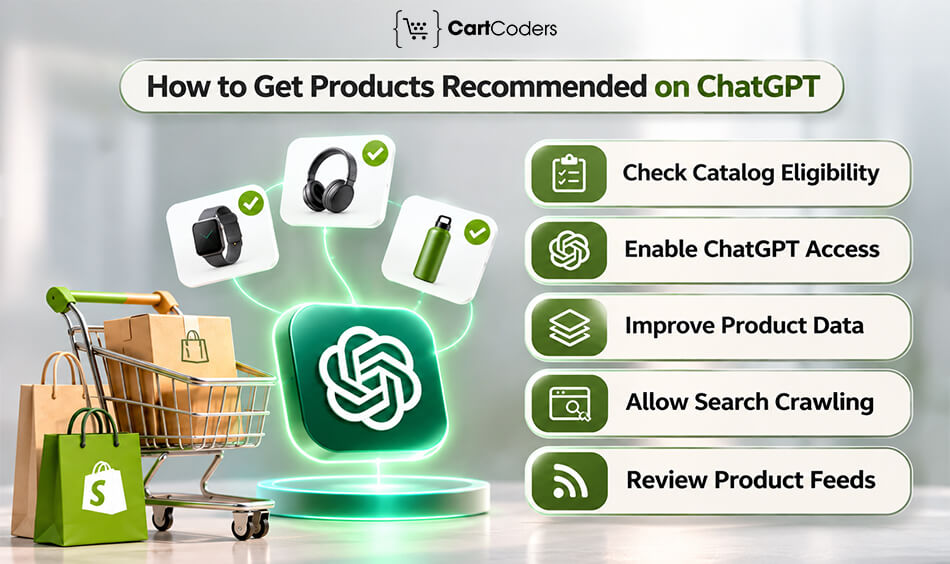
ChatGPT can display relevant products when shoppers ask for recommendations, compare options, or describe what they want to buy. For eligible Shopify merchants, Shopify Catalog provides an existing route for sharing product information with ChatGPT.
According to Shopify’s ChatGPT selling documentation, the channel is active by default for eligible stores. Merchants do not need to install a separate ChatGPT sales channel or submit another product feed solely to participate through Shopify Catalog.
1. Check Shopify Catalog Eligibility
Start by opening your Shopify admin and reviewing Sales channels > Agentic. This area provides information about supported AI channels, Shopify Catalog eligibility, and product access settings.
For Shopify Catalog inclusion, products generally need a title, at least one image, a price greater than zero, and publication to an eligible sales channel. Additional store, product, and policy requirements also apply.
For the ChatGPT channel, Shopify currently requires merchants to sell to US customers, although the business itself may be based elsewhere. Stores must also meet the applicable policy and agreement requirements.
2. Review ChatGPT Access in Agentic Storefronts
Eligible stores can manage whether ChatGPT receives their product data through Shopify Catalog. The relevant setting appears within Shopify’s Agentic sales-channel management area.
Check that ChatGPT catalog access has not been disabled. If your store is ineligible, review the reasons shown in Shopify admin before changing product content or installing additional apps. Keep in mind that removing Shopify Catalog access does not necessarily prevent a product from appearing through other public discovery methods.
3. Keep Product Data Accurate and Complete
ChatGPT considers product information when identifying options relevant to a shopper’s request. OpenAI describes factors such as product descriptions, prices, availability, reviews, and other shopping context in its shopping results guidance.
Merchants should review the following product fields:
- Product title: Include the product type and meaningful specifications.
- Description: Explain materials, benefits, limitations, and intended uses.
- Variants: Keep size, color, and other options accurate.
- Pricing: Display the correct selling price and applicable discounts.
- Availability: Update inventory and out-of-stock information.
- Images: Use clear visuals that represent the actual product.
- Policies: Provide accurate shipping, return, and refund information.
For example, a product titled “Laptop Backpack” provides less specific information than “30L Carry-On Backpack With 15-Inch Laptop Compartment.” The second title communicates details that may help an assistant assess its relevance to a shopper’s needs.
4. Review OAI-SearchBot Access
OpenAI uses OAI-SearchBot for search-related discovery. Merchants should check whether their robots.txt configuration allows appropriate access to public product pages.
However, Shopify Catalog is a separate product discovery route. Allowing OAI-SearchBot does not guarantee ChatGPT product placement, and a product can be available through Shopify Catalog without relying on the same public crawling process.
Also distinguish OAI-SearchBot from GPTBot, which is associated with model training. Merchants can make separate decisions about search access and training-related crawling.
5. Understand Shopify Catalog and Direct Product Feeds
Shopify Catalog already shares eligible Shopify product information with ChatGPT. For these merchants, an additional direct feed is not mandatory.
OpenAI also offers a separate direct product feed route for eligible merchants seeking more direct control over product information updates. This should be considered an optional integration rather than a standard requirement for every Shopify store.
Expert Insight: Before purchasing a new integration or rebuilding product feeds, confirm whether Shopify Catalog already makes your products available. Product data quality and eligibility may deserve attention before additional technical development.
How to Make Shopify Products Discoverable in Google Gemini
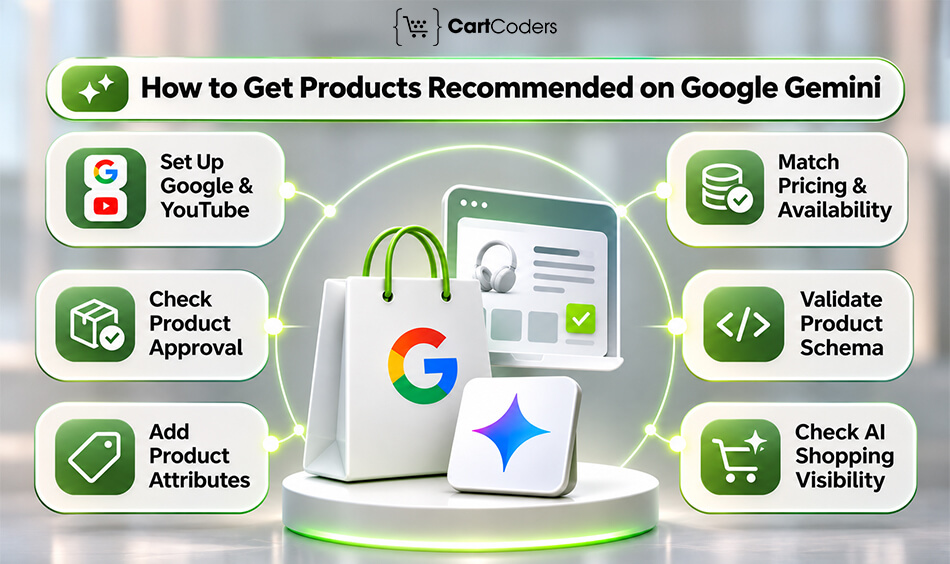
Google’s shopping experiences use Merchant Center product information alongside other Google systems. For Shopify merchants, the Google & YouTube sales channel provides a practical way to connect product data with Google Merchant Center.
Google AI Mode and Gemini shopping capabilities are subject to eligibility and ongoing rollout conditions. Merchants should therefore distinguish between Merchant Center product approval and actual visibility in an AI-generated shopping response.
1. Set Up the Google & YouTube Sales Channel
Install or review the Google & YouTube sales channel in Shopify. Connect the appropriate Google Merchant Center account and configure the required business, shipping, and product information.
Check that the products intended for Google are included in the synchronization. A product published in Shopify is not necessarily approved for every Google shopping destination.
Merchants using several inventory or catalog systems should also review whether product updates reach Google correctly. This is particularly important when pricing and stock change frequently.
2. Review Google Merchant Center Product Approval
Open Merchant Center and review product status, account diagnostics, and any disapprovals or warnings.
Product issues may involve missing identifiers, incorrect availability, policy violations, or inconsistent prices. Fixing these problems helps maintain an accurate product feed, although approval alone does not guarantee visibility in Gemini.
3. Add Relevant Product Attributes
Google uses structured product attributes to understand what a product is and how it differs from alternatives.
Depending on the category, useful attributes may include:
- Brand and product identifiers.
- Material and color.
- Size and dimensions.
- Product category.
- Intended use.
- Compatibility details.
- Variant-specific specifications.
For example, a furniture merchant should provide actual dimensions and materials rather than relying on descriptions such as “premium quality” or “modern design.” Google’s Merchant Center AI performance guidance also recommends reviewing popular product attributes and filling gaps in structured product data.
4. Keep Pricing and Availability Consistent
A product’s Merchant Center feed, Shopify storefront, and structured data should reflect consistent information.
If the feed reports a product as available but the storefront shows it as sold out, customers may receive misleading information. Similar problems can arise when discounts, variant prices, or shipping details differ between systems.
Review synchronization schedules and investigate repeated mismatches rather than correcting individual products without identifying the underlying cause.
5. Validate Product Structured Data
Product structured data helps Google interpret product information on the website. Relevant properties may include product name, images, offers, price, availability, and applicable product identifiers.
Use Google’s supported validation tools to identify missing or invalid markup. Structured data should match the visible product page and must not include fabricated ratings or misleading offers.
6. Check Google AI Shopping Visibility
Google provides AI performance insights for eligible Merchant Center accounts in supported countries and languages. These reports can help merchants review conversational shopping queries, product appearances, and missing attributes.
As of November 2026, Google documents availability for English-language queries in Australia, Canada, India, New Zealand, and the United States. The report currently focuses on organic AI shopping visibility.
Expert Insight: Start with approved products and complete attributes before evaluating AI shopping performance. A product cannot benefit from better descriptions if its feed has unresolved eligibility or accuracy problems.
How Can Shopify Products Appear in Microsoft Copilot?
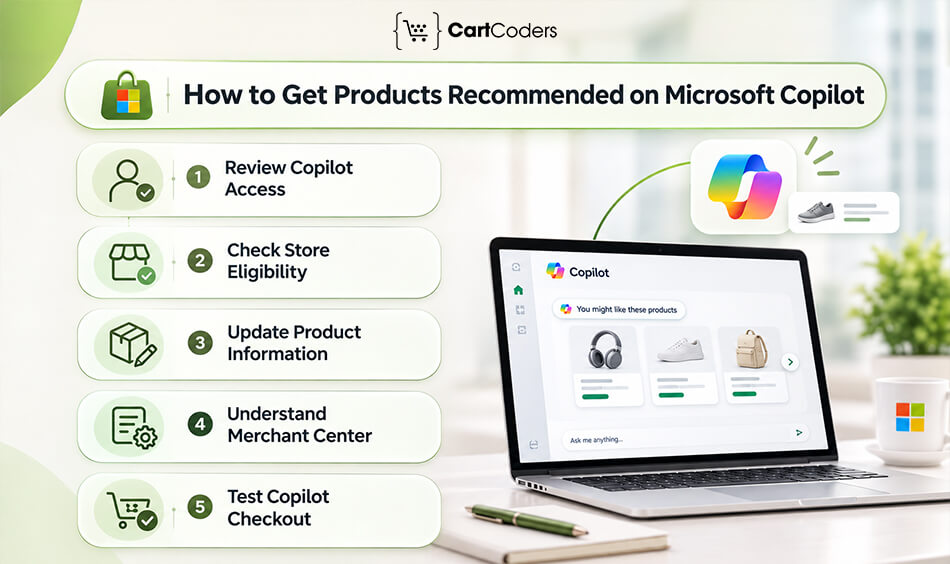
Microsoft Copilot can help shoppers research products, compare alternatives, and complete supported shopping journeys. Shopify’s Agentic Storefronts integration provides a route for eligible products to appear through Shopify Catalog.
Microsoft also operates merchant shopping infrastructure, including Microsoft Merchant Center. Merchants should distinguish between Shopify’s Copilot integration and other Microsoft product-feed or advertising programs.
1. Review Microsoft Copilot Access
Open Sales channels > Agentic in Shopify admin and check whether Microsoft Copilot is available for your store.
Shopify allows eligible merchants to manage Copilot’s access to product information through Shopify Catalog. The channel may also support direct checkout where the store meets the applicable requirements.
2. Check Store and Product Eligibility
Shopify documents specific conditions for Copilot participation, including Shopify Catalog eligibility, required store policies, and supported customer locations. For direct checkout, Shopify currently requires the merchant to sell to customers in the United States. Other eligibility conditions and feature restrictions may apply.
3. Maintain Accurate Product Information
Copilot needs reliable information about product options, prices, descriptions, and availability. Merchants should maintain the same data standards used for ChatGPT and Google.
A product with inconsistent variants or incomplete specifications may be difficult to compare against alternatives. Clear product information also reduces the chance of customers receiving outdated details.
4. Understand Microsoft Merchant Center’s Role
Microsoft Merchant Center supports product listings in Microsoft’s shopping ecosystem. However, it should not be presented as an additional mandatory feed for every Shopify merchant using the native Copilot integration.
If a business also uses Microsoft shopping ads or other feed-based programs, it should review those feeds separately and maintain consistency with Shopify.
5. Test Copilot Checkout Where Supported
Shopify’s Microsoft Copilot documentation describes Shopify-powered direct checkout for eligible merchants. Some product configurations and checkout features have limitations, so merchants should verify whether their selling model is supported.
Test the customer journey using eligible products and confirm that prices, shipping information, payment options, and order records behave as expected.
Expert Insight: Product discovery and checkout eligibility are different checks. A merchant may have products available for discovery while certain purchasing features remain unavailable for its store or product configuration.
What Product Information Helps Shopify Products Get Recommended by AI?
Complete and accurate product information helps AI shopping assistants judge whether an item matches a customer’s request. Useful data includes product type, specifications, variants, price, availability, identifiers, images, shipping details, and return conditions.
For example, someone may request a 30-liter backpack that fits a 15-inch laptop and meets carry-on size limits. Specific attributes give AI assistants more evidence than broad claims such as “premium quality” or “perfect for everyone.”
Weak vs Useful Shopify Product Information
| Product Detail | Weak Example | More Useful Example |
| Title | Travel Backpack | 30L Carry-On Travel Backpack |
| Material | Premium fabric | Water-resistant polyester |
| Capacity | Spacious | 30-liter capacity |
| Compatibility | Laptop-friendly | Fits laptops up to 15 inches |
| Intended use | Perfect for everyone | Suitable for commuting and short trips |
| Dimensions | Compact | 45 × 30 × 18 cm |
| Variants | Several options | Black 30L, Blue 30L |
| Availability | In stock | Accurate stock for each variant |
| Identifier | Product 101 | Valid SKU, GTIN, or MPN |
| Description | Best travel backpack | Explains compartments, fit, and carrying features |
Merchants should include only details that accurately describe the product.
Use Clear Titles, Categories, and Identifiers
Product titles should identify the item and include meaningful attributes such as size, capacity, material, model, or intended use. Keep titles readable and avoid repeating the same keyword.
Correct product categories, SKUs, GTINs, MPNs, and brand names help platforms group and distinguish products. Stable identifiers also reduce confusion when similar items or several variants appear in connected feeds.
Add Specifications, Benefits, and Use Cases
Specifications explain what a product includes or supports. Benefits explain how those features help a particular customer. A 30-liter capacity is a specification, while suitability for short trips provides useful buying context.
Descriptions should cover dimensions, materials, compatibility, care instructions, limitations, and intended users where relevant. Connecting verified features with practical use cases also supports stronger Shopify product page conversion experiences.
Provide Variant-Level Price and Availability
Each size, color, material, or configuration should have accurate pricing, availability, images, and identifiers. A general “in stock” message may be misleading when only selected variants remain available.
Shipping costs, delivery regions, return conditions, and warranty details can also affect purchasing decisions. Current information helps AI assistants avoid presenting options that customers cannot purchase under their stated requirements.
Use Helpful Images, FAQs, and Reviews
Product images should clearly show the item, important features, scale, and available variants. Descriptive image alt text can provide additional context, but it should describe the image rather than repeat keywords.
FAQs can answer common questions about sizing, compatibility, materials, care, shipping, and limitations. Genuine customer reviews may provide further context about fit, quality, comfort, and practical use.
Keep Storefront, Feed, and Schema Data Consistent
Product information should match across Shopify pages, Shopify Catalog, Google Merchant Center, and other feeds. Conflicting prices, attributes, or stock details can weaken confidence and create a poor customer experience.
Valid Product and Offer structured data can help search systems interpret details such as price, availability, ratings, shipping, and returns. Google recommends using both product structured data and Merchant Center feeds when available.
Expert Insight: Write product information around real buying decisions. AI assistants need verified attributes, clear use cases, and current commercial details, not repeated keywords or unsupported claims.
Which Technical SEO Checks Support Shopify AI Product Discovery?
Technical SEO helps search engines and AI crawlers access, interpret, and verify public Shopify product pages. It also identifies conflicts between storefront content, structured data, variants, regional pages, and merchant feeds.
Technical SEO and Shopify Catalog eligibility serve different purposes. Catalog data can reach supported AI channels independently of robots.txt, while crawling provides another product discovery route. Neither method guarantees that an AI assistant will recommend a product.
Shopify AI Product Discovery Audit Checklist
| Technical Area | What to Check | Potential Problem |
| Robots.txt | Search crawlers can access public products | Important pages blocked |
| Indexability | Intended product pages allow indexing | Accidental noindex |
| XML sitemap | Canonical product URLs appear correctly | Missing product pages |
| Status codes | Product URLs return valid responses | Broken pages or redirect chains |
| Canonical URLs | Preferred product URL is identified | Duplicate URL signals |
| Internal links | Products are linked from crawlable pages | Orphan product pages |
| Product schema | Product and Offer data matches the page | Missing or conflicting markup |
| Product variants | Price, image, identifier, and stock match | Inconsistent variant details |
| Rendered HTML | Important details remain accessible | Content hidden by scripts |
| Merchant feeds | Feed information matches Shopify | Outdated price or inventory |
| Regional data | Currency, language, and availability match | Conflicting country information |
| Product lifecycle | Unavailable products are handled correctly | Broken or misleading listings |
1. Review Robots.txt and AI Crawler Access
Shopify’s robots.txt file controls crawler access to public storefront pages. The default file works for most stores, so merchants should review existing rules before making custom changes.
OpenAI uses separate crawlers for different purposes. OAI-SearchBot supports visibility in ChatGPT search, while GPTBot collects content that may be used for model training. Merchants can allow one and restrict the other. developers.openai.com
Shopify Catalog operates separately from robots.txt. Blocking an open-web crawler does not automatically remove eligible product data from activated agentic storefronts. Editing robots.txt.liquid
2. Check Indexability, Sitemaps, and Status Codes
Public product pages intended for search visibility should be indexable and return a valid 200 status. Review accidental noindex tags, broken URLs, redirect chains, soft 404 pages, and unavailable products.
Shopify automatically creates and updates a sitemap.xml containing products, collections, pages, images, and blog posts. Check that important canonical product URLs appear in the sitemap and submit it through the relevant search engine tools. Finding and submitting your sitemap
3. Review Canonical URLs and Internal Links
Products may appear through direct URLs, collection paths, tracking parameters, and variant links. Canonical tags should identify the preferred URL without pointing to unrelated products or unavailable pages.
Important products should also have clear internal links from collections, navigation, buying guides, or related-product sections. A valid product page may still be difficult to find when no crawlable page links to it.
4. Validate Structured Data and Rendered Content
Product and Offer structured data should accurately describe the name, image, brand, price, currency, availability, SKU, GTIN, shipping, and return information. Add review or rating markup only when the visible product page supports it.
Google recommends placing product markup in the initial HTML where possible. Important titles, specifications, prices, and availability should not exist only inside images or scripts that crawlers may process inconsistently. developers.google.com
5. Check Product Variants and Images
Each variant should show the correct image, identifier, price, and stock status. For example, selecting a blue medium shirt should not leave the image, schema, or feed data set to a black large variant.
Variants should use stable SKUs or GTINs and follow a consistent URL and canonical approach. Product images should remain accessible, accurately represent each option, and include useful alt text.
6. Compare Storefront and Feed Data
Compare Shopify product pages with Shopify Catalog, Google Merchant Center, and other connected feeds. Check titles, identifiers, prices, currencies, variants, availability, shipping details, and destination URLs.
Conflicting data can cause outdated listings or incorrect buying information. A Shopify technical audit can identify crawling, indexing, schema, feed, and product-page issues before deeper AI discovery work begins.
Expert Insight: Technical fixes make product information easier to access and verify. They provide a reliable foundation for AI product discovery, but relevance, eligibility, product quality, and customer intent still influence recommendations.
How Do Reviews, Store Policies, and Brand Information Affect AI Shopping Readiness?
Reviews, store policies, and brand information help AI shopping systems assess product quality, merchant legitimacy, and purchase conditions. They add context beyond titles, prices, and specifications.
These signals do not guarantee a recommendation. However, complete and consistent trust information can make products easier to evaluate and reduce uncertainty before purchase.
Product Reviews and Ratings
Genuine reviews can provide context about fit, quality, durability, comfort, and practical use. ChatGPT may consider reviews when selecting products and may create summaries of common positive and negative feedback. OpenAI states that these reviews and ratings are not independently verified by OpenAI. OpenAI Help Center
Shopify also identifies verified reviews as a listing-quality signal for agentic storefronts. Review content should remain connected to the correct product and variant rather than being copied across unrelated pages. Managing agentic storefronts
Ratings shown in structured data should match visible customer feedback. Fake reviews, fabricated endorsements, or inflated engagement may violate platform policies and weaken customer trust.
Store Policies and Purchase Conditions
Clear policies help customers and AI systems interpret what happens before and after a purchase. Important information includes shipping costs, delivery regions, return periods, refund methods, warranties, privacy practices, and customer support options.
Shopify requires eligible merchants to publish terms of service, a privacy policy, and a return and refund policy for supported agentic storefronts. Selling on ChatGPT These policies should remain easy to access and consistent with product pages, feeds, and checkout information.
Avoid broad statements such as “easy returns” without explaining the conditions. Specific timeframes, exclusions, fees, and refund methods give shoppers clearer expectations.
Brand and Seller Information
Consistent brand information helps platforms connect products with the correct business. Use the same business name, brand name, logo, domain, manufacturer details, and contact information across Shopify, structured data, feeds, and public profiles.
Seller status may also matter when several merchants offer the same product. ChatGPT states that merchant selection may consider availability, price, quality, and whether the seller is the product maker or primary seller. OpenAI Help Center
Brand information should clearly explain whether the store is the manufacturer, brand owner, authorized retailer, or reseller. Avoid unsupported authority claims or confusing differences between the storefront name and legal business identity.
Keep Trust Information Consistent
Review ratings, policy details, business information, and support contacts should match across the storefront, Shopify admin, product feeds, schema, and checkout. Conflicting details can create uncertainty for customers and shopping platforms.
Merchants can include these checks within a broader Shopify website audit covering product information, policy pages, structured data, and customer trust signals.
Expert Insight: Treat store policies and product details as part of the same customer experience. Accurate information helps customers evaluate an offer even when it does not directly determine whether an AI assistant recommends the product.
Why Are Your Shopify Products Not Appearing in AI Recommendations?
A Shopify product may be missing from an AI shopping response for several reasons. The store may not meet channel requirements, the product data may be incomplete, or the assistant may simply choose other products for a particular request.
Merchants should avoid assuming that every missing recommendation indicates a technical error. AI shopping results depend on the customer’s question, available information, and each platform’s selection process.
Common Shopify AI Visibility Problems and Fixes
| Problem | What to Check | Recommended Action |
| Products missing from ChatGPT | Shopify Catalog eligibility | Review Agentic settings and requirements |
| Products missing from Gemini | Google & YouTube channel | Check Merchant Center product status |
| Products missing from Copilot | Shopify Catalog and Copilot access | Review supported channel settings |
| Incorrect product prices | Storefront and feed synchronization | Correct pricing conflicts |
| Outdated availability | Inventory and variant updates | Review stock synchronization |
| Incomplete descriptions | Missing product attributes | Add accurate specifications |
| Missing store policies | Shopify policy settings | Complete required policies |
| Invalid structured data | Product and Offer markup | Correct validation errors |
| Products absent for specific queries | Product relevance and available data | Review titles, attributes, and query intent |
| Inconsistent product details | Feed, schema, and storefront | Align the information sources |
Expert Insight: Troubleshooting should follow a clear order: eligibility, product data, technical access, and query relevance. This helps merchants avoid unnecessary changes that do not address the actual problem.
How Can You Test and Measure Shopify AI Shopping Visibility?
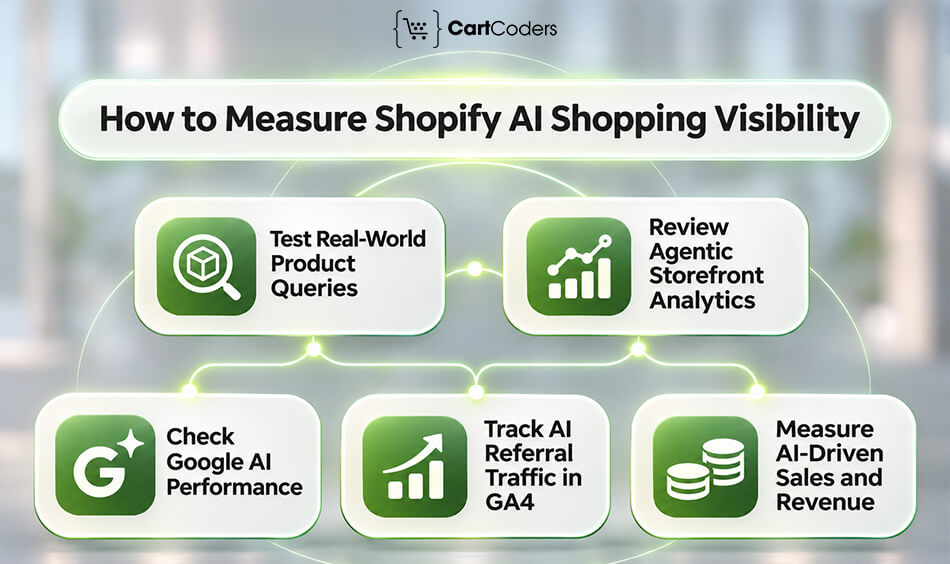
Measuring AI shopping visibility requires more than searching for your products in ChatGPT, Gemini, or Copilot. Merchants should combine platform eligibility checks, product discovery tests, referral data, and order information to understand performance.
AI assistants may show different recommendations for similar questions, and not every visit or sale can be attributed perfectly. A consistent testing process helps businesses identify meaningful changes without assuming that one content update caused a particular result.
1. Test Product Discovery With Realistic Questions
Create a list of 10 to 15 questions based on the products you sell. Include broad product searches, specific buying requirements, comparison questions, and budget-related requests.
For example, a backpack merchant could test:
- Best carry-on backpack for short business trips.
- Water-resistant backpack for a 15-inch laptop.
- Lightweight travel backpack under $100.
- Backpack with separate laptop and clothing compartments.
- Best 30-liter backpack for weekend travel.
Run the same questions across the assistants you want to evaluate. Record the date, location, wording, and products displayed. Treat these results as a sample rather than a definitive ranking report.
2. Review Shopify Agentic Storefront Analytics
Shopify provides tools for reviewing product discovery activity in Agentic Storefronts. Merchants can inspect supported performance information and use the search preview to assess how products may appear in Shopify Catalog searches.
The preview is directional because individual AI assistants can reorder or filter results using their own systems. Shopify explains this distinction in its Agentic Storefronts management documentation.
Managing agentic storefronts
3. Review Google Merchant Center AI Performance
Eligible Merchant Center accounts can access AI performance insights covering conversational shopping activity in supported Google experiences.
These reports can help identify popular shopping intents, product attributes, and areas where product data is incomplete. Use the findings to prioritize relevant product improvements rather than adding unrelated keywords.
4. Monitor AI Referral Traffic in GA4
Google Analytics 4 can help identify visits from recognizable AI referral sources. Merchants should review session source, landing pages, engagement, and purchase activity where attribution data is available.
However, some AI-assisted shopping journeys may not produce clearly identifiable referral information. Customers may also research products in an assistant and return to the store through another channel.
5. Track AI-Attributed Orders and Revenue
Review order attribution available through Shopify and supported sales channels. Compare this information with GA4 reporting and any relevant campaign tracking.
Before judging the performance of AI shopping traffic, verify that purchase events, revenue values, and order records are being collected correctly.
Expert Insight: Compare performance over time using consistent test conditions. A single recommendation screenshot is useful evidence of visibility, but it cannot establish a stable ranking position or prove a sales impact.
Shopify AI Shopping Readiness Checklist: What Should You Fix First?
Merchants should begin with the requirements that determine whether products can be discovered. Product descriptions and technical improvements become more useful after eligibility and feed problems are addressed.
The following checklist provides a practical implementation order for Shopify stores preparing for ChatGPT, Gemini, and Copilot shopping experiences.
AI Shopping Implementation Priorities
| Priority | Action | Expected Outcome |
| 1 | Check Shopify Catalog eligibility | Identify access restrictions |
| 2 | Review Agentic Storefront settings | Confirm supported channel access |
| 3 | Check Google Merchant Center | Identify product approval issues |
| 4 | Improve product attributes | Provide clearer product information |
| 5 | Verify prices and availability | Reduce conflicting shopping data |
| 6 | Validate structured data and crawling | Support public product discovery |
| 7 | Review store policies | Improve merchant information accuracy |
| 8 | Test realistic shopping questions | Establish a visibility baseline |
| 9 | Monitor referrals and orders | Measure identifiable business outcomes |
| 10 | Review changes regularly | Maintain data quality as products change |
What Should Merchants Prioritize During the First 30 Days?
A practical first month can be divided into four stages. The purpose is to resolve foundational problems before spending time on advanced experiments.
- Week 1: Eligibility and access. Review Shopify Catalog, Agentic Storefronts, Google Merchant Center, and relevant channel settings.
- Week 2: Product information. Improve priority product titles, descriptions, attributes, variants, and images.
- Week 3: Technical validation. Check structured data, indexability, crawler access, policies, and feed consistency.
- Week 4: Testing and measurement. Run repeatable discovery tests and review available traffic and order data.
For stores with large catalogs, begin with commercially important products and categories rather than attempting to rewrite every product description at once.
Expert Insight: The strongest implementation plan fixes data accuracy before testing visibility. Otherwise, merchants may spend time measuring products that are not eligible or have incomplete information.
What Should B2B and Large-Catalog Shopify Stores Consider?
B2B merchants and stores with thousands of SKUs face additional challenges because product information may vary by customer account, supplier, region, or purchasing agreement.
Public AI shopping experiences generally rely on information that is eligible to be shared. Restricted B2B prices, private catalogs, and account-specific purchasing conditions should not be assumed to appear in public product recommendations.
For B2B stores, review which products are publicly available and which require authenticated access. Keep customer-specific pricing and private business information protected according to the store’s access rules.
Large catalogs also require consistent product identifiers, variant management, inventory updates, and attribute mapping. Product information management processes become particularly important when multiple systems update the same catalog.
Expert Insight: High-SKU stores should prioritize data governance alongside AI discovery. Accurate product feeds depend on clear ownership of pricing, inventory, specifications, and product updates.
How Can CartCoders Help With Shopify AI Shopping Readiness?
Preparing a Shopify store for AI shopping requires work across product data, technical SEO, sales-channel settings, and storefront usability. These activities often involve several systems rather than one isolated configuration change.
CartCoders can help merchants assess Shopify Catalog readiness, review product information, investigate structured-data issues, and identify inconsistencies between storefronts and connected feeds.
The technical review can cover:
- Shopify Catalog and channel eligibility.
- Product titles, attributes, and variant data.
- Structured data and product-page accessibility.
- AI crawler and robots.txt settings.
- Google Merchant Center feed consistency.
- Store policies and product information.
- Analytics and conversion tracking.
For merchants preparing new integrations or custom shopping experiences, Shopify development services can support the technical work needed to connect systems and maintain accurate product information.
Frequently Asked Questions
Check Shopify Catalog eligibility and ChatGPT access in Shopify’s Agentic Storefronts settings. Keep product titles, descriptions, prices, variants, and availability accurate. Eligible products can be available through Shopify Catalog, but ChatGPT determines which products to recommend for each shopper’s request.
Shopify Agentic Storefronts is active by default for eligible stores, and eligible products can be shared through supported channels. However, each AI platform has its own requirements. Product availability through a catalog does not guarantee inclusion in AI-generated recommendations.
Connect the Google & YouTube sales channel, configure Google Merchant Center, and check product approval and synchronization. Complete relevant product attributes and maintain accurate prices and availability. Gemini shopping features are subject to eligibility and regional rollout conditions.
Yes. Microsoft Copilot can access eligible Shopify products through supported Shopify Catalog integrations. Merchants should review Copilot access in Shopify’s Agentic Storefronts settings. Product discovery and direct checkout availability depend on the applicable requirements.
Shopify Catalog eligibility determines whether a store and its products meet the requirements for inclusion in Shopify’s structured product catalog. Requirements include supported store conditions, product information, publication status, and other applicable rules. Merchants can review eligibility details in Shopify admin.
No separate ChatGPT feed is required for eligible Shopify merchants using Shopify Catalog. OpenAI also offers an optional direct product feed route for eligible merchants. A direct feed should not be confused with the standard Shopify Catalog integration.
Product schema provides structured information about product names, offers, prices, availability, and other attributes. It can support search systems that process this markup. However, valid schema does not guarantee product recommendations in ChatGPT, Gemini, or Copilot.
Allowing OAI-SearchBot can support OpenAI search-related crawling of public pages. It is separate from GPTBot, which is associated with training. Merchants should review their crawler policies according to their business needs. Allowing access does not guarantee AI shopping visibility.
Possible reasons include catalog ineligibility, disabled channel access, incomplete product information, Merchant Center issues, or limited relevance to a particular question. AI assistants also select results independently, so an eligible product may not appear in every recommendation.
Use Shopify’s supported Agentic Storefronts reporting, Google Merchant Center insights, and GA4 referral data. Review available order attribution and revenue information alongside repeatable product discovery tests. Not every AI-assisted shopping journey can be identified accurately.
Final Verdict: Make Shopify Products Discoverable and Relevant to AI Shoppers
Getting Shopify products recommended in ChatGPT, Gemini, and Copilot begins with eligibility and accurate product information. Merchants should confirm supported channel access, maintain reliable product feeds, and provide clear specifications that answer real buying questions.
Technical SEO, structured data, store policies, and product-page quality can support broader product discovery. However, no individual setting, keyword, or integration guarantees that an AI assistant will recommend a particular product.
The most effective approach is to build a reliable product-data foundation, test each platform separately, and measure results over time. This helps merchants prepare for AI shopping while improving the information available to customers across their Shopify store.


