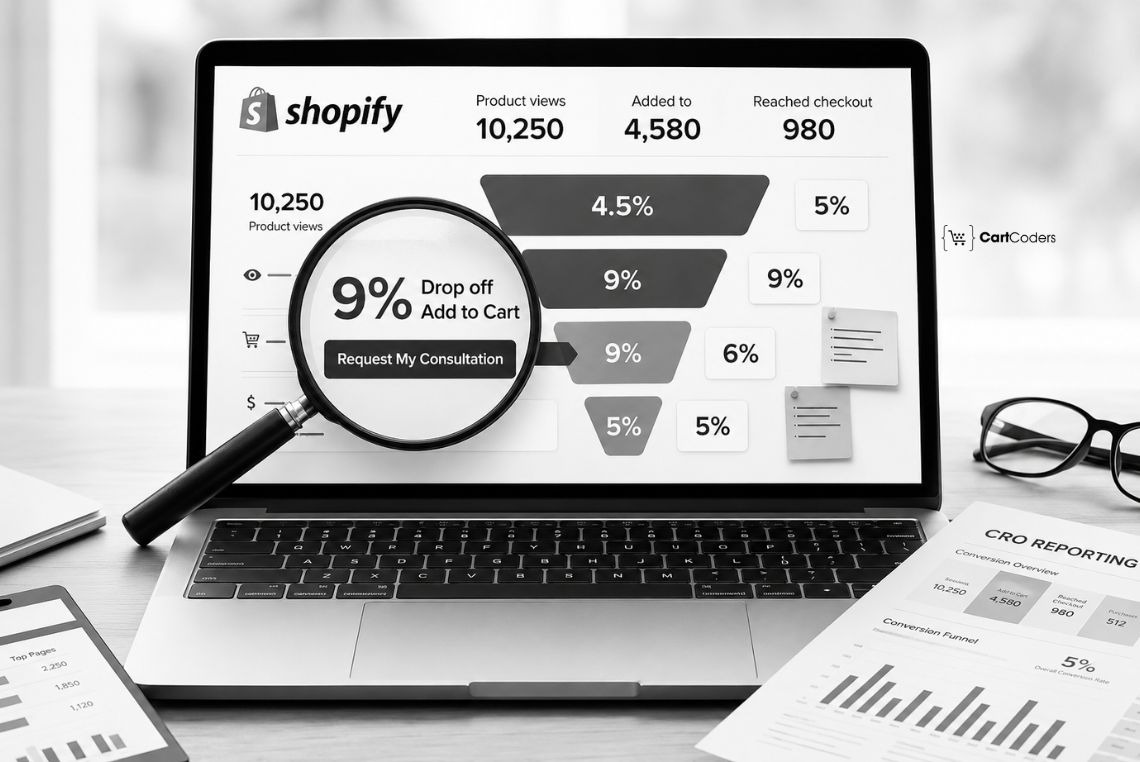

Many Shopify stores invest heavily in SEO, Google Ads, Meta Ads, influencer campaigns, and email marketing. Traffic grows, sessions increase, and reports look healthy. Yet sales remain flat, and conversion remains low.
The problem is often not traffic. The problem is what happens after visitors arrive. A weak product page, confusing navigation, slow mobile experience, poor checkout flow, or missing trust signals can quietly reduce conversions every day. A Shopify CRO audit identifies where customers leave your store, why they hesitate, and which conversion blockers reduce sales.
In fact, according to Baymard Institute research covering 50 studies, the average online shopping cart abandonment rate is 70.22%. Instead of guessing, a conversion rate optimization audit uses analytics, user behavior, funnel data, and technical analysis to uncover revenue leaks across the entire buying journey.
Quick Answer: What Is a Shopify CRO Audit?
A Shopify CRO audit is a structured conversion rate optimization audit that analyzes the entire eCommerce conversion funnel, from homepage to post-purchase experience, to identify revenue leaks, conversion blockers, and user friction.
Unlike a checklist, a CRO audit is diagnostic rather than preventative. It prioritizes findings by revenue impact and provides a roadmap for improving conversions, average order value, and overall store performance.
When Should You Get a Shopify CRO Audit?
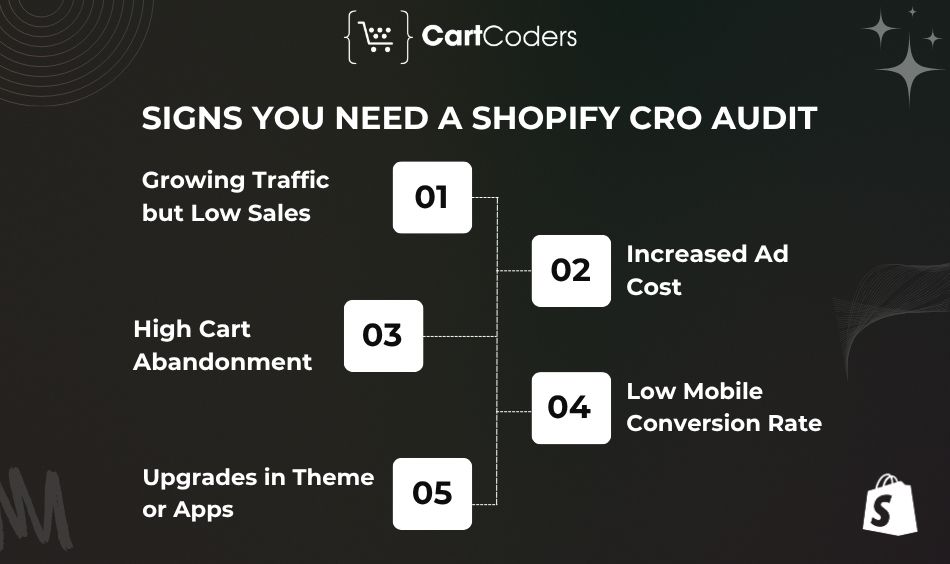
A Shopify CRO audit is useful when your store gets traffic, but sales or revenue do not match expectations. It is also helpful before campaigns, redesigns, migrations, or ad budget increases.
Growing Traffic but Low Sales
If sessions are increasing but sales are not, your store may have a conversion issue. A CRO audit checks landing page relevance, product page clarity, funnel drop-off, add-to-cart rate, checkout completion, and mobile conversion rate. This helps identify why visitors are not turning into buyers.
Increased Ad Cost
Higher ad costs make conversion performance more important. If CAC is rising, your store needs to convert more visitors into customers. A CRO audit helps improve landing page conversion, product page trust, add-to-cart rate, checkout completion, average order value, and ROAS support. A better conversion rate can make paid traffic more profitable.
Cart Abandonment Is High
High cart abandonment usually means buyers showed interest but hesitated before purchase. A CRO audit checks issues like surprise shipping costs, missing delivery estimates, weak return policy visibility, payment friction, poor mobile cart design, and limited trust signals. This helps find why buyers leave before completing checkout.
Mobile Conversion Rate Is Low
If mobile traffic is high but mobile sales are low, your mobile user experience needs review. A CRO audit checks mobile page speed, tap targets, product page layout, sticky CTA, mobile filters, mobile checkout, and payment options. Mobile CRO can improve revenue without increasing traffic.
Upgrades in Theme or Apps
Theme updates, app changes, redesigns, checkout changes, tracking updates, and new scripts can affect conversions. A CRO audit helps catch layout issues, speed problems, broken user flows, and checkout friction before they affect revenue. This helps prevent small changes from turning into expensive conversion drops.
CRO Audit vs CRO Checklist vs CRO Implementation
Many store owners use these terms interchangeably, but they solve different problems.
| Type | Purpose | Outcome |
| CRO Audit | Identifies what is broken and why | Prioritized findings and revenue opportunities |
| CRO Checklist | Verifies best practices | Compliance and consistency review |
| CRO Implementation | Applies improvements | Conversion-focused changes and testing |
A Shopify CRO audit answers:
- Where are visitors dropping off?
- Which pages create friction?
- What causes checkout abandonment?
- Which fixes have the highest revenue potential?
A checklist only confirms whether common practices exist.
<Image>Why Shopify Stores Lose Money Even With Good Traffic
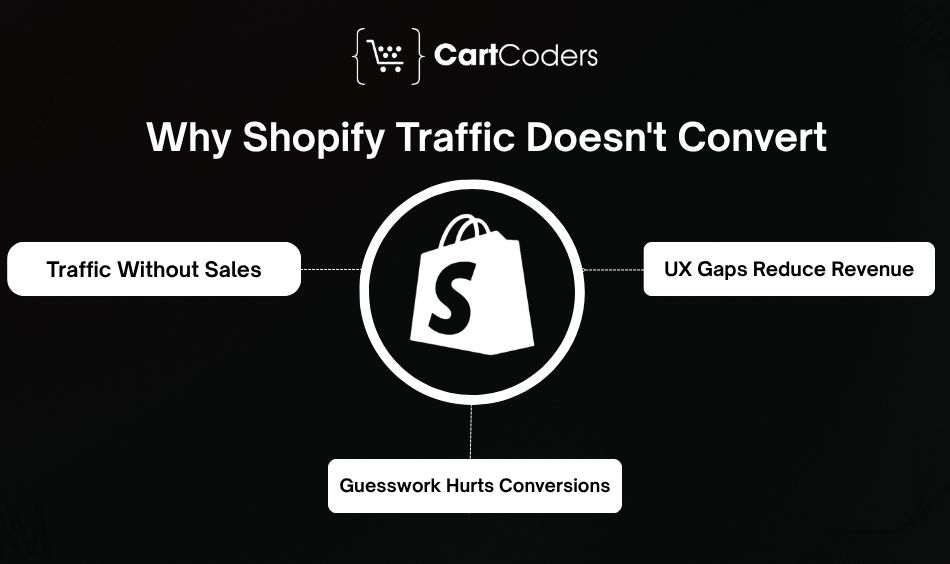
Many stores assume low revenue means they need more traffic. In reality, traffic often reveals conversion problems rather than solves them.
Traffic Is Coming, but Visitors Are Not Buying
One of the most common Shopify challenges is traffic, but not sales. The store attracts visitors through organic search, paid ads, social media, email campaigns, and influencer marketing.
Yet conversion rates remain low. This usually points to a conversion problem rather than a traffic problem.
A CRO audit investigates:
- Visitor drop-off patterns
- Product page engagement
- Add-to-cart behavior
- Checkout completion
- Mobile conversion performance
The goal is to understand why visitors leave before purchasing.
Small UX Gaps Create Bigger Revenue Loss
Most conversion problems are not caused by one major issue. Instead, they come from multiple small friction points.
Examples include:
- Weak product imagery
- Confusing navigation
- Hidden shipping information
- Poor mobile layouts
- Weak trust signals
- Slow-loading pages
Each issue creates hesitation. Together, they create significant revenue loss. This is why UX friction is a major focus during every Shopify conversion rate optimization audit. UI/UX audit
Guesswork Leads to the Wrong Fixes
Many stores attempt CRO based on assumptions. Examples include:
- Copying competitor layouts
- Changing colors
- Redesigning pages
- Adding new apps
Without evidence, these changes often fail. A successful CRO strategy relies on:
- Shopify Analytics
- GA4 data
- Funnel analysis
- Heatmaps
- Session recordings
- Customer feedback
Evidence beats assumptions every time.
CRO Metrics and Benchmarks That Reveal Lost Revenue
These metrics often reveal the biggest revenue opportunities inside a Shopify store.
| Metric | Healthy Range | Warning Sign |
| Shopify Conversion Rate | 2%–4%+ | Below 1.5% |
| Checkout Completion Rate | 45%–60% | Below 40% |
| Add-to-Cart Rate | 8%–15% | Below 5% |
| Product View → Add-to-Cart Drop-Off | 70%–87% | Higher than average |
| Mobile Conversion Rate | 1.5%–3%+ | Below 1% |
| Returning Customer Rate | 20%–40% | Below 15% |
Shopify stores often run slightly lower due to an optimized checkout. The single biggest cause of abandonment is unexpected cost at checkout. Baymard found that a large eCommerce website can gain a 35.26% increase in conversion through better checkout design alone.
Important metrics we review include:
- Add-to-cart rate
- Checkout rate
- Average order value (AOV)
- Cost per acquisition (CPA)
- Profit per visitor
- Session-to-purchase conversion rate
- Micro-conversions
Where Your Store Loses Money: The Funnel Drop-Off Map
A Shopify conversion funnel consists of multiple stages. Each stage creates different types of revenue leaks. The goal of a Shopify CRO audit is to identify where the largest drop-offs occur.
Homepage and Navigation
The homepage creates the first impression.
We analyze:
- Value proposition
- Hero section
- Primary CTA
- Above-the-fold messaging
- Navigation structure
- Site search experience
Weak homepage messaging often causes visitors to leave before reaching product pages.
Collection Page Drop-Offs
Collection pages help customers discover products.
We review:
- Product filters
- Sorting options
- Faceted navigation
- Collection structure
- Product visibility
Poor collection page optimization often reduces product discovery and lowers product-page engagement.
Where the Single Biggest Leak Usually Sits
For most Shopify stores, the largest revenue leak appears in one of three places:
- Product page to add-to-cart drop-off
- Cart abandonment
- Mobile checkout abandonment
These areas typically create the highest revenue impact and often deliver the strongest CRO opportunities.
<Image>Product Page CRO Audit: What We Audit First
Product pages are often the most important part of a Shopify CRO audit. Visitors may like your brand and product category, but the product page must give them enough confidence to buy. We review whether the page answers buyer questions, removes hesitation, and makes the next step clear.
Product Title and Offer Clarity
The product title should make the offer easy to understand. A vague product title creates confusion, especially when customers arrive from ads or search results.
We check whether the product title explains:
- What the product is
- Who it is for
- What makes it different
- Why the offer matters
Clear product positioning helps visitors understand value faster.
Product Images and Video
Visual trust is critical on Shopify product pages. Customers cannot touch or test the product, so images and videos must reduce uncertainty.
We review:
- Product photography quality
- Lifestyle images
- Close-up images
- Product video
- Size or scale reference
- Image loading speed
Weak product visuals often reduce add-to-cart rates.
Price, Discount, and Value Messaging
Pricing should feel clear and easy to compare. If customers do not understand the value, they may leave before clicking add to cart.
We check:
- Price visibility
- Discount clarity
- Bundle offer messaging
- Free shipping message
- Savings display
- Subscription pricing, if available
A good pricing section helps customers see value without needing to calculate it themselves.
Add-to-Cart Button and CTA
The add-to-cart button must be visible, clear, and easy to use. If the CTA is hidden below long content, conversion rates usually suffer.
We review:
- Add-to-cart button placement
- Sticky CTA setup
- Button contrast
- Buy button visibility
- Dynamic checkout buttons
- Mobile CTA placement
For Shopify stores, CTA and checkout improvements may also include advanced customization through Shopify support and maintenance services.
Product Description Structure
Product descriptions should be easy to scan. Many customers do not read long blocks of text.
We review whether the copy includes:
- Feature-benefit structure
- Short paragraphs
- Product specifications
- Use cases
- Care instructions
- Shipping and return information
- FAQs or buying guidance
A strong description reduces doubt and supports faster buying decisions.
Reviews and Social Proof
Customer reviews build trust for first-time buyers. A product page without reviews may feel risky, especially for new brands.
We check:
- Star ratings
- Written reviews
- Photo reviews
- User-generated content
- Testimonials
- Review placement
- Review filters
Social proof helps customers feel more confident before buying.
Variant and Size Selection
Variant selection is a common conversion blocker. If customers cannot easily choose size, color, pack, or quantity, they may abandon the product page.
We review:
- Product variants
- Size selector
- Color swatches
- Size chart
- Variant availability
- Out-of-stock handling
- Error messaging
Variant UX matters heavily for fashion, footwear, beauty, supplements, and product bundles.
<Image> Cart and Checkout CRO Audit: Where Buyers Drop Off
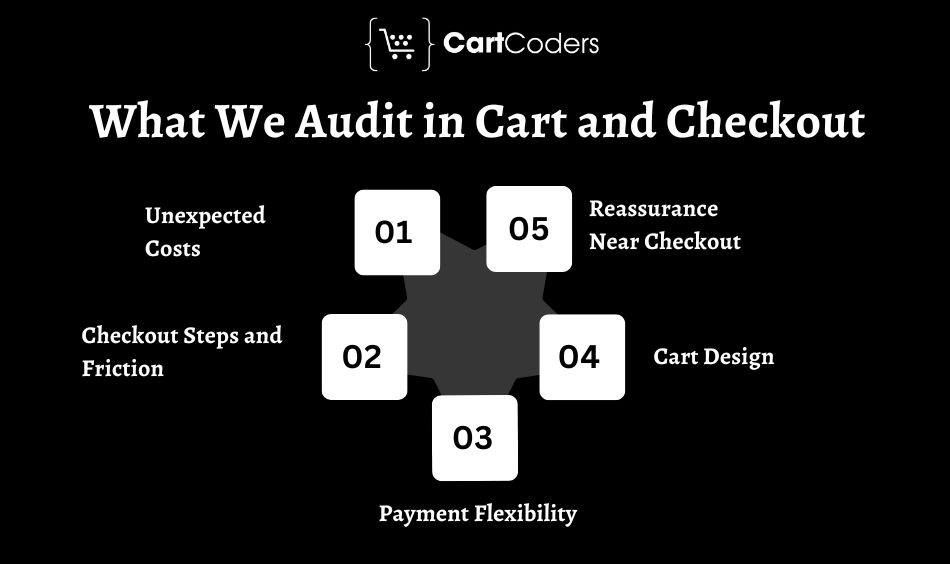
Cart and checkout are high-intent stages. When users reach this point, they are close to buying.
A Shopify conversion rate optimization audit checks whether anything in the cart or checkout creates last-minute hesitation.
Unexpected Costs
Surprise costs are one of the biggest reasons buyers abandon checkout. Shipping fees, taxes, and additional charges should appear before the final step.
We review:
- Shipping cost transparency
- Tax visibility
- Free shipping threshold
- Delivery estimate
- Return policy visibility
- Handling fees
Clear cost messaging reduces checkout abandonment.
Checkout Steps and Friction
A long or confusing checkout flow increases drop-off. Customers want to complete payment quickly and securely.
We check:
- Checkout step count
- Guest checkout availability
- Form friction
- Address fields
- Error messages
- Login barriers
- Payment friction
Shopify provides official guidance on checkout customization and extensibility for eligible stores. You can review Shopify’s documentation on checkout extensibility for current options.
Payment Flexibility
Customers often prefer different payment methods. Limited options can reduce completed purchases.
We review whether your Shopify checkout supports:
- Shopify Payments
- Shop Pay
- Apple Pay
- Google Pay
- Wallet payments
- Buy now pay later
- Local payment methods
Shop Pay can reduce friction for repeat buyers by speeding up payment and checkout steps.
Cart Design
The cart should support decision-making without distracting customers. A poor cart layout can create confusion before checkout.
We review:
- Cart drawer usability
- Cart page UX
- Cart summary clarity
- Product quantity controls
- Cart upsell placement
- Free shipping bar
- Persistent cart behavior
A clean cart helps customers confirm their order and continue toward payment.
Reassurance Near Checkout
Buyers need confidence before sharing payment details. Trust signals should be visible close to purchase actions.
We check:
- Secure payment messaging
- Return policy
- Delivery estimate
- Trust badges
- Support contact links
- Warranty details
- Payment icons
Small reassurance elements can reduce buyer hesitation during checkout. For a better checkout experience, taking checkout extension development services helps you to provide a smooth purchase experience to your audience.
<Image>Mobile CRO Audit for Shopify Stores
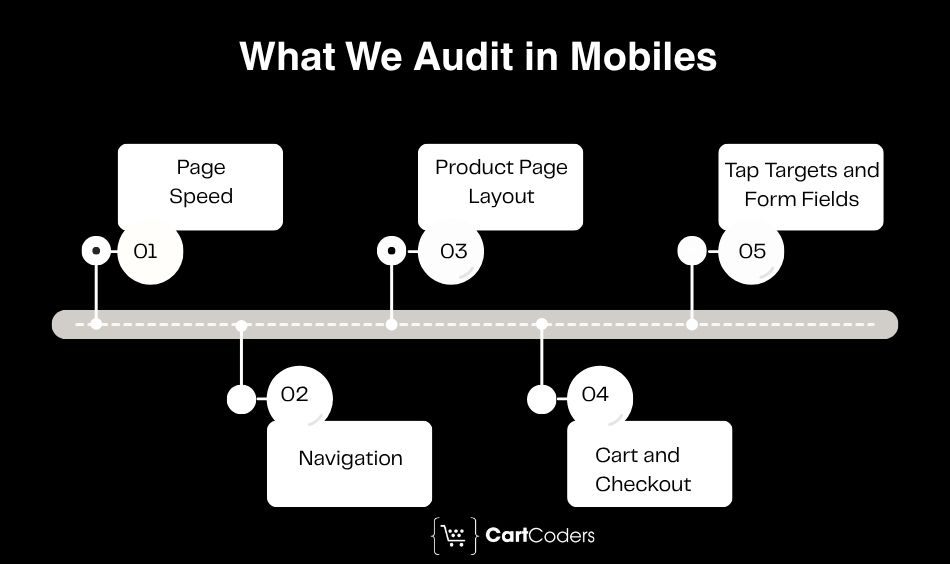
Mobile traffic often forms the largest share of Shopify store visits. Yet many stores still convert better on desktop than mobile. A mobile CRO audit checks whether your store is fast, readable, easy to browse, and easy to buy on small screens.
Mobile Page Speed
Slow mobile speed hurts user experience and conversions. Google’s Core Web Vitals focus on loading speed, responsiveness, and visual stability through metrics like LCP, INP, and CLS. You can review Google’s official Core Web Vitals guidance for the latest performance standards.
We review:
- Mobile page speed
- Mobile Core Web Vitals
- Shopify mobile performance
- App load impact
- Image weight
- Render-blocking scripts
Mobile Navigation
Mobile visitors need simple navigation and fast product discovery. Hidden menus, weak search, or poor filters can reduce browsing depth.
We review:
- Mobile menu structure
- Search bar visibility
- Mobile filters
- Category discovery
- Collection navigation
- Tap behavior
Good mobile navigation helps visitors reach relevant products faster.
Mobile Product Page Layout
Mobile product pages need a more robust structure than desktop pages. The most important buying information should appear early.
We check:
- Mobile product page layout
- Image gallery behavior
- Sticky add to cart
- CTA placement
- Reviews placement
- Variant selection
- Size chart access
A strong mobile PDP makes product evaluation easier without endless scrolling.
Mobile Cart and Checkout
Mobile checkout must feel fast and low effort. Long forms and poor payment visibility often hurt conversion.
We review:
- Mobile cart layout
- Mobile checkout fields
- Express checkout
- Mobile payment options
- Cart drawer behavior
- Address autocomplete
- Error messages
A smoother mobile checkout can improve revenue without increasing traffic.
Tap Targets and Form Fields
Small buttons and crowded fields create frustration. This is especially common on older Shopify themes or heavily customized layouts.
We check:
- Tap target size
- Form field spacing
- Checkout form usability
- Button spacing
- Error feedback
- Address autocomplete
Mobile CRO is often where small changes produce quick improvements.
<Image>Speed and Technical CRO Audit
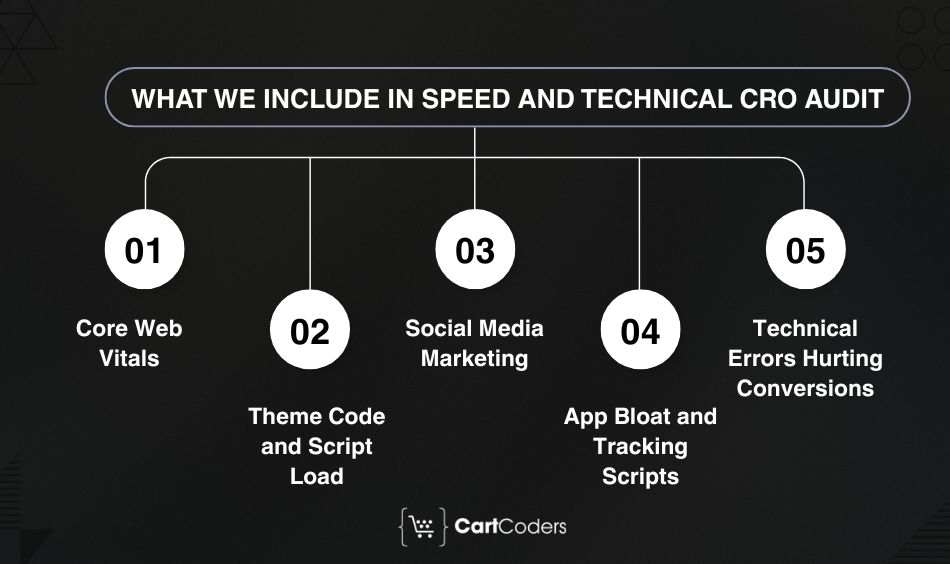
Technical issues can quietly reduce conversions even when the design looks good. A beautiful Shopify store can still lose revenue if it loads slowly or breaks on key devices. A technical CRO audit reviews performance, theme code, apps, scripts, images, and browsing errors.
Core Web Vitals
Core Web Vitals help measure user experience. Poor LCP, INP, or CLS scores can indicate speed and usability problems.
We review:
- Largest Contentful Paint
- Interaction with Next Paint
- Cumulative Layout Shift
- Mobile performance
- Desktop performance
- Template-level speed issues
These metrics help identify where technical problems affect shopping behavior. If performance issues are also impacting search visibility, rankings, and organic traffic, a Shopify SEO audit can uncover additional technical and on-page optimization opportunities.
Theme Code and Script Load
Shopify themes can become heavy over time. Custom code, old sections, unused scripts, and bloated templates often slow performance.
We review:
- Shopify theme audit
- JavaScript bloat
- Unused code
- Liquid structure
- Theme performance
- Render-blocking scripts
For theme-level fixes, Shopify development services can support cleaner code and better storefront performance.
App Bloat and Tracking Scripts
Apps can add useful features, but too many scripts can slow the store. Tracking pixels can also create load issues.
We check:
- Shopify apps
- App bloat
- Third-party scripts
- Pixel audit
- Duplicate tracking
- Unused app code
Removing or replacing heavy apps can improve speed and conversions.
Image and Media Weight
Large images are a common performance problem on Shopify stores. Product images, banners, videos, and GIFs can slow product and collection pages.
We review:
- Image compression
- Lazy loading
- WebP images
- Media optimization
- Hero banner weight
- Product gallery loading
Better media handling can improve both user experience and mobile performance.
Technical Errors Hurting Conversions
Some issues do not appear in design reviews but still affect revenue.
We check:
- Broken links
- 404 errors
- Checkout errors
- Theme bugs
- Browser testing
- Form errors
- Search issues
- App conflicts
Technical CRO helps find conversion blockers that customers may never report.
Trust and Messaging Audit
Trust is one of the biggest conversion factors for first-time buyers. If customers do not know your brand, they need reassurance before buying. A trust and messaging audit checks whether your store answers buyer doubts at the right moment.
First-Time Buyer Trust
New customers often ask:
- Is this brand reliable?
- Will the product match the photos?
- Is payment secure?
- Can I return the product?
- Will delivery be on time?
We review whether your store gives clear answers before customers leave.
Shipping and Return Clarity
Shipping and return policies should be easy to find before checkout. Hidden policies create hesitation.
We check:
- Shipping policy
- Return policy
- Delivery time
- Free returns
- Exchange details
- International shipping clarity
Clear policies improve confidence and reduce support questions. For stores with complex shipping rules, Shopify shipping app development can help deliver accurate shipping information throughout the customer journey.
Product Value Messaging
Customers need to understand why your product is worth the price.
We review:
- Product benefits
- Value proposition
- Offer messaging
- Product comparison
- Problem-solution clarity
- Buyer objections
Strong product messaging reduces hesitation and improves purchase confidence.
Brand Proof and Credibility
Brand credibility helps customers trust the buying decision.
We check:
- Testimonials
- Press mentions
- Certifications
- UGC
- Brand credibility
- Customer stories
- Expert endorsements
Trust signals work best when placed near decision points, not hidden at the bottom of pages.
AOV and Offer Audit
Many Shopify stores focus only on conversion rate and overlook another major growth lever: Average Order Value (AOV). Increasing AOV often generates additional revenue without increasing traffic or advertising spend. A CRO audit reviews how effectively your store encourages customers to spend more during the buying journey.
Bundle Offers
Product bundles help increase order value while improving the customer experience. Instead of purchasing one item, customers can buy complementary products together.
We review:
- Product bundles
- Bundle discount visibility
- Frequently bought together offers
- Product kits
- Multi-pack offers
- Bundle placement
Effective bundle strategies can increase AOV while providing customers with better overall value.
Upsell and Cross-Sell Placement
Many Shopify stores add upsells, but placement matters more than the offer itself.
We review:
- Product page upsells
- Cart upsells
- Checkout recommendations
- Post-purchase offers
- Related products
- Personalized recommendations
Upsells should feel relevant. Poorly placed recommendations often create a distraction instead of increasing revenue.
Free Shipping Threshold
Free shipping remains one of the strongest incentives in eCommerce.
We evaluate:
- Current AOV
- Shipping costs
- Free shipping threshold
- Progress bars
- Cart messaging
Discount and Coupon Strategy
Discounts can increase conversions, but they can also reduce profit margins if used incorrectly.
We review:
- Coupon visibility
- First-order discounts
- Discount code field placement
- Sale messaging
- Promotional timing
- Discount stacking
Many stores unintentionally train customers to wait for discounts. A CRO audit helps identify whether promotions support growth or reduce profitability.
Analytics and Tracking Audit: How We Find the Real Leaks
This is where the “how we find it” part of the CRO audit becomes important. A Shopify CRO audit should not rely on opinions. It should rely on data.
We typically combine three types of data:
- Analytics data
- Behavior data
- Customer feedback data
When these three sources point to the same issue, confidence in the recommendation increases significantly.
GA4 and Shopify Analytics Setup
The first step is verifying that tracking works correctly. Many stores make decisions using incomplete or inaccurate data.
We review:
- GA4 eCommerce tracking
- Shopify Analytics
- Conversion tracking
- eCommerce events
- Revenue attribution
- Enhanced eCommerce setup
- Event accuracy
Google provides official documentation for eCommerce measurement in GA4 through its analytics support center. Tracking gaps often hide the true source of conversion problems.
Funnel Exploration and Drop-Off Analysis
GA4 funnel exploration helps identify where visitors leave the buying journey.
We analyze:
- Session-to-product-view rate
- Product-view-to-cart rate
- Add-to-cart rate
- Checkout initiation rate
- Checkout completion rate
- Purchase conversion rate
The goal is to identify the biggest drop-off stage. For many stores, fixing one major bottleneck generates more revenue than redesigning the entire site.
Behavior Data
Analytics show what happened. Behavior tools help explain why it happened. We review:
- Heatmaps
- Session recordings
- Scroll maps
- Click maps
- Rage clicks
- Dead clicks
Popular tools include:
These tools reveal friction points that analytics alone cannot identify.
Search and Filter Behavior
Website search data often reveals customer intent. Visitors who use search frequently convert at higher rates than average users.
We analyze:
- Internal search usage
- Search exit rates
- Zero-result searches
- Product discovery behavior
- Search refinement patterns
If customers repeatedly search for products they cannot find, revenue opportunities are being missed.
Customer Voice Data
Customer feedback often explains conversion issues faster than analytics.
We review:
- Customer reviews
- Support tickets
- Chat transcripts
- Exit surveys
- Post-purchase surveys
- Product feedback
Common questions and complaints frequently reveal hidden conversion blockers.
The Shopify-Specific Layer Most Audit Experts Miss
Generic CRO audits often miss Shopify-specific problems. A Shopify store has unique layers, including theme Liquid, app dependencies, checkout limitations, dynamic checkout buttons, and platform-specific performance behavior. A strong Shopify store audit checks both user experience and Shopify architecture.
Shopify Theme and Liquid
Shopify themes use Liquid templates, sections, snippets, and JSON templates. Poor code structure can create speed issues, broken layouts, or hard-to-edit pages.
We review:
- Theme and Liquid structure
- Section reuse
- Template flexibility
- Custom code quality
- Code conflicts
- Maintainability
This helps determine whether the issue needs a design fix, theme fix, or deeper development work. With our comprehensive UI/UX audit, we also evaluate how theme structure and page layouts impact navigation, product discovery, user engagement, and overall conversion performance.
Theme Code vs App-Level Fixes
Many stores install apps to solve problems that should be solved in the theme. This can increase cost and reduce speed.
Examples include:
- Sticky add-to-cart apps
- Trust badge apps
- Size chart apps
- Bundle apps
- Cart upsell apps
- Announcement bar apps
Sometimes custom Liquid coding is cleaner than adding another app.
App Stack Conflicts
Apps can conflict with each other or slow the store when multiple tools modify the same page.
We check:
- App load impact
- Duplicate app features
- Conflicting scripts
- Cart behavior conflicts
- Checkout-related apps
- Tracking overlaps
This helps reduce technical complexities inside the Shopify ecosystem. When existing apps create limitations or conflicts, custom Shopify app development can provide a more scalable and efficient solution.
Checkout Extensibility and Shopify Functions
Shopify Plus stores may need advanced checkout changes. These can involve checkout extensibility, Shopify Functions, payment customization, delivery customization, and discount logic. A standard CRO audit may not cover these platform-specific areas.
For advanced checkout and Plus-specific improvements, Shopify Plus development services can support custom requirements.
Dynamic Checkout Buttons and Shop Pay
Dynamic checkout buttons can improve speed for some buyers, but they may also bypass cart upsells or reduce visibility of important messages.
We audit whether dynamic checkout buttons, Shop Pay, and accelerated payments support your funnel strategy. The right setup depends on your product, AOV, cart behavior, and upsell goals.
Shopify CRO Audit Checklist by Funnel Stage
| Funnel Stage | What We Review |
| Landing Page | Traffic relevance, messaging, CTA clarity |
| Homepage | Value proposition, navigation, trust signals |
| Collection Page | Filters, sorting, product discovery |
| Product Page | Offer clarity, reviews, CTA, variants |
| Cart | Upsells, shipping messaging, friction |
| Checkout | Form fields, payment methods, completion rate |
| Thank You Page | Upsell opportunities, retention actions |
| Post-Purchase Flow | Email automation, reviews, repeat purchase strategy |
This checklist provides a high-level view. The full audit investigates each stage in greater detail.
<Image>How We Audit Shopify Stores for Higher Conversions
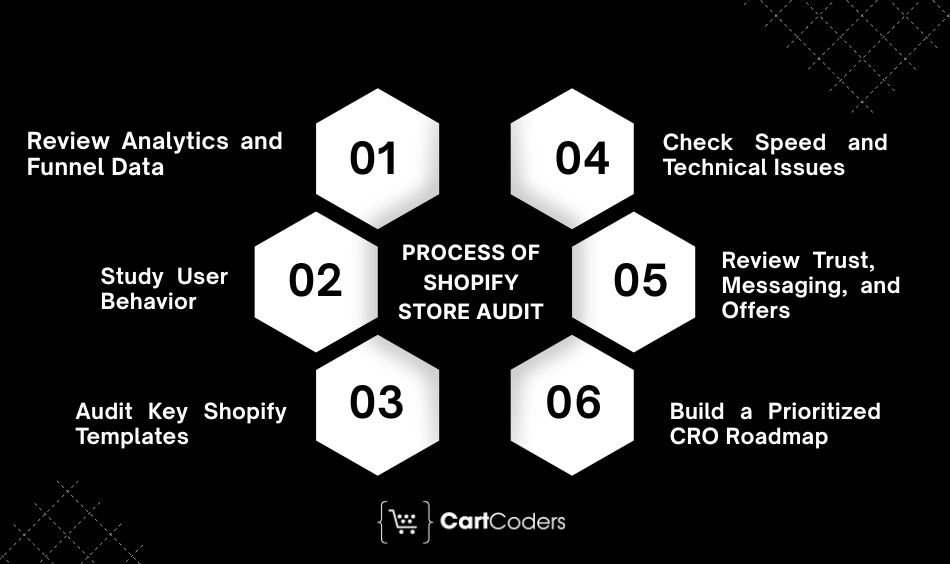
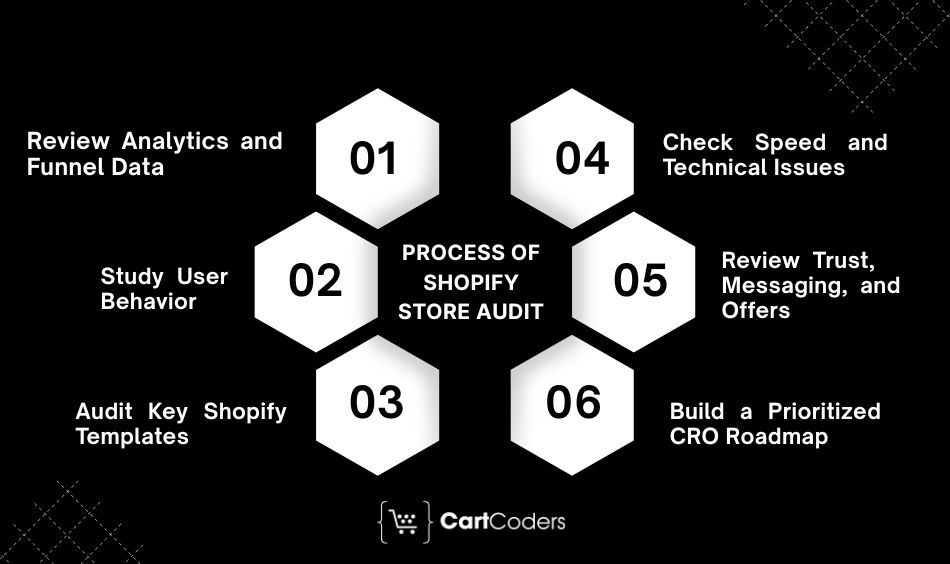
A structured process helps separate real conversion issues from assumptions.
Step 1: Review Analytics and Funnel Data
We start with data, not design. Our expert Shopify audit team reviews:
- Shopify Analytics
- GA4 reports
- Conversion metrics
- Revenue data
- Funnel performance
The goal is to identify where revenue leaks occur before recommending changes.
Step 2: Study User Behavior
Next, we analyze how visitors interact with the store. This includes:
- Heatmaps
- Session recordings
- Scroll behavior
- Click behavior
- Customer journey analysis
Behavior data often reveals issues that traditional analytics miss.
Step 3: Audit Key Shopify Templates
We review the templates that influence revenue most. This includes:
- Homepage template
- Collection template
- Product template
- Cart template
- Checkout experience
Each template is reviewed from both UX and conversion perspectives.
Step 4: Check Speed and Technical Issues
Technical performance directly affects conversions. We perform:
- Speed audit
- Theme audit
- App audit
- Core Web Vitals review
- Mobile performance testing
This helps identify issues affecting user experience and buying behavior.
Step 5: Review Trust, Messaging, and Offers
Even a technically strong store can lose sales if messaging creates doubt. We evaluate:
- Trust signals
- Product messaging
- Shipping clarity
- Return policies
- Offer positioning
- Buyer objections
The goal is to reduce hesitation throughout the funnel.
Step 6: Build a Prioritized CRO Roadmap
Not every issue deserves immediate attention. We prioritize findings based on:
- Revenue impact
- Traffic coverage
- Implementation effort
- Confidence level
Many teams use prioritization frameworks such as ICE (Impact, Confidence, Ease) when evaluating CRO opportunities. The final output is a roadmap focused on business impact rather than random changes.
Popular Shopify CRO Audit Tools for Conversion Analysis
Analytics Tools
These tools help identify performance and conversion patterns.
Recommended tools:
- Shopify Analytics
- Google Analytics 4
- Google Search Console
Behavior Tools
Behavior analysis tools reveal customer interactions.
Recommended tools:
- Hotjar
- Microsoft Clarity
- Session recording platforms
- Heatmap software
These tools help explain why users behave the way they do.
Speed Tools
Performance testing tools help identify technical bottlenecks.
Recommended tools:
Testing Tools
Once issues are identified, testing validates improvements.
Examples include:
- Shopify A/B testing tools
- Split testing platforms
- Personalization tools
- Experimentation software
Testing should happen after the audit, not before.
Quick Conversion Wins Identified During a Shopify CRO Audit
A good Shopify CRO audit usually finds several quick wins before deeper testing begins. These fixes do not require a complete redesign, but they can reduce friction and improve the shopping journey. Quick wins work best when they come from data.
Many Shopify stores hide the main buying action too low on product pages. If customers need to scroll too much before finding the add-to-cart button, conversion rates can suffer.
We often recommend:
- Sticky add-to-cart button
- Clear buy button visibility
- Stronger CTA contrast
- Better CTA placement on mobile
- Clearer wording near the CTA
CTA optimization helps customers take the next step without confusion.
Faster Mobile Product Pages
Mobile shoppers leave quickly when pages load slowly. Heavy images, unused apps, third-party scripts, and poor theme structure can affect mobile speed.
Common fixes include:
- Image compression
- App cleanup
- Lazy loading
- Script review
- Theme performance improvements
If mobile traffic is high but mobile sales are low, page speed is often one of the first areas to check.
Stronger Trust Signals
First-time buyers need reassurance before they purchase. A lack of trust signals can make even a good product feel risky.
Useful trust elements include:
- Product reviews
- Star ratings
- Secure payment icons
- Return policy notes
- Delivery estimates
- Customer photos
- Warranty or guarantee details
Trust signals work best near decision points such as product pages, cart, and checkout.
Better Cart Messaging
Cart pages often create last-minute hesitation. Customers may wonder about shipping cost, delivery time, returns, or payment safety.
A strong cart should include:
- Free shipping bar
- Delivery estimate
- Return policy reminder
- Secure checkout message
- Cart summary
- Relevant upsells
Better cart reassurance can reduce abandonment and improve checkout starts.
Cleaner Checkout Flow
Checkout should feel simple, fast, and safe. Extra steps, unclear fields, missing payment options, or poor mobile form design can reduce completion rates.
We review:
- Express checkout options
- Guest checkout availability
- Payment options
- Form fields
- Error messages
- Mobile checkout usability
A smoother checkout experience helps recover revenue from shoppers who already intend to buy.
Shopify CRO Audit vs A/B Testing: Which Comes First?
A CRO audit should usually come before A/B testing. The audit identifies what is broken and why, while A/B testing validates which improvement performs better. Running tests before an audit can waste time because the test may focus on the wrong problem.
| Factor | Shopify CRO Audit | A/B Testing Shopify |
| Purpose | Finds revenue leaks and conversion blockers | Tests one change against another |
| Timing | Before major CRO changes | After audit findings create strong hypotheses |
| Data Needed | Analytics, behavior data, technical review, customer feedback | Enough traffic for reliable test results |
| Best Use Case | Identifying what needs fixing first | Validating page, copy, offer, or UX changes |
| Output | Prioritized CRO roadmap | Winning variation and performance data |
| Risk Level | Low because it diagnoses before changing | Medium if traffic is low or hypothesis is weak |
Direct Answer
A Shopify CRO audit should come before A/B testing because it finds the right problems first. A/B testing works best after the audit creates a clear hypothesis, such as improving product page CTA visibility or changing bundle offer placement.
Shopify CRO Audit Mistakes to Avoid
A CRO audit should help your store make smarter decisions. However, poor audit methods can create wrong conclusions and wasted development work.
Auditing Only the Homepage
The homepage is only one part of the funnel. Many Shopify stores lose more revenue on product pages, cart, checkout, or mobile layouts.
A strong audit covers:
- Landing pages
- Homepage
- Collection pages
- Product pages
- Cart
- Checkout
- Post-purchase flow
A full-funnel audit gives a clearer picture than a homepage-only review.
Ignoring Mobile Users
Mobile-first CRO is important because many shoppers browse and buy from phones. A desktop-only audit misses important issues.
Common mobile problems include:
- CTA hidden too low
- Small tap targets
- Slow product pages
- Hard-to-use filters
- Long checkout forms
- Poor image gallery layout
Mobile shoppers need a faster and simpler path to purchase.
Changing Things Without Data
Random CRO changes can hurt performance. A new color, banner, layout, or pop-up may not solve the real problem.
A data-driven CRO audit uses:
- Shopify Analytics
- GA4
- Heatmaps
- Session recordings
- Customer feedback
- Funnel exploration
Evidence should guide every recommendation.
Copying Competitor Layouts Blindly
Competitor analysis can provide ideas, but copying another store rarely solves your exact problem.
Your store has different:
- Products
- Pricing
- Buyers
- Traffic sources
- Brand trust
- Checkout behavior
- Customer objections
A good CRO strategy fits your audience and buying journey.
Treating Speed as Only a Technical Issue
Page speed is not just a developer problem. It affects user patience, product engagement, and checkout behavior.
A slow page can reduce:
- Product views
- Add-to-cart rate
- Checkout starts
- Completed purchases
- Mobile engagement
That is why speed belongs inside a Shopify conversion rate optimization audit.
What You Get From a CartCoders CRO Audit
CartCoders runs Shopify CRO audits with a focus on revenue impact, Shopify-specific limitations, user behavior, and implementation readiness.
A typical audit may include:
- Full Shopify sales funnel review
- Homepage, collection, product, cart, and checkout audit
- Mobile CRO review
- Speed and Core Web Vitals analysis
- Shopify theme and app stack review
- GA4 and Shopify Analytics review
- Heatmap and session recording insights
- Trust and offer audit
- Revenue-ranked recommendations
- A prioritized CRO roadmap
- A/B testing ideas
- Implementation support from in-house Shopify developers
Your Shopify CRO Audit Report: What You Should Receive
A professional Shopify CRO audit report should not only list problems. It should explain why each issue matters and how it affects revenue.
| Audit Deliverable | What It Should Include | Why It Matters |
| Funnel drop-off summary | Stage-by-stage conversion analysis | Shows where the biggest revenue leak occurs |
| Page-level findings | Homepage, collection, product, cart, and checkout issues | Helps teams fix specific problem areas |
| UX issues | Friction points, confusing layouts, weak CTAs | Explains why customers hesitate |
| Speed issues | Core Web Vitals, app bloat, image weight, scripts | Finds technical issues hurting conversions |
| Tracking gaps | GA4, Shopify Analytics, eCommerce events | Prevents decisions based on broken data |
| Revenue impact estimate | Priority based on traffic and conversion impact | Helps focus on high-value fixes first |
| Priority score | ICE, PECTI, or similar scoring | Makes the roadmap easier to act on |
| Fix roadmap | Quick wins and deeper improvements | Turns audit findings into action |
| A/B test ideas | Hypotheses for testing | Helps validate major changes before rollout |
A strong report should help your team understand what to fix first, what to test, and what to avoid changing without evidence.
Unlike generic audit reports, our recommendations consider what can actually be fixed inside Shopify, Shopify Plus, Liquid, apps, checkout extensibility, and theme architecture. For ongoing conversion optimization and implementation guidance, a Shopify CRO consultant can help prioritize and execute the highest-impact opportunities.
Final Verdict: Find Revenue Leaks Before Spending More on Traffic
A Shopify CRO audit helps find where your store loses money before you invest more into traffic. If visitors are arriving but not buying, the issue may sit inside product pages, collection pages, mobile layouts, cart, checkout, speed, tracking, or trust messaging.
The smartest growth step is not always more ads. Sometimes it is fixing the buying journey you already have. A conversion rate optimization audit gives you a clear roadmap for turning more visitors into customers.
Get a free initial Shopify CRO review and find your biggest revenue leaks before your next traffic push.
FAQs
A Shopify CRO audit is a conversion rate optimization audit that reviews your Shopify sales funnel, product pages, cart, checkout, mobile UX, speed, analytics, and trust signals to find revenue leaks and conversion blockers.
A good Shopify conversion rate depends on industry, traffic source, price point, and product type. Many stores benchmark around 2% to 4%, while stores below 1.5% may need a deeper CRO review.
Your store may need a CRO audit if traffic is growing but sales are flat, cart abandonment is high, mobile conversion rate is low, or paid ads are becoming less profitable.
A Shopify CRO audit usually checks landing pages, homepage, collection pages, product pages, cart, checkout, thank-you page, and post-purchase flows.
Common tools include Shopify Analytics, GA4, Google Search Console, heatmaps, session recordings, PageSpeed Insights, Lighthouse, Hotjar, Microsoft Clarity, and A/B testing tools.
A Shopify CRO audit usually takes 1 to 3 weeks. The timeline depends on store size, traffic volume, data access, number of templates, tracking setup, and audit depth.
No. A CRO audit works for Shopify and Shopify Plus stores. Shopify Plus may allow deeper checkout customization, but most funnel, UX, speed, and tracking issues can be audited on any Shopify plan.
A CRO audit should usually come before A/B testing. The audit identifies problems and creates test hypotheses, while A/B testing validates which change performs better.
Most stores should run a CRO audit every 3 to 6 months, after a major theme change, after a product launch, before peak campaigns, or when the conversion rate drops.


