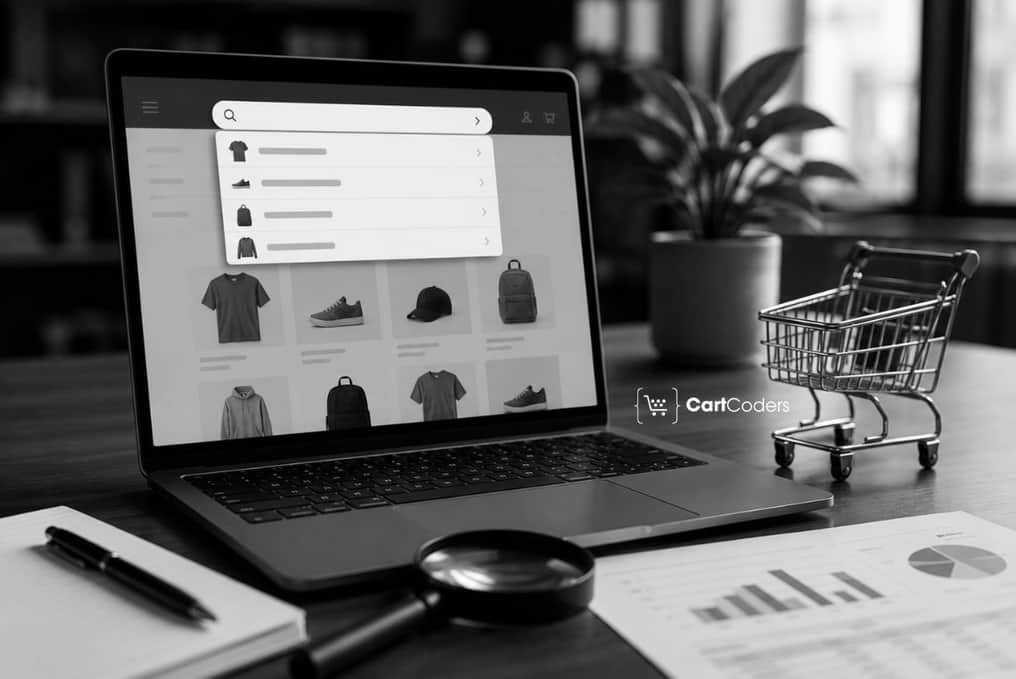

Shoppers who use your search bar arrive with intent that stores rarely show. They type a product name, a SKU, or a problem they want solved. That behavior makes shopify website search optimization one of the highest-value projects a Shopify team can run. When search works, high-intent shoppers reach relevant products in seconds and move toward checkout. When search fails, those shoppers leave, and the revenue signal disappears from your reports.
This guide shows how to audit Shopify site search as a measurable conversion surface through a structured Shopify CRO audit, covering query quality, predictive search, synonyms, filters, product data, zero-result pages, and mobile search behavior. Each finding maps to a CRO signal you can track, so search sessions turn into product clicks, carts, and orders.
What Shopify Website Search Optimization Means for Conversions
Shopify store search optimization improves how high-intent shoppers find products through search terms, predictive results, synonyms, filters, product data, and result ranking. A CRO audit then checks whether those journeys produce product clicks, carts, and sales, pairing testing with analytics so every fix maps to a revenue signal.
Why Search Users Often Convert Better Than Browsers
Search users tell you what they want in their own words. They arrive with a product, category, brand, or problem in mind, which raises buying intent.
These shoppers behave differently from casual browsers in a few consistent ways:
- They type product names, categories, SKUs, symptoms, or feature terms.
- They expect relevant results within the first screen.
- They compare fewer paths than browsers who scroll collections.
- They often arrive from paid campaigns, email, or repeat visits.
- They leave quickly when results look wrong or empty.
Many eCommerce benchmarks show search users often convert at 2 to 3x higher rates than general browsers. Data from Baymard on ecommerce search query types shows how poor query support pushes high-intent shoppers away. The lift depends on catalog size, product data, and result relevance. A CRO audit should compare search-user conversion against non-search traffic in your own analytics.
What Search Behavior Reveals About Buying Intent
Each query type signals where the shopper is in the buying journey. The table maps common search behaviors to a clear audit action.
| Search Behavior | What It Shows | CRO Audit Action |
| Product-name search | Strong buying intent | Confirm exact product ranks first |
| Category search | Directed browsing | Check filters refine results |
| Brand search | Loyalty or comparison | Map brand terms to products |
| SKU search | Repeat or B2B buyer | Test SKU queries return matches |
| Problem-based search | Need-driven intent | Add symptom and use-case synonyms |
| Feature search | Specific requirement | Confirm features in product data |
| Size or fit search | Late-stage intent | Confirm size filters exist |
| Compatibility search | Cautious buyer | Return compatible products with notes |
| Sale or discount search | Price-sensitive intent | Show sale collections for terms |
| Support or policy search | Trust check | Return shipping and policy pages |
| Misspelled query | At-risk session | Correct typos, suggest matches |
| Repeated refinement | Rising frustration | Review why results missed intent |
A Practical Shopify Search Audit Framework
A search audit works best with a repeatable structure. Each area maps to a Shopify feature and a CRO signal to track during any shopify website search optimization project.
| Audit Area | What to Check | Shopify Example | CRO Signal |
| Search bar visibility | Placement and prominence | Header search on desktop | Search usage rate |
| Mobile search access | Icon and field reach | Tap-to-open field | Mobile search usage |
| Predictive search | Suggestion quality | Product and collection previews | Predictive click rate |
| Result relevance | Top-result accuracy | First screen matches query | Product click rate |
| Zero-result handling | Fallback content | Suggested collections shown | Zero-result exit rate |
| Synonyms | Vocabulary coverage | Sofa mapped to couch | No-result reduction |
| Product boosts | Promoted items | Boosted bestseller for a term | Conversion on boosted terms |
| Filters on results | Refinement options | Price, size, availability | Filter usage rate |
| Product data quality | Titles, tags, types | Complete product attributes | Result match rate |
| Merchandising rules | Result ordering | Pinned seasonal products | Add-to-cart rate |
| Analytics tracking | Event coverage | GA4 search events set | Data completeness |
| Revenue from search | Sales attribution | Search-user revenue report | Revenue per session |


Search Bar and Predictive Search Checks
The search bar forms the entry point for every high-intent query. Audit it first during a Shopify UI/UX audit of the storefront.
Review each of these points on desktop and mobile:
- Desktop header search stays visible without a click.
- Mobile search opens with one tap and a full-width field.
- Predictive search suggests products, collections, and pages.
- Predictive suggestions show product image, title, and price.
Marketers should confirm predictive results match top campaign terms, and watch whether shoppers click predictions or retype.
Query Quality and Result Relevance Audit
Result relevance decides whether a high-intent query turns into a click. Pair this test with your Shopify SEO services data on the terms buyers use.
| Search Test | What to Type | What Good Results Should Show |
| Top terms | Your 25 to 50 top queries | Relevant products on the first screen |
| Campaign terms | Words from ads and emails | Matching products, not empty pages |
| Brand terms | Stocked brand names | Brand products grouped clearly |
| Product type | Category words like boots | Full range with working filters |
| Misspellings | Common typos | Corrected results or close matches |
| Plural and singular | shoe and shoes | The same relevant product set |
| SKU queries | Product codes | An exact product match |
| Synonym terms | Alternate shopper words | The same products as the main term |
| No-result terms | Known empty queries | Helpful alternatives, not a dead end |
| Long-tail terms | Multi-word specific queries | Focused, accurate matches |
| Problem-based terms | Symptom or use-case words | Products that solve the stated need |
Zero-Result Search Audit
Zero-result searches show demand your store failed to answer. Treat each empty result page as a high-intent shopper lost and a revenue leak.
Pull your no-result queries from Shopify analytics, then group them by cause. Misspellings, missing synonyms, weak product data, and out-of-stock terms usually lead the list.
| Zero-Result Cause | Revenue Risk | Fix Direction |
| Misspelled queries | High-intent shoppers lost | Add typo tolerance and suggestions |
| Out-of-stock terms | Demand with no result | Show related in-stock products |
| Missing synonyms | Vocabulary mismatch | Create synonym groups |
| Weak product data | Products never surface | Improve titles, tags, and types |
| Discontinued products | Dead-end searches | Redirect to current alternatives |
| Unsupported query types | Feature or SKU misses | Add data for those query types |
| No alternatives shown | Immediate exit | Add popular collections |
| Missing corrected suggestions | Repeated failed tries | Show did-you-mean prompts |
| No collection links | Lost browsing path | Link to relevant collections |
| No support links | Policy questions unanswered | Return shipping and returns pages |
Shopify Search and Discovery Setup Review
Shopify Search and Discovery gives merchants control over search, filters, and product recommendations. The official Shopify Search and Discovery documentation covers how synonyms, product boosts, and semantic search shape results.
Review these settings during a Shopify site search optimization pass:
- Synonym groups map alternate words, so couch and sofa return the same products.
- Product boosts promote chosen items for specific search terms.
- Filters cover the attributes shoppers refine by most.
- Product data, metafields, tags, and types stay complete.
- Search results and collection results stay aligned for shared terms.
A declining zero-result rate confirms your synonym mappings and product data now match real query demand.
Search Filters and Sorting Review
Search users often refine results after the first query returns many products. Weak filters raise search exit rates, while strong refinement keeps shoppers moving toward a product page.
Confirm search results support the filters and sort options that match buyer decisions:
- Availability, price, size, color, and material filters.
- Product type, brand, use case, and rating filters.
- Sale status, compatibility, and fit where the catalog needs them.
- Sorting by relevance, price, newest, and bestseller.
Mobile Site Search Audit
Mobile devices account for the majority of Shopify sessions, so mobile search requires a dedicated review. Test the full path on a real device, where small screens punish hidden icons and filters.
| Mobile Search Issue | What It Looks Like | CRO Fix |
| Hidden search icon | Search hard to find | Add a clear header search icon |
| Hard-to-reach field | Thumb strain to open | Open a full-width field on tap |
| Cramped predictive layout | Suggestions overlap | Space out product previews |
| Filter drawer friction | Filters buried | Add an accessible filter drawer |
| Hidden sort control | Sorting unclear | Show a visible sort button |
| Heavy typing effort | Long queries required | Suggest after two letters |
| Small tap targets | Mis-taps on results | Increase the result tap area |
| Unreadable product cards | Price and title unclear | Show image, title, and price |
| Broken return path | No way back to results | Keep a back-to-results link |
Search Analytics and CRO Signals
Search analytics turn opinions into measurable CRO signals using GA4, Shopify Analytics, search app reports, heatmaps, and recordings. Pair this with a Shopify technical audit when event tracking looks incomplete.
| Metric | What It Means | What to Do Next |
| Search usage rate | Visitors who search | Compare against the site average |
| Search conversion rate | Orders from search users | Measure against non-search traffic |
| Revenue per search session | Value of a search visit | Track by device and source |
| Product click rate | Results that earn clicks | Improve ranking for weak terms |
| Add-to-cart after search | Intent turning into carts | Review product pages for gaps |
| Zero-result rate | Searches returning nothing | Reduce with synonyms and data |
| Search exit rate | Sessions ending at search | Audit the failing queries |
| Top search terms | Highest-demand queries | Confirm strong results for each |
| Low-performing queries | Poor clicks or conversion | Test ranking and relevance |
| No-result terms with demand | Wanted products missing | Add products, synonyms, or data |
| Mobile vs desktop conversion | Device gap in search | Prioritize the weaker device |
Fix Priority Matrix for Search Issues
A priority matrix keeps the audit focused on revenue, not busywork. Rank each issue by buyer impact and fix effort before assigning work.
| Search Issue | Buyer Impact | Fix Effort | Priority | Fix Direction |
| Hidden mobile search | High | Low | High | Add a visible mobile search entry |
| Weak predictive search | High | Medium | High | Improve suggestion quality and speed |
| High zero-result rate | High | Medium | High | Add synonyms and product data |
| Missing synonyms | High | Low | High | Build synonym groups for common terms |
| Irrelevant top results | High | Medium | High | Adjust ranking and product data |
| Missing filters | Medium | Low | Medium | Add core result filters |
| Poor product data | High | Medium | High | Complete titles, tags, and types |
| Wrong product ranking | Medium | Medium | Medium | Apply boosts and merchandising |
| No helpful no-result page | Medium | Low | Medium | Add alternatives and links |
| Slow search result page | Medium | Medium | Medium | Improve result load speed |
| Mobile search exits | High | Medium | High | Fix mobile field and cards |
| Poor SKU search support | Medium | Medium | Medium | Index SKUs and codes |
Search CRO Testing Ideas
Testing confirms which search fixes move revenue for your catalog. Start with changes that touch the most high-intent queries, and measure each against one metric.
| Test Idea | What Changes | Success Metric |
| Search bar visibility test | Prominence and placement | Search usage rate |
| Predictive layout test | Suggestion design | Predictive click rate |
| No-result page test | Fallback content | Zero-result exit rate |
| Synonym group test | Term coverage | No-result reduction |
| Product boost test | Promoted products | Conversion on target terms |
| Filter display test | Filter layout | Filter usage rate |
| Mobile search entry test | Icon and field access | Mobile search usage |
| Result product-card test | Card content | Product click rate |
| Top-results merchandising test | Result ordering | Add-to-cart rate |
| Search landing path test | Post-search journey | Revenue per search session |
Cost and Scope Notes for a Search CRO Audit
Search CRO work scales with catalog size, traffic, and review depth. The figures below are planning ranges, not fixed quotes, and final scope depends on your store and goals.
| Service Type | Approximate Cost Range |
| Basic Shopify CRO audit | $500 to $2,500 or more |
| Shopify site search CRO audit | $1,500 to $5,000 or more |
| Shopify Plus or complex search audit | $5,000 to $15,000 or more |
| Search result optimization and configuration sprint | $2,000 to $10,000 or more |
| Search analytics and tracking setup | $1,500 to $8,000 or more |
| Ongoing CRO support | $1,000 to $7,500 or more per month |
For a scoped estimate, hire a Shopify CRO consultant to size the work against your catalog and traffic.
How CartCoders Finds Revenue Leaks in Search Journeys
CartCoders runs Shopify site search optimization as a focused part of a wider CRO review. The team studies search behavior, traces where high-intent shoppers exit, and maps every finding to a revenue signal.
A CartCoders CRO Audit covers zero-result search analysis, Shopify Search and Discovery setup, filters and synonyms, mobile search, and search analytics. The output ranks priority fixes by buyer impact, so your team knows which discovery paths to repair first.
Conclusion
Website search is one of the clearest windows into buyer intent. A CRO Audit turns it into a ranked list of fixes measured by search-user conversion, zero-result rate, and revenue per search session in your own analytics.
Pull your top search terms and no-result queries this week. Test whether each returns relevant products, then fix the gaps that cost you the most high-intent shoppers.
Frequently Asked Questions
Shopify site search optimization improves how shoppers find products through search terms, predictive results, synonyms, filters, and product data. It also tunes result ranking, so high-intent queries lead to product clicks, add-to-carts, and orders you can measure inside store analytics.
Search users type what they want, so they show clearer buying intent than browsers. Many ecommerce benchmarks report 2 to 3x higher conversion for search users, though the exact lift depends on catalog size, search visibility, product data, and result relevance.
A search CRO audit checks search bar visibility, predictive search, result relevance, synonyms, product boosts, filters, and product data quality. It also reviews zero-result queries, mobile search, and search analytics, then ranks fixes by buyer impact and effort.
Zero-result searches mark demand your store failed to answer, and many shoppers leave right away. Common causes include misspellings, missing synonyms, weak product data, and out-of-stock terms. Fixing them recovers high-intent traffic that would otherwise exit without buying.
Planning ranges usually run $1,500 to $5,000 for a focused site search CRO audit. Larger Shopify Plus or complex catalog reviews often reach $5,000 to $15,000. Final cost depends on catalog size, traffic, and how deep the analytics review goes.


