
Shipping and fulfillment are among the most significant pillars of a robust ecommerce business in the United States. As a new store owner or scaling to thousands of orders per month, it is important to have your Shopify shipping set up USA-ready in order to deliver without difficulty and ensure customer satisfaction.
According to reports, over 31 billion packages are set to ship in US by 2028, and this figure continues to grow annually. As many packages are shipped every day, online stores should ensure their Shopify fulfillment setup USA is properly set up with the major carriers.

An effective shipping framework will ensure the correct checkout percentage, faster delivery options, fewer operational glitches, and lower cart abandonment. This Shopify shipping guide USA provides step-by-step instructions for implementing Shopify shipping settings for UPS USPS FedEx, including rates, zones, fulfilment workflows, labels, tracking, and troubleshooting.
Why Shipping Setup Matters for USA Shopify Stores?
Shipping is not just putting a shipment in your warehouse and sending it to the buyer. It impacts your customer experience, profitability, and brand reputation. A streamlined Shopify shipping system for US customers prevents overcharging, undercharging, and other surprises.
Accurate Rates Improve Conversion
With the right rates, customers are confident in your checkout. Wrong rates or omissions lead to cart abandonment.
Carrier Choice Impacts Profit
Each one of them, UPS, USPS, and FedEx, is doing well in various aspects. Choosing the appropriate one for your products saves you time and money.
Faster Delivery Improves Customer Retention
The USA buyers demand quick, secure delivery. Multiple carriers enhance your delivery promise.
Fulfillment Becomes Easier and More Predictable
The organized shipping network reduces the number of people involved in the process and simplifies the expansion of stores.
How to Set Up Shopify Shipping in USA?

You have to set up the shipping basics before you add carriers. These are the steps to establish your full Shopify shipping rates system in the USA.
Add Shipping Origin
Your shipping origin specifies the location where your packages are shipped. It influences delivery areas, transit times, and carrier rates. Setup process
- Open Shopify Settings
- Choose the Shipping and Delivery.
- Enter the address of your warehouse or office.
- Save changes
All places may have their own rates and carriers if necessary.
Create USA Shipping Zones
Shipping zones define delivery location. For USA shipping, develop at least one dedicated USA area.
Steps
- Go to Shipping and Delivery
- Create a new zone
- Select United States
Add rate rule can be added later when carriers are enabled.
Set Product Shipping Profiles
Profiles enable you to set different shipping rules based on product type, weight, fragility, size, or location.
Use cases
- Between the heavy products with special UPS rates.
- The finished product is lightweight apparel using USPS.
- Features include FedEx insured rates for expensive electronics.
Profiles guarantee the right rates for every single product grouping.
Add UPS, USPS FedEx Rates
After creating profiles and zones, hook carriers to get live rates.
You will set up
- Express services for bulky or heavy parcels.
- USPS of low-cost cost lightweight packages.
- FedEx to deliver in a hurry and with a high premium.
Carrier accounts will enable you to display computed checkout rates.
Test Checkout Rates
Do some test with your store before launching, using other addresses, weights and items.
Test for
- Correct rates appearing
- Visibility of delivery times.
- No unexpected fees
- All carriers visible
Test spares you the trouble of making expensive shipping errors.
Shopify UPS Shipping Setup
One of the most popular Shopify shipping companies in the USA is UPS due to its speed, tracking accuracy, and coverage.
1. Connect UPS to Shopify
To use UPS live rates, integrate UPS with Shopify.
Steps
- Shopify Open Shipping and Delivery.
- Select Carriers
- Choose UPS
- Enter UPS credentials
- Verify account
This enables Shopify to get real time UPS rates.
2. UPS Live Rates
After interrelation, the results of Shopify show the rates provided by UPS depending on weight, dimension, service level, and location of the customer.
Common UPS services
- Ground
- Three Day Select
- Second Day Air
- Next Day Air Saver
- Next Day Air
Live rates guarantee accuracy on check out.
3. Negotiated Rates
In case you get discounted rates with UPS, make negotiated rates visible.
Why this matters
- Better margins
- Lower checkout pricing
- More competitive shipping
In your UPS account settings, ensure you turn this on and after that sync in Shopify.
4. UPS Labels and Tracking
Labeling within Shopify minimizes human labour.
Benefits
- Print labels in bulk
- Auto-tracking number dispatched to the customers
- The page has been updated automatically.
UPS tracking is instantaneous and sure when dealing with high value products.
5. Fix UPS Rate Issues
In case UPS rates are not displayed, look into these areas.
- Product weight missing
- Box size not added
- UPS account not verified
- Carrier estimated rates not in operation.
Repair of these makes UPS rates to seem consistent.
Shopify USPS Shipping Setup
USPS is the most affordable shipper of small packages and clothing. Shopify’s USPS shipping configuration is the best for most light shipments in the USA.
Enable USPS in Shopify
The rate of USPS is enabled via Shopify shipping feature.
- Go to Shipping and Delivery
- Add USPS as a carrier
- Activate USPS Ground Advantage and others.
- Save settings
USPS is a common carrier in domestic ecommerce.
USPS Mail Classes
USPS has numerous cost-effective and speedy services.
Common classes
- Ground Advantage
- Priority Mail
- Priority Mail Express
- Media Mail
- First Class Packages
All services vary in speed and price.
USPS Labels and Tracking
Using USPS labels for printing in Shopify reduces fulfilment time.
Advantages
- Affordable label costs
- Automatic tracking
- Smooth integration
USPS tracking is useful for low-value or lightweight packages.
When USPS Works Best
USPS is ideal for
- Small parcels
- Apparel
- Accessories
- Low cost items
- Packages below two pounds
It is the least costly option for most online stores in the USA.
Fix USPS Rate Issues
In case USPS rates are not shown, check on
- Incorrect package sizes
- Missing weights
- USPS account not connected
- USPS is disabled in the zone
The fix for these restores visibility of the checkout rate.
Shopify FedEx Shipping Setup
FedEx is reputed for premium express delivery and guaranteed delivery of delicate or expensive products.
1. Connect FedEx to Shopify
To access FedEx live rates, bind your FedEx account.
Steps
- Go to Shipping and Delivery
- Add FedEx as a carrier
- Enter account details
- Check the API key and meter number.
- Save settings
This enables FedEx rate visibility.
2. FedEx Live Rates
FedEx provides a uniform delivery pace.
Common services
- FedEx Ground
- FedEx Express Saver
- Standard Overnight
- Priority Overnight
Live rates are used to provide customers with accurate pricing.
- FedEx Labels and Tracking
Labeling in Shopify is time-saving.
Advantages
- Faster pick and pack
- Automatic tracking link
- Real time tracking updates
FedEx tracking is best for high-value deliveries.
4. Fix FedEx Rate Issues
Missing rates are common because of the following reasons.
- Incorrect box dimensions
- Missing weight
- FedEx account not activated
- API credentials incorrect
Fixing these will fix FedEx rates.
Shipping Rules, Zones and Profiles.
Shipping profiles and shipping zones can be used to define the shipping logic for your store across various product types.
Multiple Shipping Profiles
Take advantage of profiles that require items to have multiple carriers.
Examples
- Apparel uses USPS
- Heavy hardware uses UPS
- Fragile items use FedEx
Profiles guarantee correct rates of every item type.
Weight-Based Rules and Price-Based Rules
Policies help you automate free delivery and price levels.
Examples
- Shipping is free when the order exceeds $100.
- Level charge on the products below ten pounds.
- Heavy package carrier rates.
- Rules help control margins.
Free Shipping Thresholds
Complimentary shipping increases conversion.
Best practices
- Establish targets for profit margin.
- Highlighting of banners.
- Modify threshold using analytics.
This enhances average order value.
Order Fulfillment Setup
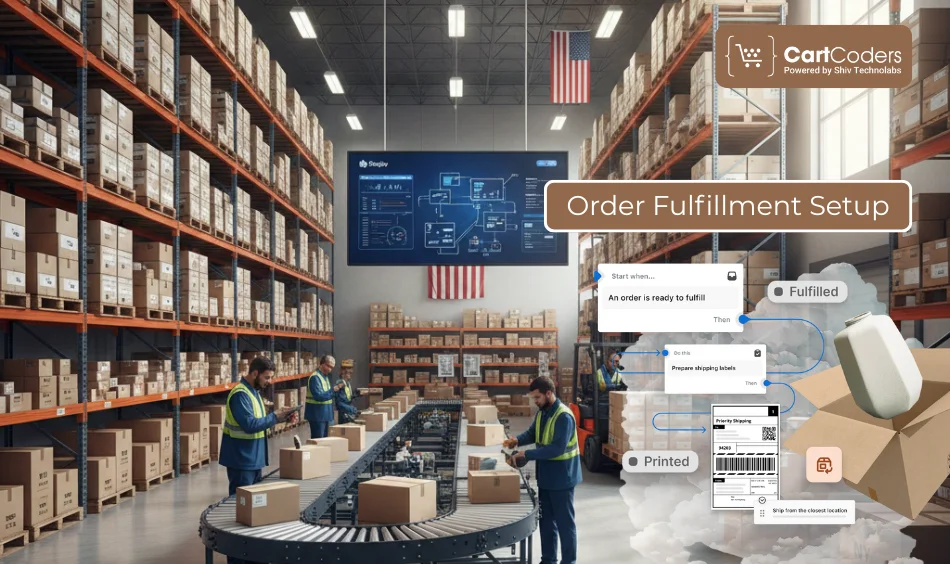
Your fulfillment infrastructure in Shopify USA will dictate your efficiency in the workflow.
Manual and Auto Fulfillment
Use the manual for order checks. Select automatic shipping for simple products.
Manual fulfillment is more suitable for
- Custom products
- Pre orders
- High-value goods
- Auto fulfillment is best for
- Standard SKUs
- Repeat buyers
- High volume stores
Split Fulfillment
Split fulfillment gives you the opportunity to deliver products across localities.
Use cases
- Multi-warehouse setup
- Multiple supplier dropshipping
- In the US, the stores are distributed by large retailers across various states.
Tracking Page Setup
Trust is enhanced by a branded tracking page.
Benefits
- Orders are directly tracked by customers.
- Reduces support tickets
- Increases transparency
Shopify also automatically tracks the labels once they are generated.
Live Rates, Labels, and Tracking
This part describes the operation of Shopify shipping settings UPS, USPS, fedex.
Printing UPS, USPS, and FedEx Labels
Shopify has direct print labels.
- Shopify Shipping
- Carrier accounts
- Bulk label printer
Label accuracy improves fulfillment speed and reduces errors.
Talk To Experts About Shopify Shipping Setup Today
Talk through each step and avoid wrong configurations.


Tracking Page Setup
Shopify can automatically track emails and update order status.
Customers see
- Package movement
- Estimated delivery
- Final delivery confirmation.
Carrier Pickup Settings
Panther UPS, USPS, or FedEx pickup schedules.
Pickups are also time-saving and help ship large volumes without manual picking.
UPS vs USPS vs FedEx Comparison
Choose the right carrier based on product type and delivery goals.
| Comparison Factor | UPS | USPS | FedEx |
| Best for Weight | Medium to heavy packages | Lightweight and small parcels | Large, bulky or fragile shipments |
| Delivery Speed | Fast and reliable | Good for economy and mid speed | Fastest express options available |
| Ideal For | Electronics, tools, bulk orders | Apparel, supplements, accessories | High value, fragile, urgent items |
| Cost Efficiency | Better for heavier shipments | Cheapest for light items | Higher cost but premium speed |
| Coverage in USA | Excellent national coverage | Widest coverage including rural | Strong coverage for business locations |
| Tracking Accuracy | Very high | Moderate to high | Excellent |
| Signature Options | Available | Limited | Available |
| International Shipping | Strong global logistics network | More limited for international | Excellent international express |
| Best Use Case | Heavy stable products | Low cost domestic shipping | Speed critical and fragile packages |
Common USA Shipping Issues
Problems arise even with the well-set stores.
Rates Not Showing
Causes
- Missing weights
- No shipping profile
- Zone not configured
Fix updating product weight and reassigning profiles.
Wrong Checkout Rates
Causes
- Duplicate profiles
- Conflicting rules
- Incorrect dimensions
Fix by examining all shipping regulations and having no more than one current profile per product.
Label and Checkout Mismatch
Typically due to the wrong dimensions of a product or package settings. SKU: Recalculate update packages and reprint labels.
Profile Conflicts
Rises when there are a number of profiles on a single product. Ensure each item is included in a single shipping profile.
Shipping Apps for USA Stores
Apps can be used to expand Shopify’s shipping carriers in the USA and add more automation.
Multi Carrier Rate Apps
Useful for
- Displaying USPS UPS FedEx rates.
- Advanced rules
- Custom rate adjustments
Bulk Label Apps
Best suited to stores with high volumes. These apps allow
- Batch printing
- Bulk tracking
- Faster fulfillment
Address Verification Apps
Avoids deliveries that are not made by confirmation of customer address at checkout.
Support for Store Owners Who Need Setup Help
In cases where shipping is overwhelming, it can be configured with the help of specialists.
Shipping Setup Help
Experts configure
- Carrier accounts
- Rates
- Zones
- Profiles
- Shipping rule
- Checkout testing
Fulfillment Workflow Help
Support includes
- Multi-warehouse setup
- Bulk label automation
- Tracking systems
- Pickup scheduling
Conclusion
A flawless Shopify shipping setup usa is a necessity for any store targeting US customers. You will be able to display the correct Shopify shipping rates USA, offer a variety of carriers, print labels online, and deliver your shipments more quickly when properly configured. The correct configuration will also minimise cart abandonment, enhance customer confidence, and optimise overall fulfilment rates.
CartCoders is the best Shopify development company, with a team of experts in Shopify shipping setup USA, known for configuring Shopify shipping carriers USA with accuracy. We achieve this with UPS to USPS to FedEx, and assist store owners in setting rates, labeling automation, profile organization, and shipping issues are never an issue again.
Anyone looking for a partner who knows how to set up Shopify shipping settings (UPS, USPS, FedEx) and can design an entire shipping system? CartCoders is your go-to choice.
Frequently Asked Questions
You have to create a shipping zone in the USA, map products to the profile, bind carriers, and add rates and checkout. This will ensure that all US customers are charged appropriately and that there are no sudden charges or omissions.
Click Shipping and Delivery, add UPS as the carrier, enter your UPS credentials, enable the services of your choice, and test the rate visibility at checkout.
Rates are removed when there is no product weight, calculated carrier shipping has been disabled, or UPS has not been assigned to the correct zone. These settings and UPS rates must be fixed again.
Install Shopify Shipping, enable USPS, select a service (such as Ground Advantage or Priority Mail), and assign USPS to the USA shipping zone.
Yes, Shopify can use USPS Ground Advantage in real time and will display real-time rates at checkout when USPS is enabled.
Add FedEx through Shipping and Delivery, and input FedEx API credentials, verify account and enable levels of service you wish to provide.
In case of incorrect dimensions or weights of packages, invalid API credentials, or FedEx is not designated to the zone, FedEx rates can be missing.
USPS is optimal for lightweight products, UPS for medium-weight products, and FedEx for fast or fragile products. A combination of these carriers is available in most of the stores.
After being connected, print orders via Shopify. Label apps or Shopify Shipping can also be used to print in large quantities.
Write product weights, package sizes, representative check shipping profiles and carrier settings. The most common one is inter-profile conflicts.
Yes, create a USA-specific zone and include only the free shipping rules in it. Different rates can be used by other countries.
Add several places in Shopify and place the products in each warehouse. Shopify will direct orders based on stock and customer location.


