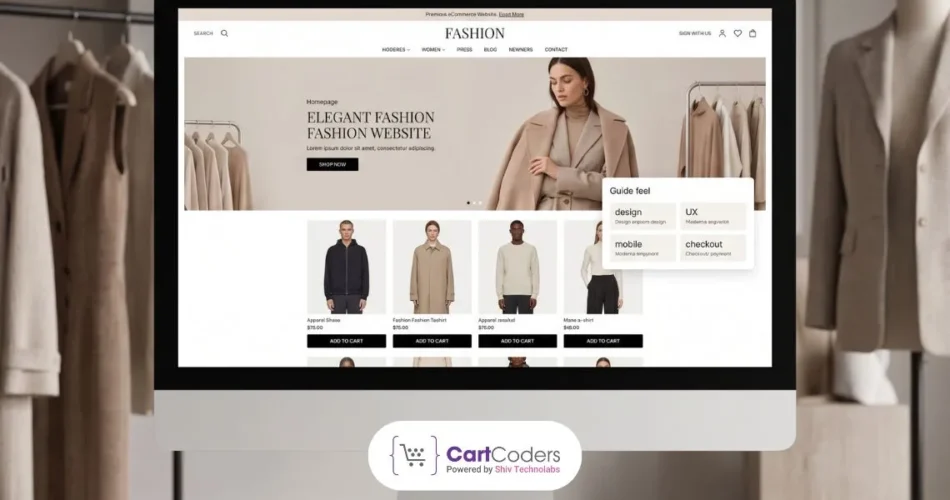

In 2025, the fashion industry reached a major milestone as online sales made up more than 25% of global fashion revenue for the first time. Total fashion eCommerce revenue is set to tip $957 billion in 2026, and projections put it well beyond $1.6 trillion by 2030. That growth sends a clear message: a fashion website is no longer just a place to showcase products. It is where brands win customers, drive revenue, and build long-term loyalty. If your website is slow, outdated, or hard to shop, your business is already falling behind.
This guide covers everything you need to build, launch, and grow a Shopify-powered fashion website in 2026 and the years ahead. From must-have features and AI tools to real cost breakdowns and platform choices, each section is built around what is working right now.

Key Features Every Fashion eCommerce Website Needs in 2026
Building a fashion eCommerce website that converts visitors into loyal customers takes more than a stylish theme. The right features reduce buying friction, improve trust, and increase repeat sales.
AI-Powered Virtual Try-On With AR
Virtual try-on tools use AI and AR to let shoppers preview how clothing, shoes, eyewear, or accessories may look before purchasing. This increases confidence and can reduce returns caused by fit uncertainty.
Advanced Product Search and Smart Filters
Customers expect to find products quickly. Filters for size, color, style, category, brand, price, and availability improve product discovery and keep shoppers engaged.
High-Quality Visuals With Multiple Viewing Options
Use professional product photos, zoom features, model shots, videos, 360-degree views, and close-up fabric images to help customers evaluate products online.
Mobile-First Design and Performance
Most fashion shoppers browse on mobile devices. Fast loading pages, responsive layouts, simple navigation, and easy checkout are essential for higher conversions.
Buy Now, Pay Later and Digital Wallet Integration
Flexible payment options like Shop Pay, Apple Pay, Google Pay, Klarna, and Afterpay make checkout faster and can improve completed purchases.
Personalized Product Recommendations
Use AI or browsing behavior to suggest related products, complete-the-look bundles, trending styles, and items customers are likely to buy next. This can increase average order value.
Size Guides and Fit Recommendation Tools
Detailed size charts, fit notes, body measurements, and smart fit tools help shoppers choose the right size. This reduces confusion and lowers return requests.
Social Commerce Integration
Connect your store with Instagram Shopping, TikTok Shop, and Facebook Shops so customers can browse and purchase directly from social platforms.
Real-Time Inventory and Low-Stock Alerts
Show live stock availability, limited quantity notices, and back-in-stock alerts. These features create urgency and help recover missed sales.
Wishlist and Save for Later
Wishlists allow shoppers to save favorite products and return later when ready to purchase. This is useful for repeat visits and seasonal buying decisions.
Customer Reviews With Photos and Videos
Reviews with customer photos and videos build trust and help shoppers see how products look in real life. Strong social proof can improve conversions.
Multi-Language and Multi-Currency Support
If you sell internationally, local language content and currency options create a smoother buying experience and improve trust with global customers.
Live Chat and AI Customer Support
Live chat and AI assistants can answer questions about sizing, delivery, returns, and product details instantly, helping customers buy with confidence.
Sustainability and Resale Features
Modern shoppers value responsible brands. Highlight eco-friendly materials, ethical sourcing, resale options, or repair services to strengthen brand appeal.
SEO-Ready Site Architecture
Use clean URLs, optimized collection pages, schema markup, strong internal linking, and fast page speed to improve rankings and attract organic traffic.
Build a Fashion Website That Wins
Custom Shopify solutions built to grow sales, improve experience, and support expansion.


AI and Technology Powering Fashion Websites
AI has become a core growth tool for fashion eCommerce. It helps brands solve common challenges like sizing issues, product returns, inventory waste, and creating personalized shopping experiences.
Generative AI for Product Photography and Marketing
AI tools now help brands create campaign visuals, ads, and product images much faster. A single product can be shown on different models, body types, and styles without expensive photo shoots. Shopify also offers built-in AI image editing and background removal.
Predictive Demand Forecasting and Inventory Management
AI helps fashion brands predict demand using past sales, trends, and shopper behavior. This reduces overstock, stockouts, and unnecessary markdowns. Shopify apps like Inventory Planner and Cogsy make forecasting easier for merchants.
AI-Powered Pricing and Promotions
AI pricing tools adjust prices based on demand, inventory, and competitor trends. Brands can clear slow-moving stock faster while protecting margins on popular products.
Shopify Magic and Sidekick
Shopify includes built-in AI tools like Shopify Magic and Sidekick. They help with product descriptions, image edits, catalog management, and store insights. For fashion brands with large catalogs, this saves time and improves product page quality.
Choosing the Right eCommerce Platform for Your Fashion Store!
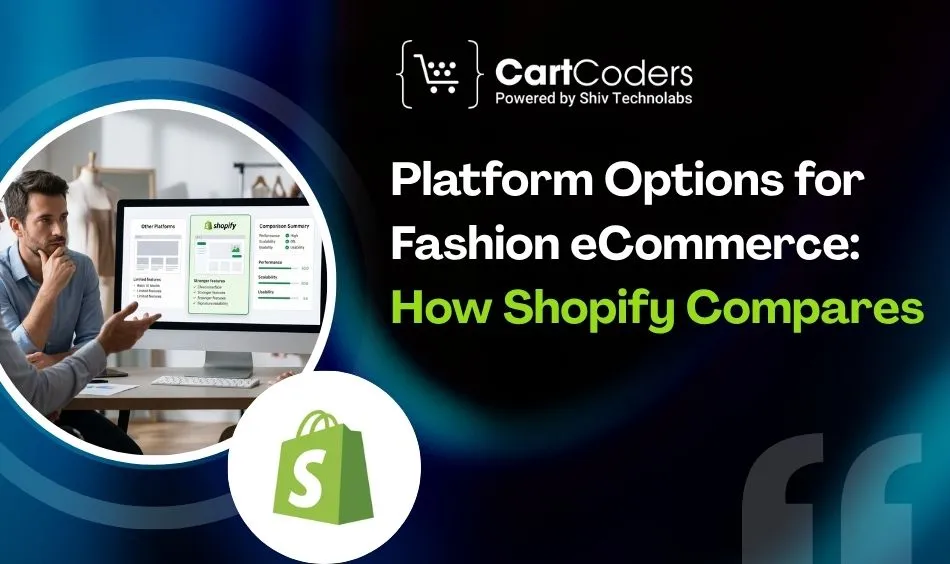
Choosing the right eCommerce platform determines how fast you can launch, how much you can customize, and how well the site performs as your business grows. The table below compares the most common platform options for fashion eCommerce in 2026, covering the factors that matter most to fashion retailers.
| Platform | Best For | Customization | Fashion-Specific Features | Scalability |
| Shopify | All business sizes | High (themes + headless) | Virtual try-on apps, social commerce, AI tools, 2,048 variants | Excellent |
| Shopify Plus | High-volume / enterprise | Very high (checkout extensibility) | All Shopify features + B2B, multi-market, custom checkout | Enterprise-grade |
| WooCommerce | WordPress users | Very high (open source) | Plugin-dependent, requires dev maintenance | Moderate |
| BigCommerce | Mid-market | High | Good native features, less app ecosystem | Good |
| Wix eCommerce | Small / starter brands | Moderate | Limited fashion-specific tools | Low |
| Squarespace | Portfolio-style brands | Low-moderate | Good visuals, limited inventory features | Low |
| Why most fashion brands choose Shopify: Shopify powers over 4.8 million businesses globally and offers the largest ecosystem of fashion-specific apps, native social commerce integrations, built-in AI tools, and a checkout proven to convert.Fashion brands on Shopify do not pay for features they may never use. They also avoid growth limits that often force expensive platform migrations later. |
Shopify Fashion Website Development Cost – Full Breakdown
Development costs for a Shopify fashion website vary based on project scope, design complexity, and the team you hire. A simple theme-based store costs far less than a custom build with advanced features such as AI tools, integrations, or headless architecture. Your final budget also depends on branding needs, number of products, and launch timeline.
Shopify Subscription Plans
Shopify’s plan structure in 2026 covers businesses from early-stage to enterprise. Each plan tier offers different transaction fee rates, with higher plans providing lower processing costs that often offset the higher monthly subscription at scale. Choosing the right Shopify plan depends on your expected monthly revenue and whether you plan to use Shopify Payments as your primary gateway.
| Plan | Monthly Cost (USD) | Best For | Key Features |
| Shopify Starter | $7 | Social selling only | No full storefront; sell via links and social |
| Basic Shopify | $39 | New stores | Full storefront, unlimited products, 2 staff accounts |
| Shopify | $105 | Growing stores | 5 staff accounts, professional reports, and lower rates |
| Advanced Shopify | $399 | Scaling brands | Custom reports, 15 staff, lowest transaction fees |
| Shopify Plus | From $2,300/month | Enterprise / high-volume | Checkout extensibility, B2B, multi-market, 25 markets |
Expert Insight: Many growing brands save more on lower transaction fees by upgrading plans once monthly sales volume increases.
Domain and Hosting
Every Shopify store needs a branded domain. Hosting, SSL, and CDN are already included, which removes separate server management costs.
| Item | Estimated Annual Cost (USD) | Notes |
| Custom domain | $10-$30/year | Included free for the first year on some Shopify plans |
| Hosting | Included with all Shopify plans | Shopify handles hosting, SSL, and CDN |
| SSL certificate | Included | Automatic HTTPS on all Shopify stores |
Pro Tip: Buy a branded domain early to build trust, improve brand recall, and support long-term SEO authority.
Theme and Design Costs
Design costs depend on whether you need a quick launch, premium theme customization, or a fully custom brand experience.
| Design Approach | Estimated Cost (USD) | Timeline | Best For |
| Free Shopify theme | $0 | Days | New brands are testing a concept |
| Premium Shopify theme | $350 (one-time) | 1-2 weeks | Brands wanting quality without custom dev |
| Custom design (agency) | $5,000-$20,000 | 4-8 weeks | Established brands with specific identity needs |
| Full custom design + build | $20,000-$100,000+ | 8-12 weeks | Enterprise fashion brands with complex requirements |
Expert Insight: A premium theme with smart customization often gives the best ROI for small and mid-sized fashion brands.
Development Costs by Feature and Complexity
Advanced features increase budget but can improve conversions, efficiency, and customer experience.
| Feature / Development Type | Estimated Cost (USD) |
| Custom theme section development | $500-$3,000 |
| Virtual try-on / AI fit integration | $1,000-$5,000 |
| Third-party ERP / OMS integration | $3,000-$15,000 |
| Headless Shopify storefront (Hydrogen) | $15,000-$60,000+ |
| Custom Shopify app development | $5,000-$30,000+ |
| Multi-market / multi-language setup | $2,000-$8,000 |
| Social commerce channel integration | $1,000-$4,000 |
Pro Tip: Prioritize features tied directly to revenue first, such as conversion tools, speed improvements, and checkout enhancements.
Development Rates by Region
Agency and developer rates vary by geography, experience, and specialization.
| Region | Hourly Rate (USD) | Basic Store | Advanced Store |
| North America | $100-$150/hr | $8,000-$20,000 | $40,000-$80,000+ |
| Western Europe | $80-$120/hr | $6,000-$15,000 | $30,000-$60,000+ |
| Eastern Europe | $40-$80/hr | $3,000-$10,000 | $15,000-$30,000+ |
| South Asia | $20-$50/hr | $1,500-$6,000 | $8,000-$20,000+ |
Expert Insight: Cost matters, but Shopify specialization and communication quality often matter more than the lowest hourly rate.
Ongoing Monthly Costs
Launching the store is only part of the budget. Ongoing tools and growth costs should be planned early.
| Cost Category | Typical Monthly Range (USD) | Notes |
| Shopify apps (email, reviews, loyalty, etc.) | $50-$350/month | Most stores use 5-10 apps |
| Payment processing | 2.4-2.9% + $0.30 per transaction | Via Shopify Payments |
| Maintenance and support retainer | $500-$2,500/month | Varies by store complexity |
| Marketing and advertising | Varies | Typically, 5-15% of the revenue target |
| SEO tools and analytics | $50-$200/month | GSC, analytics platforms, SEO apps |
Pro Tip: Review apps every quarter and remove unused subscriptions to protect margins.
Total Budget by Store Type
Your total first-year investment depends on business stage, growth goals, and feature requirements.
| Store Type | Year-One Investment (USD) | Scope |
| Lean DIY launch | $500-$2,000 | Free/premium theme, basic apps, self-managed |
| Professional small brand | $5,000-$15,000 | Agency setup, premium theme, key integrations |
| Growing mid-market brand | $15,000-$40,000 | Custom design, advanced features, multi-channel |
| Enterprise / high-volume | $50,000-$200,000+ | Shopify Plus, headless, full custom build |
Expert Insight: Most fashion brands succeed faster with a phased launch approach, starting lean and investing deeper after traction is proven.
How to Launch a Fashion Website That Converts From Day One?
A technically sound website does not guarantee sales. The launch strategy matters as much as the build. Fashion websites that hit strong early numbers share a set of practices that build momentum before and immediately after going live. Each step below is specific to the fashion category and the expectations of fashion shoppers.
1. Test Every Part of the Purchase Flow
Before launch, run the complete purchase journey on an iPhone, a mid-range Android, and a desktop. Test every payment method you plan to offer. Check how the site behaves on slow mobile connections using Chrome’s network throttling tool.
Fashion customers will not wait for a slow site or retry a broken checkout. Find every friction point in testing rather than discovering it through lost revenue after launch.
Read more: How to Start Shopify A/B Testing
2. Build Your SEO Foundation Before Launch
SEO equity takes time to accumulate, so the earlier you lay the foundation, the faster organic traffic builds. Before launch, write keyword-optimized titles and meta descriptions for every category page. Add schema markup for product pages so star ratings appear in Google results.
Create a clean URL structure that reflects your navigation hierarchy. Compress all images without sacrificing quality and confirm that page speed meets Core Web Vitals standards. Shopify’s built-in SEO tools and Shopify Magic’s AI description generator make this more manageable for large catalogs.
3. Activate Social Channels in Sync With Launch
Fashion discovery happens on social before it happens on search. Coordinate your website launch with TikTok and Instagram content that drives traffic to specific product pages. Creator partnerships, even at a micro level with creators in the 10,000 to 100,000 follower range, typically generate higher engagement in fashion than macro influencer campaigns.
Set up TikTok Shop and Instagram Shopping feeds through Shopify’s social commerce integrations before launch so the product catalog is live on every channel simultaneously.
4. Set Up Analytics and Conversion Tracking
You cannot improve what you do not measure. Before your first sale, install Google Analytics 4, set up Shopify’s built-in analytics, and configure conversion tracking for key events like product views, add to cart, checkout initiated, and purchase completed.
Set up heat mapping with a tool like Microsoft Clarity (which has a free Shopify integration) to understand where visitors drop off on key pages. These data points guide every optimization decision in the weeks after launch.
5. Offer a Strong Launch Incentive
A launch-day offer creates urgency and gives early visitors a clear reason to purchase instead of leaving and returning later. Free shipping thresholds, a limited-time welcome discount, or a gift with first purchase can work well for fashion brands. The offer should be simple, time-bound, and easy to redeem.
The key is relevance, not deep discounts. Fashion brands can also use bundle offers, early access to new collections, or exclusive launch perks to protect margins while increasing conversions. Promote the offer across email, social media, and on-site banners for a stronger impact.
6. Prepare Customer Support for Launch Volume
Fashion launches generate questions about sizing, shipping timelines, materials, and return policies. Set up a chatbot to handle common questions automatically and ensure your live chat team, or even just a dedicated inbox with fast response targets, is ready during the launch window.
A poor support experience during launch sticks in reviews and social mentions, and fashion is a category where word of mouth travels fast.
7. Run Targeted Retargeting From Day One
Most visitors do not purchase on their first session, and that is normal. Setting up Meta and Google retargeting audiences before launch means you can serve ads to people who viewed products or initiated checkout but did not complete a purchase. Fashion retargeting performs well because the visual nature of the category translates directly to high-performing dynamic product ads.
Why CartCoders Builds Fashion Websites That Perform?
CartCoders is a Shopify-focused development agency with experience across fashion and apparel brands at every stage of growth. From independent labels launching their first collection to established brands migrating from legacy platforms and scaling internationally, the team brings technical depth and fashion eCommerce knowledge to every project.
- AI Fit Finder integration to reduce returns and improve purchase confidence through accurate size recommendations
- Virtual try-on implementation with Shopify-compatible tools that suit your product type and budget
- Multi-market setup through Shopify Markets for international expansion without platform complexity
- Custom Shopify app development for features that no existing app provides
- Headless Shopify development with Hydrogen for brands that need editorial performance and custom checkout flows
- Shopify Plus migration and optimization for brands scaling to enterprise volumes
CartCoders also offers white-label Shopify development for agencies that need fashion eCommerce execution capacity, and IT staff augmentation for brands that want to expand their internal team with certified Shopify developers.
Conclusion
Fashion eCommerce in 2026 rewards brands that build with intention. The technical foundations, fast and mobile-first performance, visual richness, AI-powered personalization, social commerce integration, and sustainability communication are no longer differentiators. They are the baseline.
The brands that grow in this environment are the ones that execute the fundamentals with precision. They then invest in the next layer of growth. This includes virtual try-on to reduce returns, predictive AI to manage inventory, resale programs to build loyalty, and headless architecture for experiences that standard themes cannot match.
A Shopify fashion website built to these standards gives you a platform that grows with the business rather than requiring periodic rebuilds as requirements change. CartCoders has the Shopify expertise, the fashion eCommerce experience, and the development capacity to build that platform for your brand.
Contact CartCoders today to discuss your fashion website project and get a detailed estimate tailored to your goals.
Frequently Asked Questions
Costs of Shopify fashion website start around $500 to $2,000 for a DIY setup, $5,000 to $20,000 for a professional store, and $50,000+ for Shopify Plus with custom features and integrations.
Yes, Shopify is one of the best platforms for fashion brands in 2026. It offers strong design flexibility, fashion apps, social selling integrations, fast checkout, and scalable growth tools.
Virtual try-on lets shoppers preview how clothing looks before buying. It helps reduce returns and improve confidence, especially for brands with sizing challenges or premium products.
Optimizing your fashion website for mobile is very important. Most fashion shoppers browse and buy on mobile. A fast, mobile-friendly store improves user experience, conversions, and checkout completion rates.
Headless commerce separates the front-end design from Shopify’s backend. It is ideal for brands needing advanced design, faster speed, or multi-store experiences.
Shopify connects with TikTok, Instagram, and Facebook so brands can sell products directly on social platforms while managing inventory and orders in one dashboard.
A theme-based store may take 2 to 4 weeks, a custom store 4 to 6 weeks, and advanced headless or enterprise builds 6 to 10 weeks, depending on scope.


