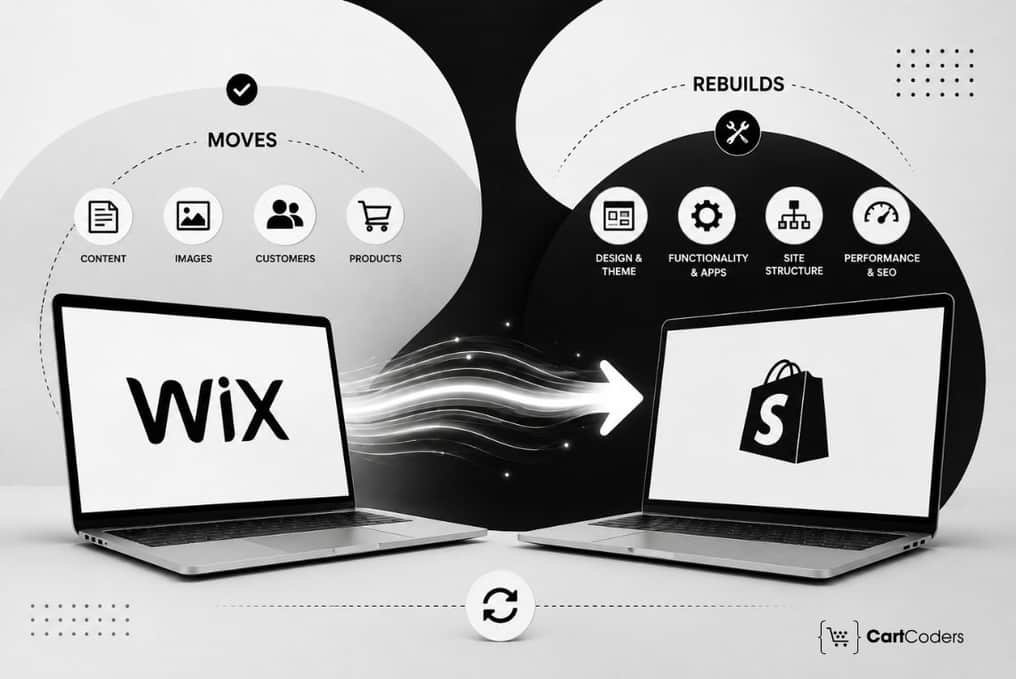

Moving from Wix to Shopify is more than transferring products into another eCommerce platform. Some store data can move, but design, checkout, apps, integrations, SEO settings, and several customer experiences need Shopify-specific setup.
For merchants, the biggest risk is assuming that a successful import indicates the migration is complete. Products can appear correctly while variants, customer access, redirects, subscriptions, tracking, or fulfillment workflows still require attention.
If you are planning a Wix to Shopify migration, start by separating everything into five categories: move, rebuild, replace, reconnect, and verify. By using Shopify migration services from experts, you can cover these stages from initial store assessment through launch and post-migration support.
Shopify provides platform-specific migration guidance, while Google recommends creating an old-to-new URL map and using permanent redirects when URLs change during a site move. Google Search Central also recommends monitoring both old and new URLs after migration.
Quick Answer: In a Wix to Shopify migration, products, customers, images, and selected store data can usually move. Shopify themes, checkout configuration, apps, integrations, customer account access, redirects, tracking, and custom functionality commonly need to be rebuilt, replaced, reconnected, or verified.
What Moves From Wix to Shopify, and What Needs Rebuilding?
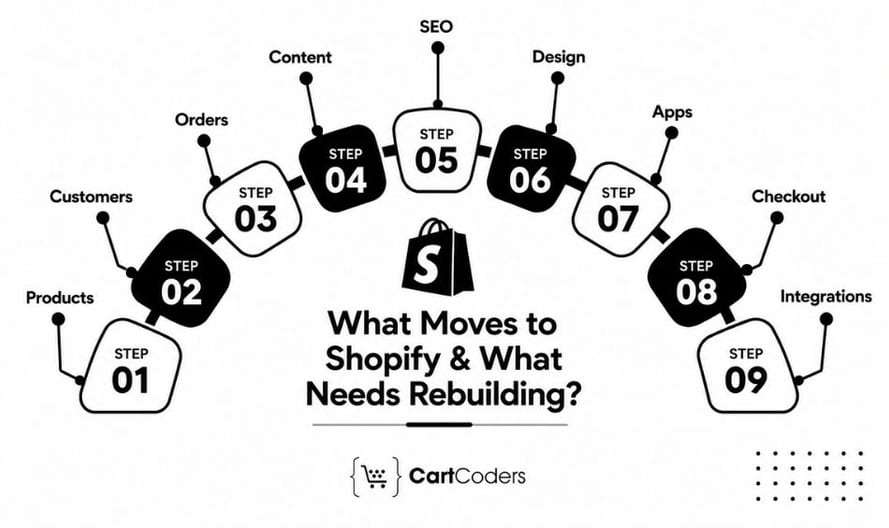
The simplest way to plan a migration is to stop treating every store component the same. Product data has a clear Shopify destination, while a Wix page layout or app cannot simply be copied into Shopify and expected to behave identically. A typical migration looks like this:
| Migration Area | What Can Usually Move | What Requires Shopify Work |
| Products | Titles, descriptions, images, SKUs, prices | Variant checks, collections, metafields |
| Customers | Names, emails, phone numbers, addresses | Account access, passwords, segments |
| Orders | Selected historical data | Status mapping, subscriptions, loyalty |
| Content | Text, images and brand assets | Pages, sections, menus and forms |
| SEO | Existing metadata and content | URLs, redirects, canonicals, internal links |
| Design | Logos, images and brand guidelines | Shopify theme and templates |
| Apps | Exportable app data in some cases | Shopify apps or custom alternatives |
| Checkout | Product and customer information | Payments, taxes, shipping and discounts |
| Integrations | Existing business data | API connections and synchronization |
This distinction matters because Wix to Shopify data migration is only one part of replatforming. The Shopify store still needs to work correctly for customers, search engines, marketing platforms, and internal business systems.
Use the Move, Rebuild, Replace, Reconnect, Verify Framework
A practical migration plan can place every requirement into five buckets.
- Move data that has a reliable destination in Shopify, such as products, customers, images, SKUs, and selected historical records.
- Rebuild experiences that depend on Shopify’s architecture. This commonly includes the theme, product templates, collections, navigation, forms, cart experience, and checkout configuration.
- Replace Wix-specific apps with native Shopify functionality, Shopify apps, or custom features.
- Reconnect external systems such as ERP, CRM, POS, accounting, 3PL, email platforms, analytics, and advertising tools.
- Finally, verify the complete customer and operational journey before launch.
| Stage | Key Decision to Make |
| Move | Does this Wix data have a clean Shopify destination? |
| Rebuild | Does the experience need Shopify-native implementation? |
| Replace | Is there a suitable Shopify alternative? |
| Reconnect | Which external systems need new connections? |
| Verify | How will the migrated functionality be tested? |
This framework prevents migration planning from becoming a long list of unrelated tasks. It also makes scope, budget, ownership, and launch readiness easier to assess. For stores with significant custom functionality, a professional Shopify migration service can help define these requirements before development starts.
What Product Data Can Move From Wix to Shopify?
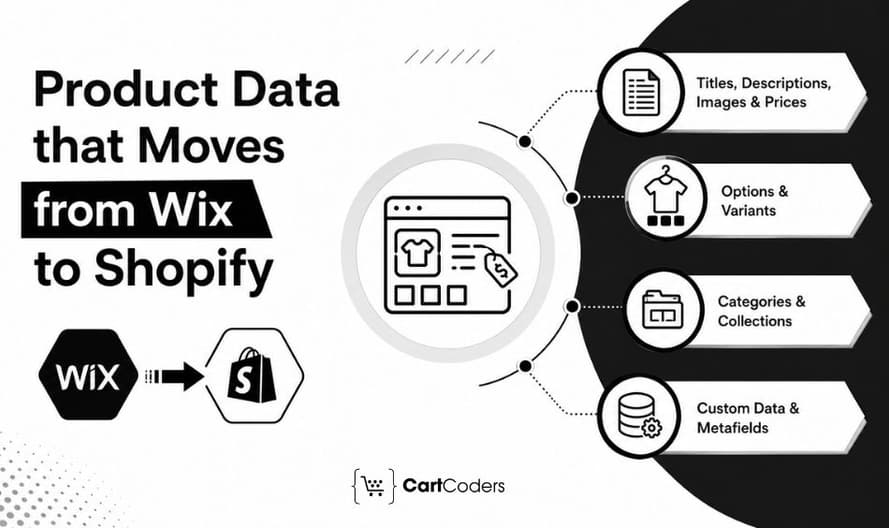
Product information is usually one of the most transferable parts of a Wix store. However, successful import does not mean every product is immediately ready to sell.
| Wix Product Element | Shopify Destination | What It Means |
| Product name | Product title | The product name in Wix becomes the main product title displayed on the Shopify product page. |
| Description | Product description | Product details, specifications, and other written information move into Shopify’s product description field. |
| Images | Product media | Product images are transferred to Shopify’s media section. Image order and quality should be checked after migration. |
| SKU | Variant SKU | Each Wix product or variation SKU should map to the matching Shopify product variant. |
| Inventory | Shopify inventory | Available stock quantities move into Shopify’s inventory system. Location-level stock may require separate mapping. |
| Product options | Variants | Options such as size, color, material, or style become Shopify variants and variant options. |
| Categories | Collections | Wix product categories are recreated as Shopify collections. Collection rules and structure may need adjustment. |
| Custom information | Metafields | Extra product data that does not fit Shopify’s standard fields can be stored using Shopify metafields. |
Product Titles, Descriptions, Images, and Pricing
Core information such as product names, descriptions, images, SKUs, prices, and inventory can be mapped into Shopify. Preserve useful product content rather than rewriting everything during migration. Changing the platform, URL structure, design, and content simultaneously can make post-launch problems harder to diagnose.
Product Options and Variants
Variants need closer review. Check whether Wix options for size, color, material, pack size, or other choices map correctly to Shopify variants. Verify SKU, price, inventory, weight, and image relationships for each important combination. A product appearing in Shopify does not prove that its variants are correct.
Categories and Shopify Collections
Wix category structures should be mapped to Shopify collections based on how customers browse the catalog.
This is also a useful opportunity to remove outdated categories, merge overlapping structures, and improve product grouping without unnecessarily changing valuable search intent.
Custom Product Data and Metafields
Technical specifications, compatibility information, ERP identifiers, ingredients, dimensions, or merchandising data may require Shopify metafields.
Stores with complex catalog structures can take Shopify development services for custom templates, metafields, collections, and storefront requirements.
What Customer Data Moves From Wix to Shopify?
Customer records can move, but customer access requires separate planning. Names, email addresses, phone numbers, addresses, and other supported fields can be mapped into Shopify. Tags, marketing consent, customer groups, and custom information need additional review because platforms may structure these records differently.
| Customer Area | Migration Consideration | What It Means |
| Name and email | Map and verify | Match customer names and email fields correctly between the old platform and Shopify. Check for missing, duplicate, or invalid email addresses. |
| Phone and address | Validate formatting | Review phone numbers, billing addresses, shipping addresses, country codes, states, and postal codes so Shopify can read them correctly. |
| Tags | Review Shopify structure | Check how existing customer groups, labels, or tags should be recreated in Shopify. Some tags may need to be renamed or reorganized. |
| Marketing consent | Preserve accurately | Transfer email and SMS marketing preferences correctly so customers who opted in or out keep the same consent status after migration. |
| Password | Plan new account access | Customer passwords usually cannot be transferred because they are encrypted. Customers may need to activate their Shopify account or create a new password. |
| Loyalty | Check app migration separately | Loyalty points, rewards, tiers, and referral data may belong to a third-party app and often require a separate migration process. |
| Subscription | Check provider migration separately | Active subscriptions, billing schedules, payment tokens, and recurring orders may need migration through the existing or new subscription provider. |
What Happens to Wix Orders, Refunds, and Purchase History?
Historical orders are usually more complex than products or customer records because an order contains relationships between customers, products, payment status, fulfillment, discounts, taxes, and refunds. Before moving order history, decide why the business needs it inside Shopify.
| Order Data | What Needs Review | What It Means |
| Historical orders | Migration method and required history | Decide how much past order data needs to move to Shopify and which migration method can preserve it accurately. |
| Order numbers | Mapping and reference requirements | Check whether existing order numbers can be retained, referenced, or mapped so staff can track previous transactions easily. |
| Payment status | Accuracy after migration | Confirm that paid, pending, partially paid, refunded, and cancelled orders show the correct payment status in Shopify. |
| Fulfillment | Status mapping | Match fulfilled, unfulfilled, partially fulfilled, and cancelled orders to the correct Shopify fulfillment status. |
| Refunds | Financial and support requirements | Review how previous refunds, partial refunds, and refund records will appear for accounting and customer support purposes. |
| Subscriptions | Separate app/provider migration | Recurring orders, billing schedules, and subscription records may require a separate migration through the subscription provider. |
| Loyalty history | Separate platform migration | Past points, rewards, redemptions, and loyalty activity may need to be transferred through the loyalty app or platform separately. |
Do not use the number of imported orders as the only success metric. Test whether representative historical records remain useful to the teams that depend on them.
What Website Content Must Be Recreated in Shopify?
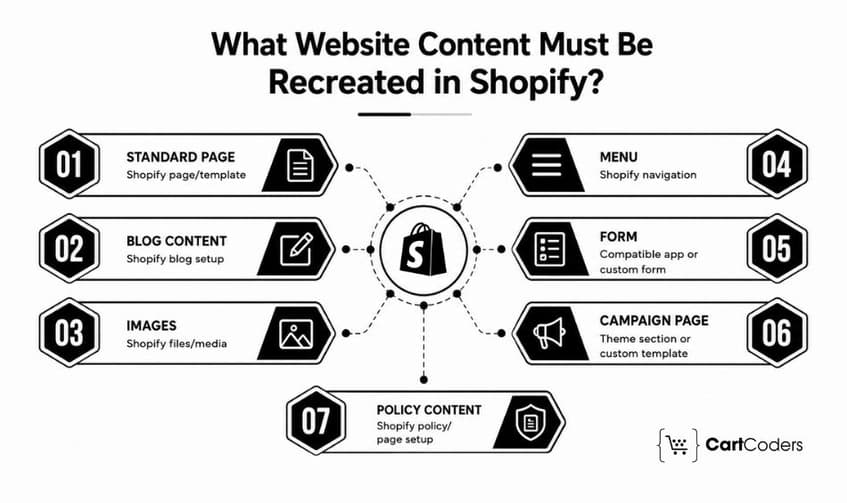
Wix content and Wix layouts are different migration problems. Text, images, policy information, and other content can be reused where appropriate. The Wix page structure itself generally needs to be recreated using Shopify pages, theme sections, templates, apps, or custom development.
| Existing Wix Asset | Shopify Requirement | What It Means |
| Standard page | Shopify page/template | Recreate Wix pages such as About, Contact, or FAQs using Shopify pages and suitable theme templates. |
| Blog content | Shopify blog setup | Move blog posts, titles, images, publishing dates, and related content into Shopify’s blogging system. |
| Images | Shopify files/media | Transfer website images into Shopify Files or theme media and check image quality, filenames, and placement. |
| Menu | Shopify navigation | Rebuild the main menu, footer links, dropdowns, and other navigation using Shopify’s menu structure. |
| Form | Compatible app or custom form | Wix forms may need to be rebuilt using Shopify-compatible apps, theme features, or custom code. |
| Campaign page | Theme section or custom template | Landing and promotional pages may require custom Shopify sections or dedicated page templates to retain their layout. |
| Policy content | Shopify policy/page setup | Move privacy, refund, shipping, terms, and other policy content into Shopify’s policy settings or standard pages. |
What Store Design Must Be Rebuilt in Shopify?
Your brand can move. The Wix theme cannot simply become a Shopify theme. Logos, fonts, imagery, visual guidelines, and other brand assets can guide the new storefront, but Shopify requires its own theme structure and templates.
| Design Area | Shopify Work Required | What It Means |
| Homepage | Theme sections | Rebuild the Wix homepage using Shopify theme sections while keeping the main layout, branding, banners, and content structure. |
| Product pages | Product templates | Create Shopify product templates that properly display product details, images, variants, pricing, and other required information. |
| Categories | Collection templates | Recreate category pages as Shopify collection templates with the required product grids, filters, sorting, and content blocks. |
| Navigation | Shopify menus | Rebuild header, footer, dropdown, and mobile navigation using Shopify’s menu system. |
| Cart | Theme/cart configuration | Configure the Shopify cart layout, quantity controls, discount behavior, upsells, and other cart-related functions. |
| Forms | App or custom implementation | Rebuild Wix forms using Shopify-compatible apps, theme features, or custom development based on the required fields and workflow. |
| Mobile | Responsive QA and performance testing | Test layouts, buttons, menus, images, forms, and checkout flow across different screen sizes and check mobile loading performance. |
Rebuild Around Shopify’s Store Architecture
The migration should cover the homepage, product templates, collection templates, header, footer, navigation, cart, search, and mobile experience. Avoid recreating Wix pixel for pixel without asking whether the old experience still supports how customers shop.
Test Mobile Experience and Performance
Check menus, filters, product galleries, sticky buttons, forms, pop-ups, cart interactions, and checkout entry points on mobile. Performance should also be reviewed after apps, analytics scripts, and production integrations are installed.
A migration is often the right time to improve usability, but major design changes should still be controlled so they do not introduce unnecessary SEO or conversion risk.
What SEO Moves From Wix to Shopify?
SEO does not automatically transfer just because the content moves. Metadata and page content can often be preserved, but URLs, redirects, canonicals, internal links, structured data, sitemap configuration, and indexability need dedicated Wix to Shopify SEO migration work.
| SEO Element | Migration Action | What It Means |
| Page content | Preserve where valuable | Keep useful, ranking, and conversion-focused content during migration instead of removing or heavily changing it without a reason. |
| Metadata | Transfer and review | Move existing SEO titles and meta descriptions to Shopify, then check their relevance, length, and keyword targeting. |
| URLs | Map old to new | Create a clear mapping between existing Wix URLs and their new Shopify URLs before the store goes live. |
| 301 redirects | Create and test | Redirect old Wix URLs to the most relevant Shopify pages so users and search engines reach the correct content. |
| Canonicals | Verify Shopify output | Check canonical tags to confirm Shopify points search engines toward the preferred version of each page. |
| Internal links | Update to final URLs | Replace old Wix links within pages, blogs, menus, and other content with the final Shopify URLs. |
| Structured data | Validate theme/app output | Check product, organization, breadcrumb, article, and other schema markup generated by the Shopify theme or apps. |
| Sitemap | Verify after launch | Review Shopify’s XML sitemap after launch and confirm that important products, collections, pages, and blog content are included. |
| Indexability | Remove unintended blocks | Check robots directives, noindex tags, password protection, and other settings that could prevent important Shopify |
Map Wix URLs Before Launch
Create a complete inventory of important Wix URLs and map them to their closest Shopify destinations.
Prioritize:
- Organic landing pages
- Revenue-generating products
- Important categories
- Pages with backlinks
- Evergreen blog posts
- Campaign landing pages
Google recommends preparing a URL mapping before a site move and using permanent server-side redirects such as 301 or 308 when URLs change.
Avoid Irrelevant Redirects
Do not send every missing Wix URL to the Shopify homepage. Each important old page should point to the closest relevant replacement. When no useful replacement exists, allowing a proper 404 can be better than creating an irrelevant redirect.
Update Internal SEO Signals
Review titles, descriptions, headings, canonicals, structured data, internal links, image alt text, robots rules, and sitemap URLs.

What Wix Apps and Features Need Shopify Replacements?
Wix apps do not move directly into Shopify. Audit every app according to the business function it performs rather than simply looking for an app with the same name. Common areas include reviews, loyalty, subscriptions, search, filtering, email, SMS, bookings, memberships, product recommendations, and custom workflows.
| Wix Function | Shopify Approach |
| Reviews | Compatible Shopify review solution |
| Loyalty | Shopify loyalty app |
| Subscriptions | Subscription solution |
| Email/SMS | Shopify-compatible marketing platform |
| Search and filters | Native or third-party solution |
| Booking | Shopify-compatible booking app |
| Custom workflow | Custom Shopify app or integration |
If an existing workflow cannot be reproduced with a standard app, Shopify app development services can support custom functionality tied to the new store. Evaluate replacements early. Discovering during launch week that a critical Wix feature has no Shopify equivalent can delay the entire migration.
What Checkout, Payment, Tax, and Shipping Settings Need Setup?
The Wix checkout itself does not move to Shopify. Checkout must be configured around Shopify’s payment, tax, shipping, discount, and customer settings. Test the setup against actual buying scenarios rather than checking settings individually.
| Checkout Area | What to Configure and Test | What It Means |
| Payments | Provider, currency and transaction | Set up the required payment gateways, accepted currencies, and transaction settings. Test successful, failed, and pending payments. |
| Taxes | Regions and applicable rules | Configure tax regions, tax rates, exemptions, and product-specific rules based on where the store sells. |
| Shipping | Profiles, zones and rates | Set up shipping profiles, delivery zones, carrier rates, free shipping rules, and location-based options. |
| Discounts | Eligibility and conditions | Recreate discount codes, automatic discounts, minimum purchase rules, customer eligibility, and usage limits. |
| Gift cards | Balance/process requirements | Confirm how existing gift card balances will transfer and how customers can redeem them after migration. |
| Notifications | Order and shipping emails | Review confirmation, fulfillment, shipping, cancellation, and other customer notification emails in Shopify. |
| Refunds | Payment and inventory behavior | Test full and partial refunds, payment reversals, restocking behavior, and inventory adjustments after a refund. |
What Integrations Need to Be Reconnected?
Integrations rarely transfer automatically when the eCommerce platform changes. ERP, CRM, POS, accounting, warehouse, 3PL, analytics, advertising, email, and customer-support systems need Shopify-specific connections.
| Integration | Critical Data Flow | What It Means |
| ERP | Products, inventory and orders | Confirm that product details, stock levels, pricing, and order information sync correctly between Shopify and the ERP system. |
| CRM | Customers and lifecycle data | Check that customer profiles, purchase history, lead data, and lifecycle information transfer correctly between Shopify and the CRM. |
| POS | Sales and inventory | Verify that in-store sales, online orders, stock quantities, and product data stay consistent across Shopify and the POS system. |
| 3PL | Orders, fulfillment and tracking | Test how orders move to the fulfillment provider and how shipment status, tracking numbers, and delivery updates return to Shopify. |
| Accounting | Payments, taxes and refunds | Confirm that sales, payment records, tax amounts, fees, and refunds are recorded correctly in the accounting platform. |
| Analytics | Ecommerce events and revenue | Check that product views, add-to-cart actions, checkout events, purchases, and revenue data are tracked correctly after migration. |
| Marketing | Customer and event data | Verify that customer details, consent status, purchase activity, and behavioral events flow correctly to email, SMS, and advertising platforms. |
CartCoders’ Shopify integration services can support ERP, CRM, inventory, fulfillment, payment, shipping, and other third-party connections.
Wix to Shopify Pre-Launch Checklist
Before changing the domain or sending customers to Shopify, validate the store as a complete eCommerce system.
| Area | Launch Gate |
| Products | Prices, variants, images and inventory verified |
| Customers | Records and account access tested |
| Orders | Required history validated |
| SEO | URLs, redirects, canonicals and indexing checked |
| Theme | Navigation and mobile experience tested |
| Checkout | Payments, taxes, shipping and discounts tested |
| Apps | Critical functionality verified |
| Integrations | Production data flows tested |
| Analytics | Purchases and revenue tracked correctly |
The store should launch because these checks pass, not because the import has finished.
For complex migrations, always create an optimized migration checklist that can cover migration planning, data, storefront setup, SEO, integrations, QA, and launch preparation.
What are the Common Wix to Shopify Migration Mistakes
Many migration problems happen because the project focuses heavily on products and design while treating SEO, customer access, integrations, and checkout as final-stage tasks.
1. Assuming Everything Transfers
Not every Wix feature, setting, or data type will move directly to Shopify. Classify each item as something to move, rebuild, replace, or reconnect so the migration scope is clear before work begins.
2. Missing Redirects
Changing platforms can also change page URLs. Map important Wix URLs to the correct Shopify pages before launch and add 301 redirects to prevent broken links and lost search traffic.
3. Incorrect Variants
Product options can be structured differently in Wix and Shopify. Compare SKUs, option combinations, prices, and inventory quantities to confirm every Shopify variant matches the original product data.
4. Account Access Problems
Customer login details and account access may not transfer in the same way as other customer data. Test existing customer journeys, including account activation, login, password setup, and order access, before launch.
5. Missing App Functionality
Some Wix apps may not have a direct Shopify equivalent. Audit existing apps early and decide whether each function needs a Shopify app, native feature, integration, or custom development.
6. Checkout Problems
Payment, tax, shipping, discount, and inventory settings can affect checkout after migration. Run production-ready test orders using different payment and shipping scenarios before making the Shopify store live.
7. Missing Tracking
Analytics or advertising events can stop working when the storefront changes. Validate product views, add-to-cart, checkout, purchase, and revenue events before launch so reporting and campaign data remain accurate.
How Long Does a Wix to Shopify Migration Take?
There is no single timeline because store size alone does not determine migration effort. Product complexity, custom design, apps, integrations, historical data, SEO requirements, and QA all affect delivery.
CartCoders currently estimates 4-8 weeks for many stores with integrations, while larger Shopify Plus projects involving B2B, ERP, or multi-region requirements can take 8-16 weeks.
| Stage | Main Focus |
| 4–6 weeks before | Audit, data mapping, design and app planning |
| 2 weeks before | Test imports, redirects and theme configuration |
| 1 week before | Checkout, SEO, integration and tracking QA |
| Launch day | Domain, redirects and live transaction checks |
| First 7 days | Orders, 404s, customers and integration monitoring |
| First 30 days | SEO, conversion and operational performance |
Google notes that search visibility can fluctuate temporarily during a site move while its systems recrawl and process changed URLs. Monitoring should therefore continue after launch rather than stopping when the new Shopify store goes live.
How Can CartCoders Help With Wix to Shopify Migration?
A Wix to Shopify migration involves data, design, SEO, apps, checkout, and business systems. CartCoders helps plan these dependencies before launch so important functionality is not discovered after customers reach the new store.
Our Shopify migration services cover data migration, URL mapping, storefront setup, testing, and launch support. For custom storefront requirements, we provide theme customization, templates, and Shopify-specific functionality.
We also provide Shopify integration services for ERP, CRM, inventory, payment, shipping, and other systems. When an existing Wix feature requires custom functionality, our Shopify app development services can support the rebuild.
Planning a Wix to Shopify move? Hire Shopify developers to review what should move, what needs rebuilding, and what must be tested before launch.
Final Verdict: Wix Data Can Move, but Shopify Needs a Proper Rebuild
A successful Wix to Shopify migration is not measured by how many records were imported.
Products, customers, images, and selected historical information can move. Theme design, checkout, apps, integrations, customer access, redirects, and tracking need Shopify-specific work.
The strongest migration plan separates these requirements into move, rebuild, replace, reconnect, and verify. This gives your team a clearer scope and makes it easier to protect customer experience, SEO visibility, and business operations during launch.
If you are considering moving an established Wix store, start with a migration audit before selecting apps or rebuilding pages. CartCoders can assess your existing setup and create a practical migration plan based on your catalog, SEO, integrations, and custom requirements.
Frequently Asked Questions
Products, customers, images, and selected store data can generally be migrated. Design, checkout, apps, integrations, redirects, and several settings require Shopify-specific configuration.
Yes. Core product information can be migrated, but variants, SKUs, inventory, collections, images, and custom fields should be checked after import.
Customer records can be transferred, but existing password access requires special planning. Test the selected Shopify customer-account experience and communicate any required activation steps before launch.
Historical orders may be migrated depending on the chosen method and business requirements. Payment, fulfillment, refund, subscription, and loyalty information need separate validation.
Not directly. Brand assets can be reused, but the storefront needs to be rebuilt using a Shopify theme, templates, sections, navigation, and Shopify-compatible functionality.
Wix apps do not transfer directly. Their functionality needs to be replaced using native Shopify features, Shopify apps, integrations, or custom app development.
Preserve valuable content and metadata, map old URLs, create relevant permanent redirects, update internal links, validate canonicals, submit the Shopify sitemap, and monitor Search Console.
Do not assume they will. Build and test an old-to-new URL mapping so important Wix pages lead to their closest relevant Shopify destinations.
The timeline depends on catalog size, design, apps, integrations, SEO, and custom functionality. Stores with significant integrations or Shopify Plus requirements generally require more planning and testing.
Simple stores may handle basic imports internally. Stores with organic traffic, large catalogs, custom functionality, subscriptions, ERP connections, or complex checkout requirements can benefit from specialist migration support.


