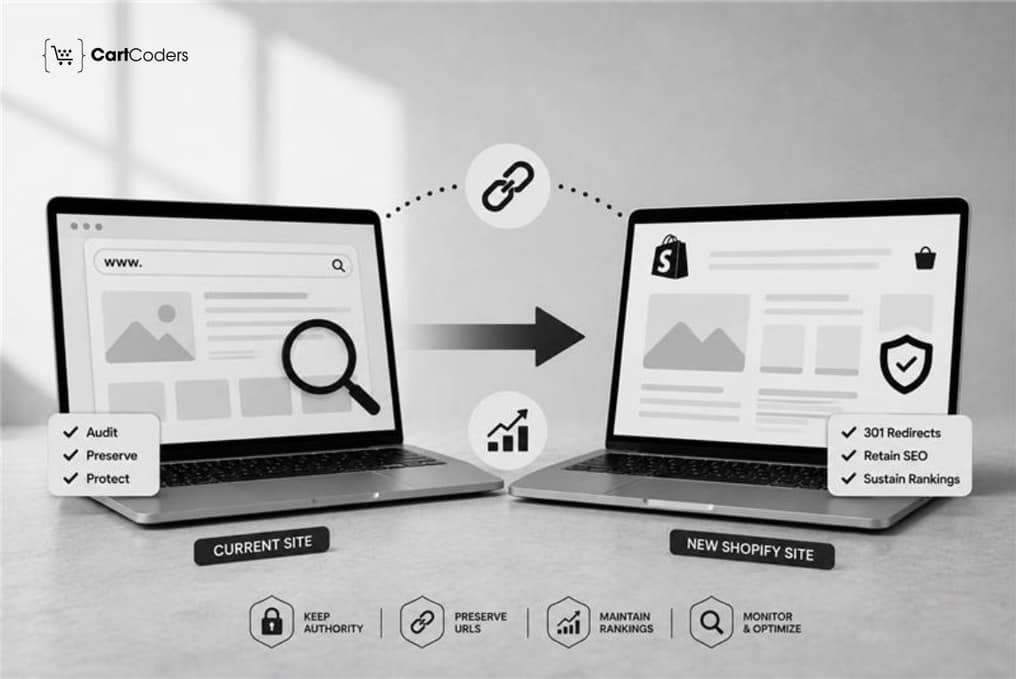

Introduction Option 1: Risk and Revenue Focus
An eCommerce store can spend years building rankings for product, category, and informational pages. During replatforming, those signals can be affected in a matter of hours if URLs change without redirects, internal links break, important content disappears, or search engines cannot crawl the new store correctly.
That is why a Shopify SEO migration should start before the new theme is ready. Google states that significant site moves can cause temporary ranking fluctuations while its systems recrawl and reindex changed URLs. For a medium-sized site, processing most moved pages can take a few weeks. Google’s site migration guidance recommends preparing URL mappings, using permanent redirects, updating internal links, submitting the new sitemap, and monitoring the move.
If organic search contributes meaningful revenue to your store, SEO should be part of the migration specification rather than a post-launch fix. CartCoders’ Shopify migration services can support the technical, data, redirect, integration, and launch requirements involved in moving an established ecommerce store to Shopify.
Quick Answer: How Do You Protect SEO During a Shopify Migration?
Protect Shopify SEO by benchmarking current performance, crawling existing URLs, mapping valuable pages to their Shopify equivalents, implementing one-to-one 301 redirects, retaining useful content and metadata, updating internal links, checking canonicals and indexability, validating the sitemap, and monitoring traffic and indexing after launch.
What Should You Audit Before a Shopify SEO Migration?
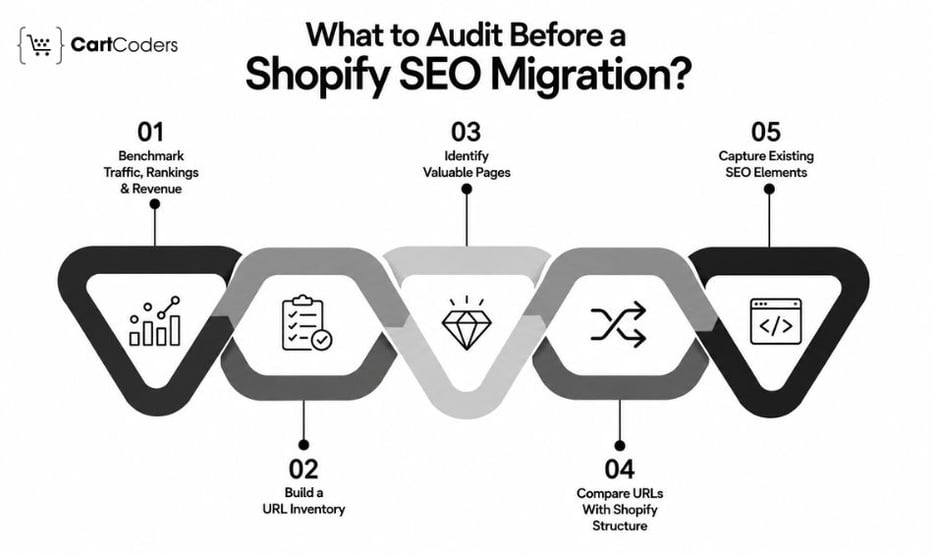
The first SEO task is not creating redirects. It is identifying what the existing store cannot afford to lose. A complete pre-migration audit creates the benchmark used to decide which pages deserve the most protection and whether post-launch changes are normal migration volatility or signs of a technical problem.
Benchmark Organic Traffic, Rankings, and Revenue
Record current organic sessions, Google Search Console clicks and impressions, keyword positions, conversions, and organic revenue. Go deeper than site-wide numbers. Identify which product, collection, category, blog, and landing pages contribute to search visibility and sales. For example, a collection page generating 15% of organic revenue should receive more migration scrutiny than an old page with no traffic, links, or conversions.
Build a Complete URL Inventory
Combine URLs from:
- XML sitemaps
- Google Search Console
- GA4
- Site crawls
- CMS exports
- Backlink reports
- Server logs where available
Google specifically recommends using sitemaps, analytics, server logs, CMS data, and Search Console when identifying URLs for a move.
Identify Pages With Search Value
Do not prioritize URLs only by traffic. A page may receive modest visits while holding valuable backlinks or ranking for commercially important terms.
Give additional attention to pages with strong:
- Organic revenue
- Keyword visibility
- Backlinks
- Conversions
- Search impressions
- Strategic product importance
Compare Existing URLs With Shopify’s Structure
Replatforming can change paths for products, collections, pages, and blogs. Identify these differences before developers finalize the Shopify structure. This gives the SEO team time to decide whether an existing URL can be retained or needs a permanent redirect.
Capture Existing SEO Elements
Export titles, meta descriptions, H1s, canonicals, structured data, indexability, image alt text, hreflang where relevant, and internal links. Shopify SEO audit services can be used to identify technical and on-page issues that should be separated from migration-related changes before replatforming.
| SEO Asset | Migration Decision It Should Inform |
| Organic landing pages | Which URLs receive priority QA |
| Rankings | Which search intents should remain intact |
| Backlinks | Which old URLs need careful redirects |
| Revenue | Which pages are commercially critical |
| Metadata | What should be preserved rather than rewritten |
| Internal links | Which links need updating after URL changes |
| Canonicals | Which URLs search engines currently treat as preferred |
Expert Insight: Avoid using migration as an excuse to change everything. Google recommends changing major site elements in stages where practical. Preserving strong content and search intent makes it easier to isolate the cause if performance changes after launch.
How Should You Map URLs and Redirects During Shopify Replatforming?
URL mapping is one of the highest-risk parts of Shopify migration SEO because existing URLs may already carry rankings, backlinks, historical engagement, and search-engine signals. Google recommends creating an old-to-new URL mapping and using permanent server-side redirects such as 301 or 308 when URLs permanently change. Google’s redirect guidance also recommends sending visitors and Google directly to the new location.
Create One-to-One URL Mappings
Every important old page should have a deliberate destination.
For example:
example.com/category/running-shoes
should map to something like:
example.com/collections/running-shoes
if the Shopify collection serves the same search intent.
Do not create redirects based only on similar words in the URL. Check whether the new destination genuinely replaces the old page.
Do Not Redirect Everything to the Homepage
An irrelevant homepage redirect may technically prevent a 404, but it does not give the customer the content they requested. Google specifically warns against redirecting many unrelated old URLs to one irrelevant destination because these redirects can be treated as soft 404s.
Remove Redirect Chains
Prefer:
Old URL → Final Shopify URL
instead of:
Old URL → Temporary URL → Previous Category → Final Shopify URL
Google can follow redirect chains, but its current guidance recommends directing URLs to their final destinations and keeping chains low when they cannot be avoided.
Handle Removed Pages Intentionally
Not every old page deserves a redirect. If two old pages have been consolidated into one stronger page, redirecting both to that relevant destination makes sense. If a page has been permanently removed and there is no suitable replacement, a correct 404 or 410 can be preferable to an unrelated redirect.
Update Internal Links Too
A 301 redirect should protect old URLs. It should not become the new site’s internal linking strategy. Update navigation, product descriptions, blogs, breadcrumbs, related-product blocks, footer links, and promotional content to point directly to final Shopify URLs.
| URL Situation | Recommended Action | SEO Priority |
| High-ranking product moved | 301 to matching product | Critical |
| Category becomes collection | 301 to equivalent collection | Critical |
| Blog URL changes | 301 to matching article | High |
| Several pages consolidated | Redirect to relevant combined page | Medium |
| Product has close replacement | Assess intent, then redirect | Medium |
| No relevant replacement | 404/410 | Appropriate |
Quick Suggestion: Add organic traffic, backlinks, rankings, and revenue columns to your redirect sheet. This turns a basic URL list into a migration priority map.
What SEO Should You Test Before Launching the Shopify Store?
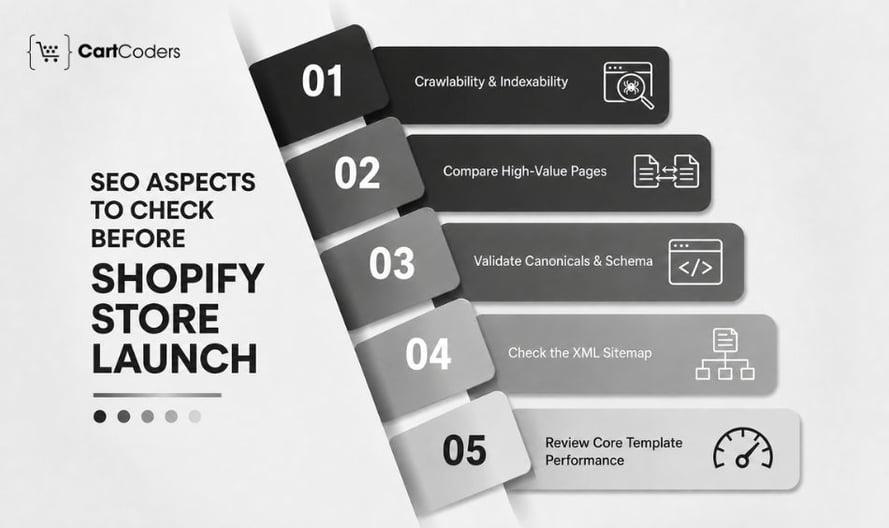
The final SEO review should serve as a launch gate, not a report delivered after the store is already live. A technically complete Shopify build can still lose organic visibility if production pages remain blocked, canonical tags point incorrectly, internal links use legacy URLs, or valuable category content disappears.
Check Crawlability and Indexability
Development stores are often deliberately protected from search engines. Before launch, verify that staging restrictions are not carried into production. Review robots.txt, meta robots directives, password protection, noindex tags, and other crawl restrictions. This deserves critical priority because a beautifully migrated page has little search value if Google cannot access or index it.
Compare High-Value Pages With the Existing Store
Do not manually compare every page with equal intensity. Start with the products, collections, categories, and content pages identified as SEO priorities during the audit. Compare their titles, headings, copy, images, internal links, and search intent. This catches situations where a technically successful migration accidentally removes the content responsible for the old page’s rankings.
Validate Canonicals and Structured Data
Check canonical output on products, collections, variants, pagination, and parameter URLs. Structured data should also be tested for product, breadcrumb list, Organization, article, and other relevant types. Theme changes and third-party apps can sometimes create duplicate or conflicting markup. For stores requiring deeper technical validation, a Shopify technical audit can help identify crawlability, template, performance, tracking, and technical issues before launch.
Check the XML Sitemap
Confirm that the Shopify sitemap contains the intended indexable URLs on the correct production domain. Removed, staging, duplicate, or unintended URLs should not become part of the search discovery process.
Review Performance on Core Templates
Test representative product, collection, homepage, and content templates rather than relying on a single performance score. Pay attention to LCP, INP, CLS, image loading, theme JavaScript, fonts, and third-party app scripts.
| Pre-Launch Area | Launch Should Be Blocked When |
| Redirects | Priority URLs reach wrong destinations |
| Indexability | Important production pages remain blocked |
| Canonicals | High-value pages point to unintended URLs |
| Content | Ranking content is missing without reason |
| Internal links | Old-domain links remain across templates |
| Structured data | Critical ecommerce markup conflicts |
| Sitemap | Wrong-domain or unintended URLs appear |
| Analytics | Purchases or key ecommerce events fail |
Do You Know?
A migration crawl should be compared against the pre-migration crawl. Looking at the new store alone makes it much harder to spot missing pages, metadata, links, and directives.
How Should You Monitor SEO After Shopify Goes Live?
SEO work does not finish when DNS changes. Google says temporary ranking fluctuations are normal during significant site moves because its systems must crawl and process the changed URLs. It notes that a medium-sized website may take a few weeks for most pages to move in its index, while larger sites can take longer. The key is separating expected movement from migration errors.
Crawl the Live Shopify Store Immediately
Run the first production crawl after launch and check for 404s, broken internal links, redirect chains, wrong canonicals, missing metadata, blocked pages, and accidental noindex directives. Prioritize problems affecting high-value URLs rather than treating every warning as equally urgent.
Submit and Monitor the Sitemap
Submit the production sitemap through Google Search Console and monitor how Google discovers and indexes the new URLs. For domain-changing migrations, follow Google’s current Change of Address guidance as well. In June 2026, Google clarified that domain migrations should account for relevant domain variants, including www and non-www variants.
Compare Performance Against the Baseline
Track:
- Organic clicks and impressions
- Ranking movement
- Indexed priority pages
- Organic sessions
- Organic revenue
- Conversion rate
Compare performance by page type. A 10% site-wide decline tells you there is a problem; knowing that collections fell while products remained stable tells you where to investigate.
Diagnose Drops by Cause
A ranking decline should lead to diagnosis, not immediate content rewriting.
- Redirect issue: The previous ranking URL points somewhere irrelevant.
- Content issue: Important copy or search intent changed.
- Indexing issue: The Shopify URL is not being indexed.
- Canonical issue: Google is selecting another URL.
- Internal-link issue: Important pages became harder to reach.
- Performance issue: Theme or app changes affected the customer experience or page performance.
| Period | Primary SEO Focus |
| Launch day | Redirects, crawlability, tracking |
| First 48 hours | 404s, canonicals, sitemap, priority URLs |
| First week | Indexing, clicks, impressions |
| Weeks 2–4 | Page-level rankings and organic traffic |
| Month 2 onward | Recovery trends and remaining technical gaps |
Expert Insight
Do not measure migration success from one day’s rankings. Look at whether priority pages are being crawled, indexed, receiving impressions, and gradually replacing their old equivalents in search.
What Does a Successful Shopify SEO Migration Look Like?
A successful replatform does not mean every URL, template, and ranking remains perfectly unchanged from launch day. It means the search value accumulated by the old store has a clear path into the new Shopify architecture. Healthy signs include priority pages being indexed, legacy URLs reaching relevant destinations, important rankings remaining visible or recovering, crawl errors staying controlled, and organic traffic beginning to stabilize.
Your Final SEO Migration Check
Before considering the project complete, confirm that:
- Priority URLs have been mapped and tested.
- Valuable content and search intent have been retained.
- Canonicals point to intended Shopify URLs.
- Internal links use final destinations.
- The production sitemap has been submitted.
- Tracking and revenue reporting work.
- Indexing and rankings are being monitored.
- Migration issues have clear owners.
Google recommends keeping redirects in place for at least one year after a site move so signals have time to transfer fully. For users, keeping useful legacy redirects for longer may still make sense.
Plan Your Shopify SEO Migration With CartCoders
When organic search already generates customers and revenue, migration decisions should account for SEO before development begins. CartCoders can support the wider replatform through URL and redirect implementation, data migration, storefront development, third-party connections, technical testing, and post-launch checks. Our Shopify integration services can also help reconnect ERP, CRM, inventory, fulfillment, payment, and other business systems affected by the platform change. Rather than treating SEO as a final checklist, the migration can be planned around the pages, search signals, and customer journeys that already create business value.
Contact us to discuss your current eCommerce platform, migration scope, organic search priorities, and Shopify launch requirements.
Conclusion
A Shopify SEO migration works best when SEO protection begins before the new store is built. Audit what currently drives search performance, map URLs carefully, retain valuable content, implement relevant redirects, validate the production store, and monitor how Google processes the move.
The process is straightforward to remember: Audit → Map → Redirect → Validate → Launch → Monitor. The quality of execution at each stage determines how effectively your existing search visibility carries into Shopify.
Frequently Asked Questions
You can reduce avoidable SEO losses by preserving valuable content and search intent, mapping URLs correctly, implementing permanent redirects, updating internal links, and monitoring indexing after launch. Temporary ranking fluctuations can still occur while Google processes the move.
Yes, when an existing indexable URL permanently moves to a different Shopify URL, a permanent redirect is generally appropriate. Google recommends server-side permanent redirects such as 301 or 308 for permanent URL changes.
No. Old pages should redirect to relevant replacements. Google warns against redirecting many unrelated URLs to one irrelevant destination because they may be treated as soft 404s.
If the product still exists at a new Shopify URL, redirect the old URL to that product. For discontinued products, use a genuinely relevant replacement or collection when appropriate. Otherwise, allow a proper 404 or 410.
Google says a medium-sized site can take a few weeks for most moved pages to be processed, while larger sites can take longer. The exact period depends on factors such as URL volume and crawl processing.
Submit the production sitemap after the migrated store is live and accessible to Google. Monitor its processing in Google Search Console alongside indexing of priority URLs.
Compare pre- and post-migration crawls, review Google Search Console, test old redirects, inspect important URLs, and compare page-level traffic and rankings against your migration benchmark.
Google recommends maintaining migration redirects for at least one year. Useful legacy redirects can remain longer when customers or external websites still use the old URLs.


