
Most shoppers add a single item to their cart and check out. A Mix & Match Bundle changes that math: you give them a pool of products and one simple rule — “pick any 5, save 15%” — and they build a bigger order themselves.
That is the quiet strength of mix-and-match. It lifts your average order value (AOV) by giving customers a reason to fill the cart, without a store-wide sale that chips away at every margin you have.
This blog shows you the whole path: what a Mix & Match Bundle is, the five decisions that make or break one, how to build it with and without an app, and the three apps worth using. If you run a store with variety in the catalog, this is one of the highest-leverage promotions you can set up.
What a mix-and-match bundle is
A Mix & Match Bundle gives the shopper a pool of products and a rule: “pick any 3,” “choose 4 to 6,” “build a box of 8.” They select what they want, and the bundle price or discount applies to the combination.
That is different from a Fixed Bundle, where you decide the exact contents, and from a multipack, where the “bundle” is just several units of the same product.
Definition: “Build-your-own-bundle” (BYOB) and “pick any X” mean the same thing as Mix & Match. You will see all three labels in apps and on the Shopify App Store.
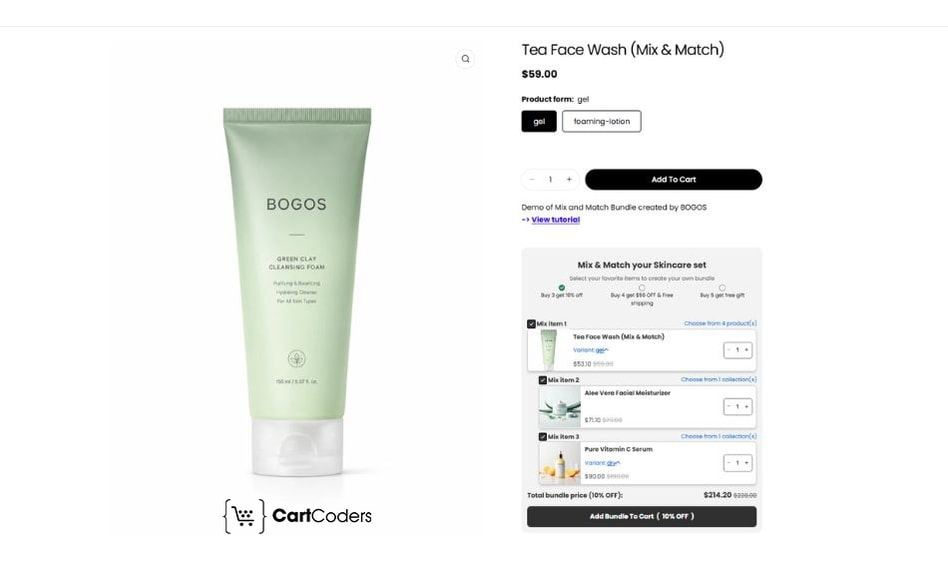
Here is how the three bundle types compare:
| Aspect | Mix & Match | Fixed Bundle | Multipack |
| What it is | A pool of products with a “pick any X” rule | A set combination you define | Several units of one product |
| Who picks the items | The customer | You | Neither (set quantity) |
| Best for | Wide catalogs, choice-driven shoppers | Curated sets, “starter kits” | Consumables, restock savings |
| Native Shopify support | No — needs an app (or Plus APIs) | Yes — free Shopify Bundles app | Yes — free Shopify Bundles app |
The key takeaway: Mix & Match is the only one of the three that hands the choice to the customer, and it is also the only one Shopify’s free app cannot build on its own. The next sections explain why that choice is worth the extra setup.
Why Shopify merchants use Mix-and-match bundles
The main goal of a Mix & Match Bundle is to increase AOV. When a shopper builds a set of 4 instead of buying 1, more revenue lands in a single order.
It reaches that goal through a few mechanics:
- It turns many small decisions into one: Instead of weighing each product separately, the shopper makes one decision: build the box or not. Fewer decisions mean a smoother path to checkout.
- It drives product discovery: A build-your-own pool puts more of your catalog in front of each shopper, so they try items they would not have searched for.
- It moves slow stock without a store-wide sale: You can seed the pool with slower sellers and let the bundle price do the work, instead of discounting everything.
When it fits your store
Mix & Match works best when shoppers have a real reason to choose. Good fits include:
- Wide or high-variant catalogs: tea, coffee, snacks, supplements, cosmetics, candles, apparel.
- Consumables people restock: skincare, pantry goods, pet supplies, cleaning products.
- Gift and sampler use cases: “build your own gift box,” “try 5 flavors.”
When it does not fit
A mix-and-match bundle is not a good fit if your product catalog falls into one of the situations below:
- Your catalog is small (under roughly 6–8 comparable products), so there is nothing to “mix.”
- You sell one hero product, where a multipack or a Fixed Bundle is simpler.
- Your margins are very thin, and any bundle discount would erase the profit.
Next action: If your store fits, list the 8–20 products you would put in the pool before you touch any settings. That product list drives every decision listed in the next section.
Decide these 5 things before you build
Most weak bundles fail for the same reason: the merchant installs an app, switches it on, and skips the strategy. These five decisions are the strategy. Settle them first, and the build itself takes minutes.
1. The product pool
Choose which products the customer can pick from. Group products that are logically related — by category, use case, or complementary function — so the offer reads as deliberate. A focused, relevant pool converts more effectively than an undifferentiated selection of your entire catalog.
2. The quantity rule
Decide how many items the shopper must pick: “pick any 3,” “choose 4 to 6,” “build a box of 8.” Set a clear minimum, because the minimum is what pulls the order size up. Add a maximum only if inventory or shipping needs one.
3. The pricing model
Pick how the savings are expressed:
- Flat bundle price (“any 4 for $40”) — easiest for shoppers to understand.
- Percentage off (“15% off when you pick 4”) — protects margin as prices change.
- Fixed amount off (“$10 off any 4”) — feels concrete on higher-priced items.
- Tiered / “buy more, save more” (“10% off 3, 15% off 5”) — pushes larger baskets.
4. The discount size
Make savings big enough to feel worth it, but keep it well below your product margin. A discount that is a fraction of your margin still leaves healthy profit while nudging a bigger order.
5. The trigger (threshold)
Decide at what point the bundle price kicks in — usually the minimum quantity from decision 2. This is the line that tells the shopper “add one more to unlock the deal.”
Watch out — do the margin math first. Say each item sells for $10 and costs you $4 (a 60% margin). You offer “pick any 5 for 15% off.”
- Regular price for 5 items: $50. Bundle price: $42.50.
- Your cost for 5 items: $20. Profit on the bundle: $22.50.
- If that shopper would otherwise have bought only 3 items ($30, $18 profit), the bundle earns you $4.50 more profit and moves 2 extra items.
The rule: your discount percentage must stay comfortably below your margin percentage. A 15% discount on a 60% margin is safe. The same 15% discount on a 20% margin leaves almost nothing.
Next action: Write your five answers in one line — for example, “Pick any 5 from the tea collection, 15% off, minimum 5.” You will plug exactly that into whichever build method you choose next.
How to build a mix-and-match bundle without using a Shopify app
Shopify’s free Shopify Bundles app supports Fixed Bundles and multipacks only. It does not build Mix & Match bundles. Shopify’s own changelog confirms that for mix-and-match support you need a third-party app, or, if you are on Shopify Plus, its bundle APIs.
You can still fake a basic version with no app, using a collection and a native automatic discount. It is a good way to test demand before you commit to an app.
Step 1: Create the product pool as a collection
In your Shopify admin, go to Products → Collections → Create collection. Give it a name shoppers will actually see, like “Build Your Own Tea Box.”
Add the 8–20 products from your pool. Use a manual collection for a hand-picked set, or an automated one that pulls in every product carrying a tag like byob so new stock joins the offer on its own.
Step 2: Start an automatic discount
Go to Discounts → Create discount and choose the type that matches your rule. Pick Amount off products for a straight “save 15% on these items,” or Buy X Get Y for a “buy 3 from the collection, get the rest discounted” structure.
Give the discount an internal title you will recognize later, such as “BYOB Tea – 15% off 5.”
Step 3: Point the discount at your collection
In the discount setup, set it to apply to Specific collections and select the collection from Step 1. Then set the value: a percentage (for example, 15% off) or a fixed amount.
Percentage is the safer default, because it scales automatically as your item prices change.
Step 4: Add the minimum-quantity condition
Under Minimum purchase requirements, choose Minimum quantity of items and enter the number from your quantity rule — for example, 5. This single setting is what turns a normal collection into a bundle: the saving only unlocks once the shopper adds the required number of items.
Step 5: Set it to automatic and check combinations
Under Discount method, choose Automatic so the saving applies at checkout with no code for the shopper to remember, and set active dates if it is a seasonal offer.
Then review the Combinations setting to decide whether this discount can stack with your other product or shipping discounts. Shopify will not combine two discounts unless you explicitly allow it, so this prevents a stacked offer from eating your margin.
Step 6: Build a collection page that sells the offer
Your collection already lives at a page (/collections/your-handle). Edit its title and description in the collection settings to spell out the deal — “Pick any 5, save 15%” — so shoppers understand the rule before they start adding items.
Then link that page from your main menu or a homepage banner so shoppers can find it.
This works, and it costs nothing. But the limits are real, and they matter for conversion:
- You cannot cap how many items a shopper picks, or force an exact “box of 5.”
- You cannot set one flat bundle price — only a percentage or amount off.
- There is no live builder showing progress (“2 of 5 added — add 3 more to save”).
Next action: Run the native version for a week or two. If shoppers engage but you keep hitting those limits, that is your signal to move to an app.
The best Shopify apps for mix-and-match bundles
An app removes every limit above. You get an enforced quantity rule, flexible pricing (including a flat bundle price), a build-your-own screen with live progress, and component inventory sync so you do not oversell.
The build flow is similar across apps: install → choose the product pool → set the quantity rule → set the pricing → design the builder → place it on the storefront → test → publish.
Below are three strong options, starting with the most flexible all-rounder.
1. BOGOS: Free Gift Bundle Upsell
Best for: Stores that want more than one promotion type from a single app — Mix & Match plus fixed bundles, gift with purchase, BOGO, and volume discounts — with deep control over targeting and placement.
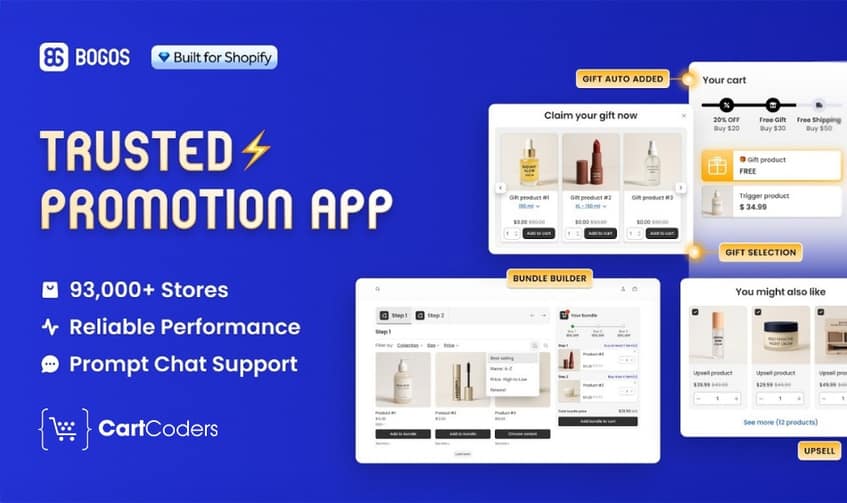
BOGOS is the most flexible pick here, and the one to choose if you want a single app to run more than mix-and-match. Formerly Free Gifts by Secomapp, it has spent over 12 years building offer tools for 95K+ brands, and it holds a 5.0-star rating across 4,361 reviews on the Shopify App Store (developer: BOGOS). It is Built for Shopify.
Alongside Mix & Match and a build-a-box builder, you get Fixed Bundles, BOGO, buy X get Y, gift with purchase, and volume or tiered discounts from one dashboard. Its real strength is control: advanced targeting rules decide who sees an offer, and placement tools — a progress bar, an announcement bar, and a dedicated offer page — put the bundle wherever it converts. Real-time analytics track each offer, and it supports POS and headless stores.
A free plan covers your first 30 orders, then paid plans run $29.99/month (Basic), $49.99/month (Grow), and $109.99/month (Plus), each with a 7-day trial. If you expect to run several promotion types across the year, paying for one app that does all of them usually beats stacking specialists.
2. MBC Mix and Match Bundles App
Best for: Merchants who want a mix-and-match-first app that also covers BOGO, quantity breaks, and build-a-box, with a free tier to start.
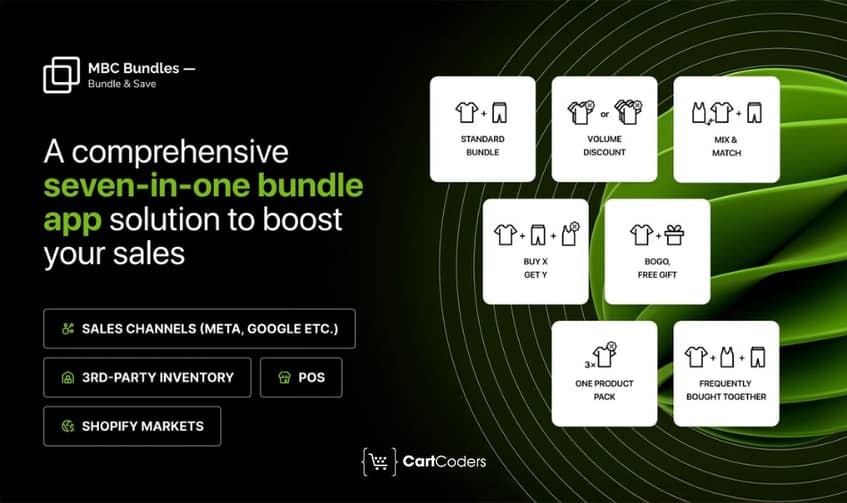
MBC is a mix-and-match-first app with a genuinely usable free tier, which makes it a low-risk way to test the format before committing budget. It carries a 4.9-star rating across 370+ reviews (developer: CAPITALIPLY LLC) and is Built for Shopify.
Its build-your-own-bundle flow includes a minimum-quantity selector — the setting that pulls order size up — and it also handles BOGO, buy X get Y, free gifts, and quantity-break or volume pricing. A pattern-based setup points you toward the right structure for your goal instead of dropping you into a wall of options, and it works with Shopify POS and Markets for multi-channel and cross-border stores. The interface is available in English, German, French, and Spanish.
It is free to install (free for up to 10 orders), then scales by order volume: $15.99/month up to 250 orders, $59.99/month up to 1,000, and $159.99/month up to 2,500, each with a 7-day trial. That volume-based pricing suits stores that want cost to track with sales rather than pay a flat fee up front.
3. BundleSuite Bundle Builder
Best for: Stores that want a polished, design-forward builder — Mix & Match, build-a-box, and multi-step flows — with each bundle getting its own page and inventory synced to real SKUs.
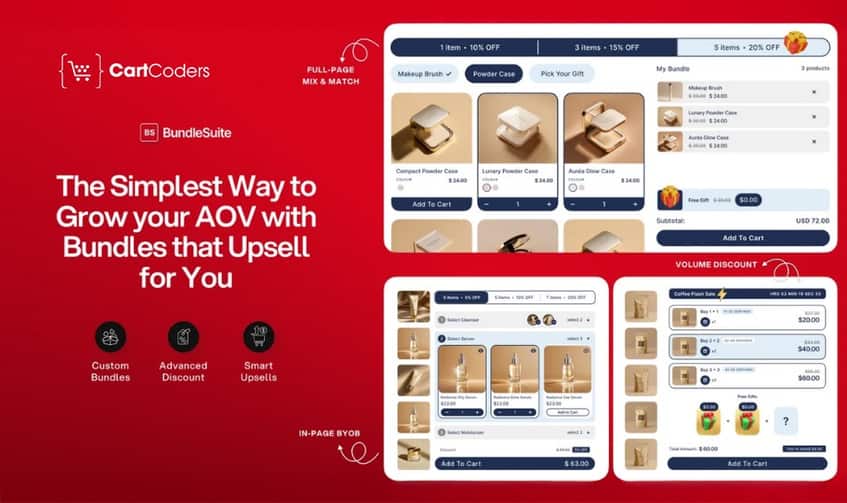
BundleSuite is the most design-forward option, worth choosing if the look of the builder and its search visibility matter to you. It earns a 5.0-star rating across 500+ reviews (developer: 2023 Projects, Inc) and is Built for Shopify.
It builds Mix & Match, build-a-box, and multi-step flows from pre-made templates, with flat, tiered, and quantity-break pricing plus BOGO and buy X get Y. Two things set it apart: every bundle gets its own indexable product page, which helps organic visibility, and it syncs to real product SKUs so stock stays accurate and you avoid overselling. Built-in analytics track bundle sales and AOV.
A free plan covers development and partner stores, and paid plans are priced by bundle sales rather than order count: Starter $12/month (up to $1,000), Essential $29/month (up to $5,000), and Professional $49/month (up to $10,000), each with a 7-day trial. The $12 entry point makes it one of the cheaper ways into a polished builder.
Where to place and promote the bundle
A bundle only lifts AOV if shoppers see it. Placement decides visibility.
Strong placements, in rough priority order:
- A dedicated bundle page — the home for “Build your box,” easy to link from menus, ads, and email.
- The product page — a builder block on related products, so shoppers add to the bundle while browsing.
- The cart — a nudge to reach the next tier (“add 1 more to save 15%”).
- The collection page — where a choice-driven shopper already expects variety.
- The homepage — a feature banner during a launch or seasonal push.
Then promote it where your traffic already is:
- Tie the bundle to a seasonal moment or a BFCM campaign for a clear reason to buy now.
- Send it to your email list with a “build your own” hook.
- Add an on-site announcement bar so every visitor learns the offer exists.
Next action: Pick one primary placement (usually a dedicated bundle page) and one promotion channel (usually email) for launch. Add more only after the first version is live and working.
Conclusion
A Mix & Match Bundle is one of the most reliable ways to raise AOV, because it gets shoppers to build a bigger order themselves. The setup is simple once the strategy is set.
Here is the path:
- Decide the five things — product pool, quantity rule, pricing model, discount size, and trigger.
- Build it — use the native collection-plus-discount route to test, or an app to run the real thing with a live builder and inventory sync.
- Pick the right app — BOGOS for multi-offer flexibility, MBC for a mix-and-match-first free start, or BundleSuite for design and per-bundle SEO.
- Place and promote it — one strong placement, one channel, then expand.
Start with your product pool today. Everything else follows from the list of items you want shoppers to mix.
No. The free Shopify Bundles app builds Fixed Bundles and multipacks only. For a true “pick any X” experience, you need a third-party app or Shopify’s bundle APIs if you are on Shopify Plus.
It should not, if you use an app that syncs bundle components to your real product inventory. Each item picked draws down its own stock, so you avoid overselling. Confirm component-level sync is on before you go live.
A flat bundle price (“any 4 for $40”) is usually easiest for shoppers to grasp, which helps conversion. A percentage discount protects your margin better as prices change. Test both against the same product pool and compare AOV.
Not the way Fixed Bundles do. Shopify’s Spring 2026 update let Fixed Bundles appear in Google search, Google ads, and YouTube, but Mix & Match bundles were not included in that channel eligibility. Plan to drive traffic to your Mix & Match offer through your own site, email, and ads.


