
Getting shoppers to add products to their carts is only part of the sale. The harder part is moving them from cart to completed payment without unexpected costs, payment problems, mobile friction, or unnecessary hesitation.
Baymard’s current cart abandonment research puts the average ecommerce cart abandonment rate at around 70%. Its data also shows that many shoppers leave because of high extra costs, slow delivery, trust concerns, account requirements, complicated checkout, or website errors.
For Shopify merchants, the right response is not simply sending more recovery emails. A better strategy combines cart abandonment prevention, Shopify abandoned checkout recovery, and measurement. A Shopify checkout audit can help identify whether orders disappear around the cart, shipping, discounts, payment, or recovery process.
Quick Answer: How Can You Reduce Shopify Cart Abandonment?
The best way to reduce Shopify cart abandonment is to prevent avoidable friction before relying on recovery campaigns. Start with costs, delivery expectations, mobile usability, payment methods, discount behavior, and checkout errors.
To reduce Shopify cart abandonment in 2026, show costs earlier, simplify the cart, improve mobile usability, offer suitable payment methods, test discounts and shipping, and fix payment errors. Then use Shopify abandoned checkout automation, Shopify Flow, email, SMS, and retargeting to recover high-intent shoppers.
Recovery should come next. Shopify currently lets merchants review abandoned checkouts, inspect payment events, send recovery links, and track recovery performance. Its newer abandoned checkout experience is managed through Shopify Messaging and can use Shopify Flow for workflow changes.
Why Do Shopify Shoppers Abandon Their Carts?
Not every abandoned cart signals a broken store. Baymard’s 2026 research found that 42% of surveyed US shoppers who had abandoned a cart were simply browsing or not ready to buy. Those shoppers are difficult to recover through checkout changes alone.
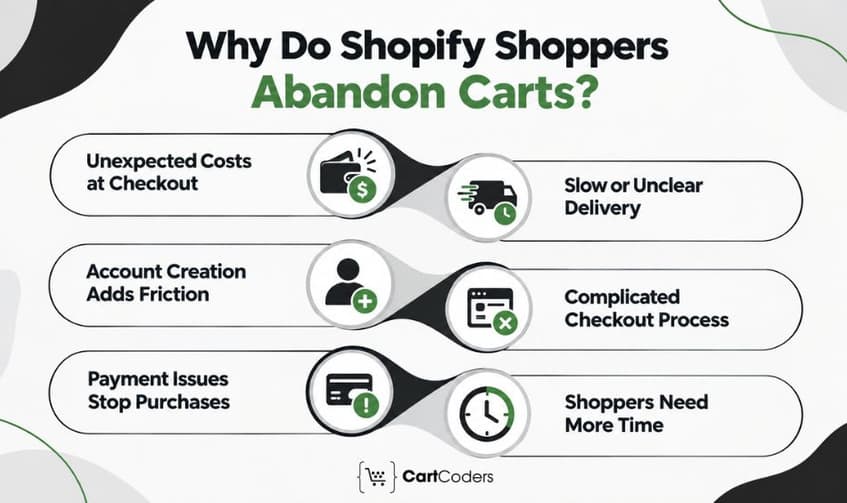
The more useful opportunity is identifying avoidable abandonment. Baymard reports high extra costs, slow delivery, trust concerns, account requirements, complicated checkout, errors, return-policy concerns, and payment issues among the remaining reasons shoppers leave.
Unexpected Shipping, Taxes, and Fees
Unexpected costs can quickly change how shoppers feel about an order, especially when they appear at the final step. Shipping charges, taxes, and additional fees can make the total cost feel higher than expected. Being clear about these costs early in the buying journey helps shoppers know the true price. It also helps them avoid surprises at checkout.
Slow or Unclear Delivery
A buyer may accept the product price but reject the delivery date. Show realistic delivery information before the shopper has invested several steps in checkout.
Account Requirements Create Extra Work
Mandatory account creation introduces another decision before payment. Where your Shopify setup and business requirements allow it, keep the path to checkout straightforward.
Complicated Checkout Adds Friction
A checkout can feel difficult even when it does not have many steps. Too many form fields, unclear labels, validation issues, difficult mobile typing, and unnecessary interruptions can make the process feel like more work than expected. The goal is to keep checkout simple, clear, and easy to complete.
Payment Problems Stop Ready Buyers
Payment abandonment deserves special attention because these shoppers may have intended to purchase. Shopify records payment events on abandoned checkout timelines, which can help merchants investigate declined cards and processing problems.
Some Shoppers Simply Need More Time
Comparison shopping and delayed purchasing will always exist. This is where Shopify abandoned cart recovery becomes useful after preventable checkout problems have been addressed.
Trust Concerns Can Stop the Purchase
Shoppers may leave when they feel uncertain about payment security, returns, delivery, or store credibility. This concern can be stronger when buying from an unfamiliar brand. Clear return policies, trusted payment options, delivery details, and accessible support information can give shoppers more confidence before checkout.
Expert Insight: The average cart abandonment rate is useful for context, but your own cart-to-checkout and checkout-to-order drop-offs are more actionable than a global benchmark.
How Should You Audit Shopify Cart Abandonment Before Making Changes?
A Shopify cart abandonment audit should identify where shoppers leave before deciding what to change. A broader Shopify CRO audit can connect checkout problems with product pages, mobile UX, trust signals, speed, and other earlier funnel issues.
Review Cart-to-Checkout Drop-Off
Compare shoppers who add products with those who start checkout. A large gap can indicate cart-level friction, unclear costs, distracting upsells, weak checkout CTAs, or technical issues.
Make Free Shipping Thresholds Easy to See
Clearly display how much shoppers need to spend to qualify for free shipping. A simple progress message can help buyers see how close they are. Keep it informative rather than using repeated pop-ups that interrupt the cart experience.
Review Abandoned Checkouts in Shopify Admin
Shopify lets merchants review abandoned checkouts to look for patterns behind incomplete purchases. An abandoned checkout occurs after a shopper has entered contact information and does not complete payment. Shopify’s documentation says it is considered abandoned after remaining incomplete for more than ten minutes.
Inspect Payment Events
Open individual abandoned checkouts and review their Timeline. Shopify records payment events that can reveal declined cards, incorrect payment information, technical failures, inventory problems, and other issues.
Compare Mobile and Desktop
Do not assume the desktop experience represents mobile buyers. Compare checkout starts, completion rates, payment failures, and conversion by device.
Review Behavioral Evidence
Heatmaps and session recordings can reveal repeated taps, cart-drawer problems, confusing controls, and hesitation. Use these tools carefully and configure privacy settings appropriately around sensitive checkout information.
Consider: A falling checkout conversion rate after a theme, app, shipping, payment, or discount change deserves investigation before launching another recovery campaign.
Which Shopify Cart Abandonment Metrics Should You Track?
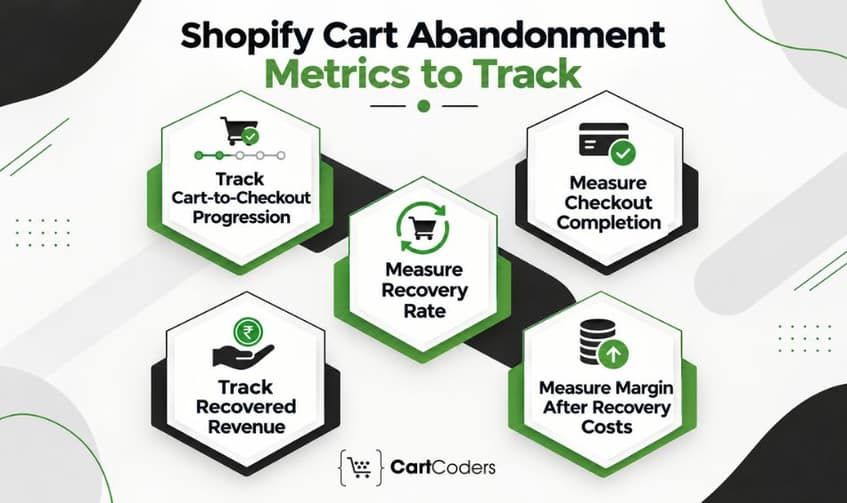
The goal is not to produce the smallest possible abandonment percentage. Some shoppers will always browse, compare, save products, or postpone purchases. Instead, measure whether preventable friction decreases and completed profitable orders increase.
Track Cart-to-Checkout Progression
This metric helps identify problems before checkout begins. Compare it by device, traffic source, product category, and meaningful customer segments.
Measure Checkout Completion
Look at how many checkout starters complete orders. A change here can signal shipping, form, payment, discount, or technical problems.
Measure Recovery Rate
Track how many eligible abandoned checkouts return and purchase. Compare recovery by channel rather than combining email, SMS, and ads into one number.
Track Recovered Revenue
Revenue shows commercial impact better than open rates. Shopify’s abandoned checkout reporting includes completed orders and sales generated from reminder emails.
Measure Margin After Recovery Costs
Recovered revenue can look impressive while aggressive discounts and paid retargeting reduce profit. Include discounts, messaging costs, ad spend, and platform costs where relevant. For a wider measurement framework, use a Shopify UI/UX audit to connect cart behavior with usability and experience issues across the store.
Expert Insight: Open rates and clicks are supporting metrics. Completed orders, recovered revenue, and recovered margin tell you whether the recovery program creates business value.

How Can You Reduce Unexpected Shipping and Cost Abandonment?
Unexpected costs can quickly turn a ready-to-buy shopper away. If shipping, taxes, or extra fees only become clear at checkout, the final price may feel higher than expected. Making these costs clear earlier can help create a smoother buying experience and reduce last-minute drop-offs.
Show Shipping Context Before Checkout
If exact shipping cannot be calculated early, provide useful context. This might include starting rates, regional information, a shipping calculator, or clear free-shipping rules.
Make Free Shipping Thresholds Easy to See
A shopper who is close to free shipping may prefer adding another item over paying delivery fees. Show the threshold clearly, but avoid aggressive messages that distract from checkout.
Set Delivery Expectations Earlier
A low shipping fee does not help when delivery is too slow. Where possible, show expected delivery dates or useful ranges rather than making shoppers discover timing at the end.
Explain International Costs
International buyers may consider duties, taxes, currency, and delivery together. If exact costs depend on destination, explain how and when those charges are calculated.
Expert Insight: To reduce cost-related Shopify cart abandonment, show shipping information, free-shipping thresholds, delivery expectations, and relevant tax or duty guidance before the shopper reaches the final payment decision.
How Can You Reduce Cart-to-Checkout Friction?
The cart should help shoppers review the order and continue, not create another complicated browsing experience. Baymard’s ecommerce UX research warns that aggressive cross-sells, promotions, and secondary modules can distract shoppers from the cart’s primary purpose.
Keep the Checkout CTA Obvious
The checkout button should remain easy to identify, particularly on mobile. Do not let promotional modules or upsells visually compete with the main action.
Make Product Changes Easy
Shoppers should be able to adjust quantities, remove items, and verify selected variants without unnecessary steps. Slow cart updates or unclear controls can create doubt.
Keep Upsells Secondary
Relevant recommendations can increase order value, but they should not block checkout. The shopper’s existing purchase intent is more valuable than forcing another decision.
Add Reassurance Near the Decision
Brief links to shipping, returns, support, or relevant product information can answer last-minute questions. Keep them useful without turning the cart into another product page.
Smarter Shopify development can help address cart abandonment issues, frontend errors, and checkout-related code issues.
Expert Insight: Every element between cart review and checkout should answer one of two questions: “Does this help the shopper complete the order?” or “Does this resolve a purchase concern?”
How Can Shopify Stores Reduce Mobile Cart Abandonment?
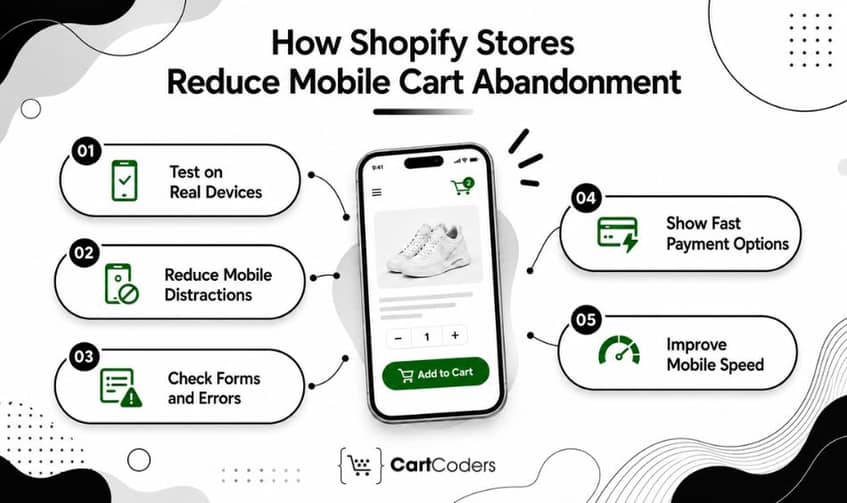
Mobile checkout deserves separate testing because typing, scrolling, error correction, and payment entry are harder on smaller screens. A cart that looks simple on desktop can still create significant mobile friction.
Test the Complete Journey on Real Devices
Test product selection, cart updates, discount entry, checkout, payment, and confirmation. Do not test only screenshots or responsive previews.
Reduce Mobile Cart Distractions
Long recommendation blocks can push totals and checkout actions farther down the screen. Keep the order summary and primary action easy to reach.
Check Form and Error Behavior
Verify autofill, keyboard type, field validation, error placement, and scrolling. A validation error that appears outside the visible area can make checkout look broken.
Make Accelerated Payments Visible Where Appropriate
Shopify supports accelerated checkout methods depending on store and payment configuration. Test how these options appear across devices and browsers instead of assuming every buyer sees the same payment experience.
Improve Mobile Page Speed
Slow cart updates or delayed checkout pages can interrupt purchase intent on mobile. Review heavy theme scripts, third-party apps, images, and cart functions that may increase loading time. Faster interactions help shoppers move from cart to checkout without unnecessary waiting.
Expert Insight: Mobile optimization is not simply responsive design. Test how quickly a shopper can correct an error and continue, because recovery from mistakes is part of checkout usability.
Which Payment Options Can Reduce Shopify Checkout Abandonment?
Payment-stage abandonment can indicate a highly motivated shopper who could not complete the order.
Offer Payment Methods Relevant to Your Buyers
The right mix depends on customer location, store setup, product value, and payment provider support. Do not add payment methods simply to increase the number of logos displayed.
Review Shopify Payment Events
Shopify’s abandoned checkout Timeline records payment events. Use the Message field and available gateway information to investigate why payment failed rather than assuming the buyer changed their mind.
Check Third-Party Payment Redirects
External payment providers can introduce additional failure points. Shopify notes that abandoned checkouts can occur when customers leave an external gateway, payment fails, return URLs are incorrect, or confirmation does not reach Shopify.
Test Payments After Store Changes
Re-test checkout after changes to payment apps, Markets settings, checkout extensions, discounts, shipping, or integrations. High-intent payment problems should receive more attention than low-intent cart browsing.
Consider: A payment failure and a shopper who was “just browsing” should never receive the same diagnosis. Segment abandonment by intent and failure point.
How Do Discount Codes and Gift Cards Affect Shopify Cart Abandonment?
Discount problems occur late in the purchase journey, when buyers may already have strong intent. A code that fails without a useful explanation can create doubt about the promotion and the final price.
Test Active Discount Codes
Check eligibility, expiry dates, customer restrictions, product rules, minimum order requirements, and combination settings. Run tests from the shopper’s perspective rather than relying only on configuration.
Review Discount Combinations
Automatic and manual discounts can interact differently depending on store settings. Test the combinations your campaigns actually promote.
Test Gift Cards
Verify redemption, remaining balances, split payments, and interactions with discounts where applicable.
Make Error Messages Useful
A shopper should understand why a promotion does not apply. “Invalid code” provides less help than explaining an eligibility or expiry issue where the platform permits clearer messaging.
Shoppers Leave to Search for Coupons
Some shoppers leave the cart to search for discount codes before completing their purchase. Once they leave, they may find expired codes, visit another store, or simply forget to return. Clear on-site promotions can reduce the need to search elsewhere for offers.
Recovery Margin Falls
Abandoned cart discounts may recover orders, but frequent incentives can reduce the profit earned from each sale. This becomes more costly when discounts combine with paid retargeting or other recovery expenses. Merchants should compare recovered revenue with actual margin before relying heavily on discounts.
Expert Insight: Avoid relying on discounts to recover every abandoned cart. Use incentives selectively when the potential recovered margin makes them worthwhile.
How Can Shopify Flow and Recovery Tools Help Bring Buyers Back?
Recovery tools are most useful after the underlying cart and checkout experience is working correctly. The goal is to match follow-up to buyer intent rather than send identical reminders to every abandoned session.
Shopify Flow Can Support Checkout Recovery
Shopify Flow includes a Customer abandons checkout trigger. Shopify’s template library also includes recovery workflows, allowing merchants to build automation around abandoned checkout behavior.
Email Platforms Can Add Segmentation
Platforms such as Klaviyo or Omnisend can support more detailed segmentation and multichannel workflows. Review consent, suppression, attribution, and integration settings carefully before comparing performance.
SMS and WhatsApp Need Consent
High-intent messaging can feel intrusive when shoppers did not expect it. Follow applicable consent, privacy, and messaging requirements for the buyer’s jurisdiction.
Retargeting Can Reach Undecided Shoppers
Meta and Google campaigns can remind eligible audiences about products after they leave. Control frequency and spend so recovery costs do not consume the value of recovered orders. Depending on the recovery approach, merchants may also consider different types of Shopify cart abandonment apps.
| Tool | Best Role | Watch Closely |
| Shopify Messaging | Native recovery email | Eligibility and timing |
| Shopify Flow | Workflow logic | Trigger conditions |
| Klaviyo | Segmented automation | Attribution and consent |
| Omnisend | Multichannel recovery | Cost and list quality |
| SMS/WhatsApp | High-intent follow-up | Consent |
| Meta Ads | Product retargeting | Frequency |
| Google Ads | Remarketing | Feed and audience quality |
Expert Insight: Shopify Flow helps cart recovery by triggering workflows from abandonment events and applying conditions or actions. Pair it with email or other permitted channels when deeper segmentation is needed.
Which Trust Signals Help Reduce Cart Abandonment?
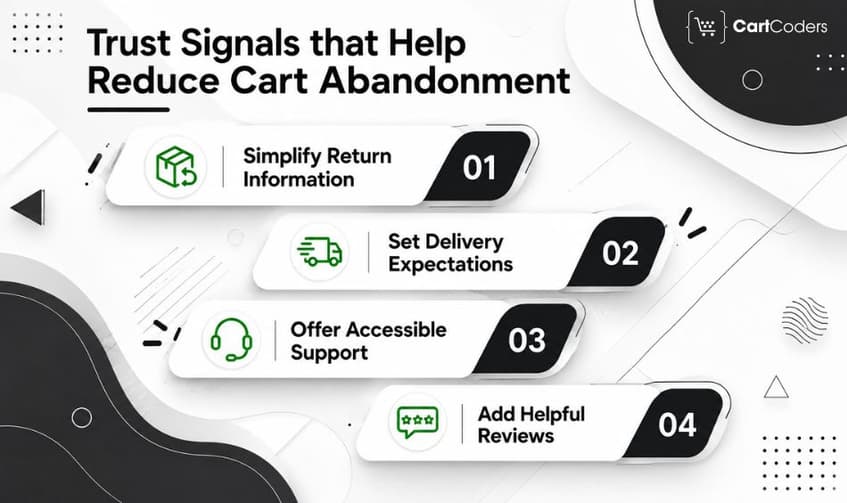
Trust matters most when it answers a real purchase concern. Baymard’s current abandonment research includes payment trust and unsatisfactory return policies among reasons shoppers leave.
Make Return Information Easy to Reach
Shoppers should not need to leave the purchase journey and search the entire site for return conditions. Provide a short explanation or clear link near relevant buying decisions.
Set Delivery Expectations
Delivery information provides both practical information and reassurance. Avoid promising delivery dates the fulfillment operation cannot reliably support.
Provide Accessible Customer Support
A visible contact path can help buyers who have a question before payment. The best channel depends on your operating model and support capacity.
Use Reviews Where They Help Decisions
Product reviews can reduce uncertainty before cart entry. Avoid filling checkout with unnecessary social proof that distracts from completing payment.
| Buyer Concern | Useful Signal |
| “Can I return it?” | Return-policy link |
| “When will it arrive?” | Delivery estimate |
| “Can I trust payment?” | Recognizable secure checkout |
| “Will it work for me?” | Product details or FAQ |
| “Who can help?” | Support contact |
| “Is this product credible?” | Genuine customer reviews |
Consider: Trust signals work when they provide evidence. Generic badges with no clear meaning can add visual clutter instead of confidence.
What Should Be on a Shopify Cart Abandonment Checklist for 2026?
A useful Shopify cart abandonment checklist should cover prevention, diagnosis, recovery, and measurement. Use the checklist after major theme, app, shipping, discount, payment, or checkout changes.
| Area | Check |
| Cart | CTA, totals, quantity edits |
| Shipping | Cost visibility and threshold |
| Delivery | Date or realistic range |
| Mobile | Cart, forms, errors, wallets |
| Payments | Methods and failed events |
| Discounts | Codes, combinations, gift cards |
| Trust | Returns, support, delivery |
| Recovery email | Timing and recovery link |
| Flow | Trigger and workflow conditions |
| Retargeting | Audience and frequency |
| Bot data | Compare periods carefully |
| Analytics | Funnel and recovery revenue |
| Margin | Discounts and recovery costs |
How Can CartCoders Help Reduce Shopify Cart Abandonment?
Cart abandonment often involves more than one page. Shipping rules, cart behavior, theme code, mobile UX, discounts, payment methods, checkout customizations, analytics, and recovery automation can all affect completion.
CartCoders provides Shopify development services for merchants that need technical changes across their storefront and buying journey. The work can include cart fixes, theme updates, integration checks, checkout-related development, and performance improvements.
For stores that need deeper checkout changes, Shopify checkout extension development can support suitable checkout customization requirements. A CRO or checkout review can then help prioritize changes based on observed buyer friction rather than assumptions.
Contact us to identify where shoppers leave and build a Shopify cart recovery plan around real store data.
Reduce Shopify Cart Abandonment Before Trying to Recover It
Reducing Shopify cart abandonment starts before the recovery email. Show important costs earlier, set delivery expectations, keep the cart focused, test mobile behavior, offer relevant payment options, and investigate discount or payment failures.
Recovery then becomes more useful because the remaining abandoners are less likely to be leaving because of preventable store friction. Shopify Messaging, Shopify Flow, segmented email, SMS where properly consented, and retargeting can bring some high-intent shoppers back.
Shopify now excludes suspected card-testing and bot sessions from abandoned checkout data, so year-over-year changes can reflect both shopper behavior and cleaner data.
The strongest strategy is therefore prevent → diagnose → recover → measure. Track completed orders, recovered revenue, and margin rather than judging success by the number of reminders sent.
Frequently Asked Questions
Shopify cart abandonment happens when a shopper adds products to a cart but leaves without completing the purchase. It can occur before or during checkout.
An abandoned cart can occur before checkout begins. Shopify defines an abandoned checkout after a shopper provides contact information but does not complete payment.
Show costs earlier, simplify cart interactions, improve mobile usability, test payments and discounts, clarify delivery, strengthen trust, and add targeted recovery automation.
Common causes include unexpected costs, slow delivery, checkout friction, account requirements, trust concerns, website errors, payment failures, and shoppers who are not ready.
Yes. Eligible stores can configure automated abandoned checkout emails containing a recovery link. Shopify’s newer automation is managed through Shopify Messaging.
Shopify Flow can trigger workflows when eligible customers abandon checkout. Merchants can use conditions and actions to build more specific recovery processes.
Useful options include Shopify Messaging, Shopify Flow, segmented email platforms, consented SMS tools, and retargeting platforms. The right combination depends on store needs.
Payment failures may require diagnosis rather than marketing. Review abandoned checkout payment events to identify declines, processing problems, or gateway issues.
Shopify says suspected card-testing and bot checkout attempts no longer create abandoned checkouts, helping keep recovery data focused on genuine shoppers.


